
Call Accounting Overview
Call Accounting records how your organization uses its phone service and puts a price on that usage. For every outbound call, Cloud Voice looks at the number dialed and how long the call lasted, then estimates the cost. The result is a single, organization-wide view of who is calling, how much they are calling, and what it is costing you.
Why use Call Accounting
Section titled “Why use Call Accounting”Contact centers and sales teams place a high volume of outbound calls, many of them long-distance or international. Two terms come up often here:
- NDD (National Direct Dialing): long-distance calls dialed directly to another area within the same country.
- IDD (International Direct Dialing): calls dialed directly to a number in another country.
When those calls go unmonitored, it becomes easy for the phone system to be misused, and the charges can add up quickly. Call Accounting gives you a way to keep an eye on outbound activity so that usage and spend stay under control.
What Call Accounting gives you
Section titled “What Call Accounting gives you”Recorded call statistics. Every call placed by an extension or a department is logged as a Call Detail Record (CDR: the individual record of one call, including who called, the number dialed, and the duration). Using both historical records and live call data, you can review individual and team performance and spot patterns that point to misuse.
Configurable call rates. Set separate rate rules for local, long-distance, and international calls. Because each call type is priced independently, you can watch the running charges by category and estimate your bill before your carrier issues it.
Detailed reports. Generate accounting reports for a single extension or for a whole department. Each report breaks down the total number of calls, total and average call duration, and total charges, so you can see how a person or a team actually uses the phone.
Better budget planning. Because usage and cost are broken out by person and by department, you have the numbers you need to forecast telecom spend and set realistic budgets.
How it fits together
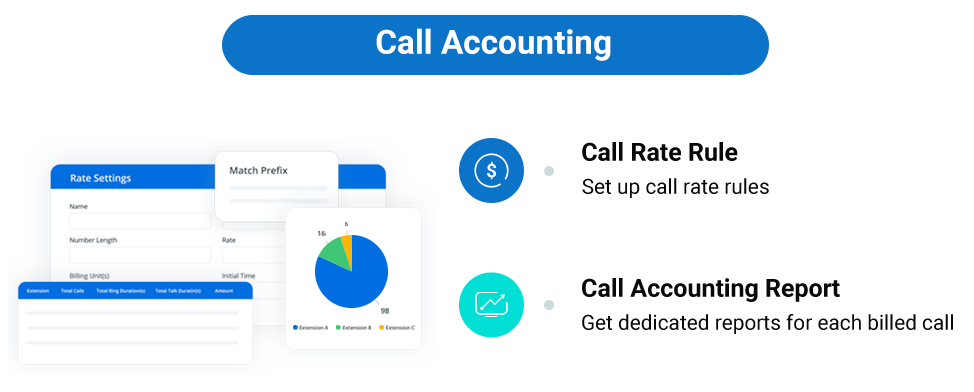
Section titled “How it fits together”Call Accounting has two main parts. First you define the pricing, then you read the results:
- Create the rate rules that Cloud Voice uses to price calls. See Add a Call Rate Rule.
- Review the calculated activity and cost per extension. See Extension Call Accounting Report.
The diagram below shows the same two steps as they appear in the admin web interface.
Question about this page?
Ask the AI assistant. It starts from this page, then searches the rest of the docs.
Ask Cloud Voice AI
Answers are AI-generated from the docs and may contain mistakes. Verify with the linked pages.