
Add Disposition Codes
Call Disposition lets you build a set of standardized codes that describe how a call ended. Each code pairs a short label with an optional description, giving your team a consistent way to classify and report on business calls. This page walks through creating those codes.
Before you begin
Section titled “Before you begin”Your system must be running Cloud Voice firmware 84.23.0.24 or later.
Create a disposition code
Section titled “Create a disposition code”-
Sign in to the PBX (Private Branch Exchange, your phone system) web portal and open Call Features > Call Disposition.
-
Select Add.
-
Fill in the fields in the dialog that appears.
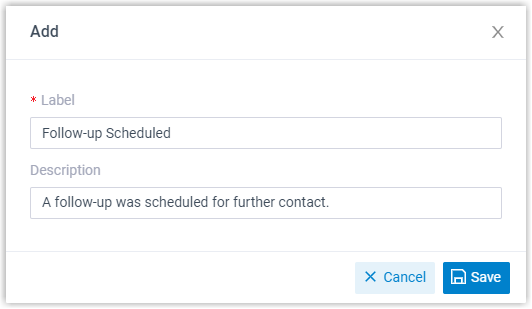
- Label: A short, recognizable name that captures the call outcome.
- Description: Optional. A longer note that clarifies what the label means.
-
Select Save.
-
To build out your list, repeat steps 2 through 4 for each additional code.
What happens next
Section titled “What happens next”Once your codes are in place, extension users can pick from them when adding call notes, making it quick to label and sort their calls.
Question about this page?
Ask the AI assistant. It starts from this page, then searches the rest of the docs.
Ask Cloud Voice AI
Answers are AI-generated from the docs and may contain mistakes. Verify with the linked pages.