
Set up Boss-Secretary Feature for Extensions
The Boss-Secretary feature puts a screening layer in front of an extension. You mark one extension as the boss, assign the secretary who should field the boss’s calls, and choose which incoming calls get routed through the secretary first. The secretary answers, decides whether the boss should take the call, and transfers it on when it is worth interrupting. This page shows how to set it up.
Before you start
Section titled “Before you start”- To route the boss’s calls to more than one secretary, first put all of those secretary extensions into a single ring group. You will select that group rather than individual extensions.
- If you want the boss’s own extension to ring at the same time a call is forwarded to a secretary, add both the boss extension and the secretary extension(s) to one ring group.
Designate the boss extension
Section titled “Designate the boss extension”-
Sign in to the Cloud Voice management portal and go to Extension and Trunk > Extension.
-
Find the extension you want to make the boss extension and click the edit icon
 next to it.
 -
Open the Features tab.
-
In the Boss Extension section, turn on the switch.

The Enable Boss-Secretary Feature option is selected automatically, confirming the feature is now active for this extension.
-
Assign the secretary. How you do this depends on whether one or several extensions will screen calls.
One secretary

- Set Number of Secretaries to Only One.
- Choose the extension from the Secretary Extension list.
More than one secretary

- Set Number of Secretaries to More than One.
- Choose the ring group that holds the secretaries from the Secretary Group list.
-
Use the Call Type list to decide which calls to the boss are routed through the secretary first.
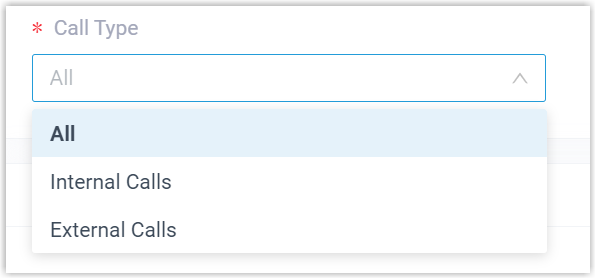
- All: Route every incoming call to the secretary first.
- Internal Calls: Route only calls from other extensions to the secretary first.
- External Calls: Route only outside calls to the secretary first.
-
Click Save, then Apply.
What happens next
Section titled “What happens next”The extension is now the boss extension, with the Boss-Secretary feature in effect:
-
Incoming calls of the call type you chose are forwarded to the secretary first. The secretary answers and decides whether to pass the call to the boss.
-
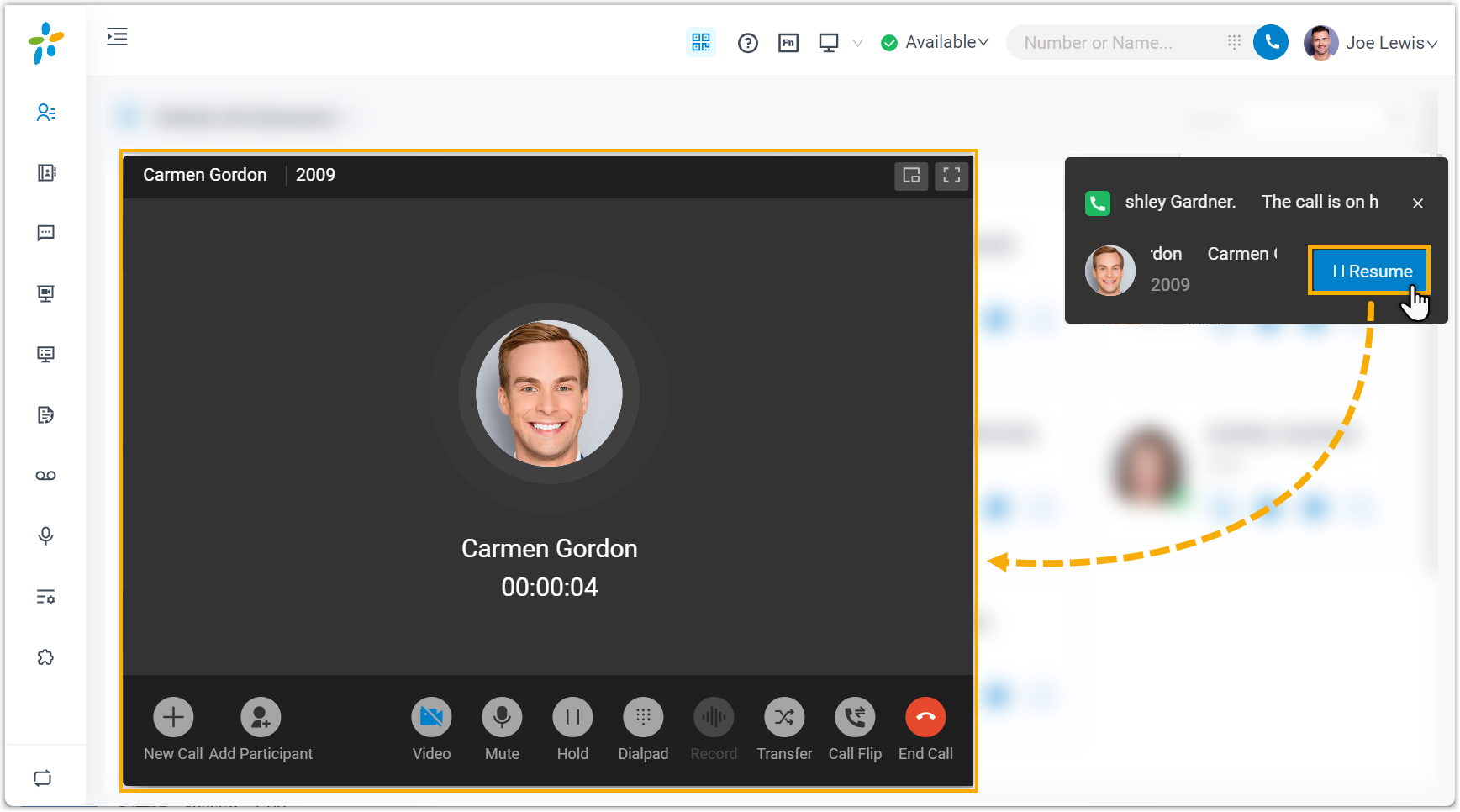
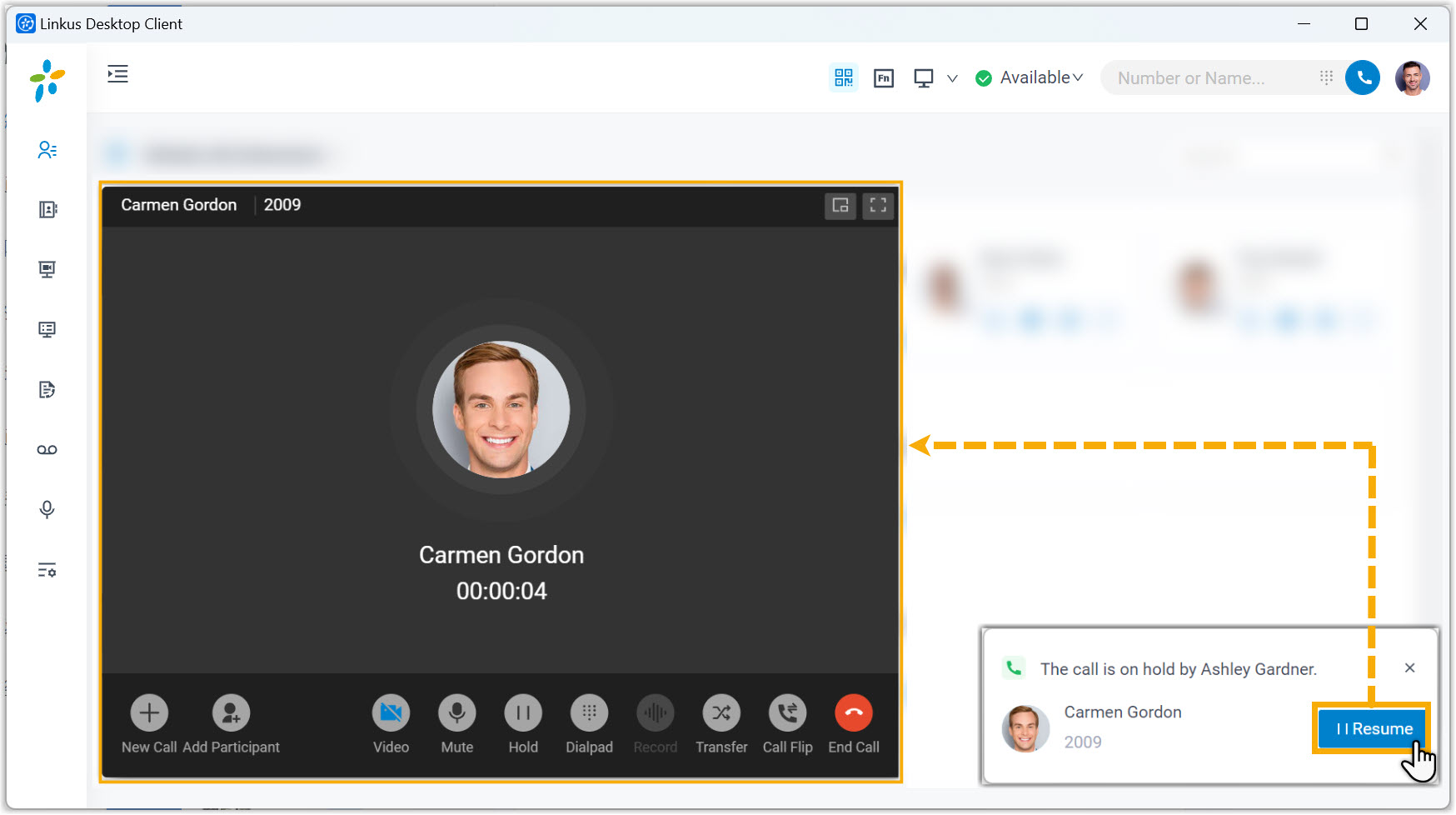
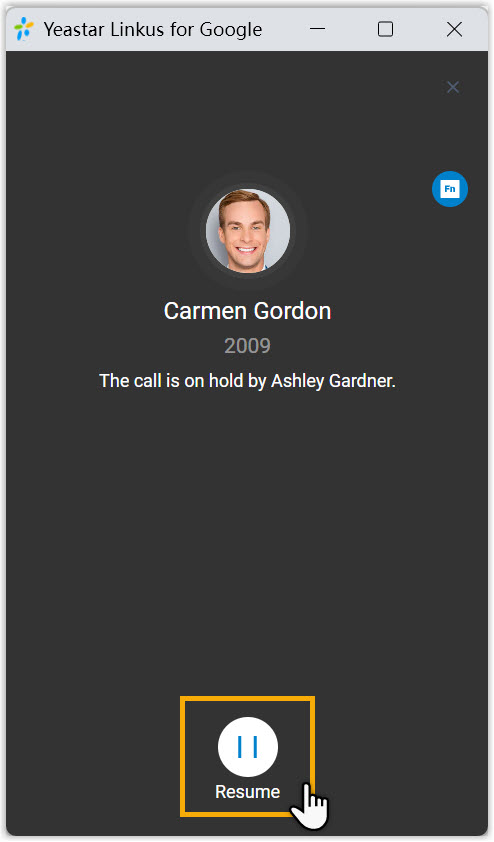
The boss and secretary can hand a call back and forth by putting it on hold and having the other party resume it. When one side holds the call, the other resumes it from one of these endpoints:
Cloud Voice App (web and desktop)
Click Resume in the pop-up to take the call.
Cloud Voice App for Google
Click Resume in the browser extension to take the call.
IP phone
Press the BLF (Busy Lamp Field) key to take the call. A BLF key is a programmable button on the phone that shows another extension’s line status and can be pressed to interact with that line.
Question about this page?
Ask the AI assistant. It starts from this page, then searches the rest of the docs.
Ask Cloud Voice AI
Answers are AI-generated from the docs and may contain mistakes. Verify with the linked pages.