
Restrict Extension Registration Based on IP Address
Out of the box, Cloud Voice accepts a SIP registration for an extension from any IP (Internet Protocol) address. SIP (Session Initiation Protocol) is the signaling a phone or softphone app uses to log in to (register with) an extension and set up calls. That open default is convenient, but it also lets an attacker who steals or guesses an extension’s credentials register from anywhere on the internet and run up expensive calls on your account. To close that gap, tie an extension to one or more approved IP addresses so that no other device can register, even with the correct username and password.
Before you begin
Section titled “Before you begin”Decide which addresses should be trusted. This can be a single host (one fixed IP) or a whole subnet (a network range), depending on whether the phone lives at one fixed address or somewhere on a known network. You will need the IP address, and for a range the matching subnet mask, when you configure the rule.
Limit registration to approved addresses
Section titled “Limit registration to approved addresses”-
Sign in to the Cloud Voice web portal and go to Extension and Trunk > Extension, then open the extension you want to protect.
-
Select the Security tab.
-
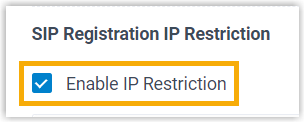
Under SIP Registration IP Restriction, tick Enable IP Restriction.
-
Add each address or range that should be allowed to register the extension:
- Click Add IP.
- Fill in Permitted IP and Subnet Mask to define the address or network you want to trust. Repeat for any additional entries.
-
Click Save, then Apply.
Result
Section titled “Result”Registration for this extension is now restricted to the addresses you listed. A device on any other IP is turned away, even with the correct credentials.
Question about this page?
Ask the AI assistant. It starts from this page, then searches the rest of the docs.
Ask Cloud Voice AI
Answers are AI-generated from the docs and may contain mistakes. Verify with the linked pages.