
Allow Passwordless Login
There are times when your service provider needs to sign in to your phone system to troubleshoot an issue or apply a fix on your behalf. Rather than handing over your administrator username and password, you can enable passwordless login. Once it is on, the provider signs in through a dedicated account that carries full administrator rights, and your own credentials stay private.
Before you begin
Section titled “Before you begin”Your system must be running firmware 84.8.0.49 or later.
Turn on passwordless login
Section titled “Turn on passwordless login”-
Log in to the Cloud Voice Dashboard at https://portal.voice.izt.cloud and click Login to open your phone system’s management portal with full administrator access, then open Security > Security Settings > Passwordless Login.
-
Enable the Passwordless Login switch.

What happens next
Section titled “What happens next”-
An access indicator
 appears in the top-right corner of the administrator portal, confirming that passwordless login is active.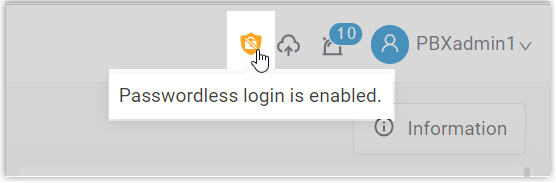
-
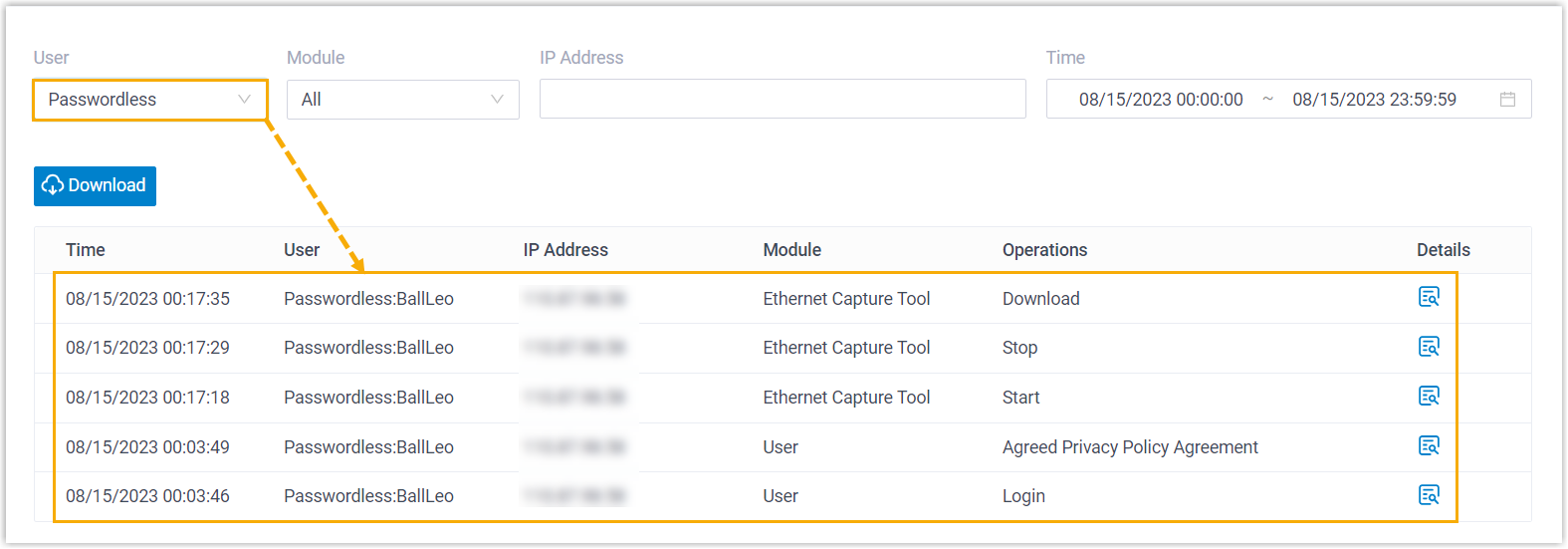
Your service provider can now sign in directly through a dedicated Passwordless account. This account has full administrator permissions.
Question about this page?
Ask the AI assistant. It starts from this page, then searches the rest of the docs.
Ask Cloud Voice AI
Answers are AI-generated from the docs and may contain mistakes. Verify with the linked pages.