
Disable Microsoft SQL Integration
When you need to stop syncing contacts from your Microsoft SQL database, you can switch the integration off in Cloud Voice. SQL (Structured Query Language) is the language used to read and write records in the Microsoft SQL database, and this integration uses it to pull contact records into your directory. Turning the integration off pauses that connection but keeps your saved settings, so you can resume later without re-entering anything.
Turn off the integration
Section titled “Turn off the integration”-
Open the Microsoft SQL settings:
-
Sign in to the Cloud Voice management portal and go to Contacts > Company Contacts.
-
Select Synchronize Contacts near the top of the page.
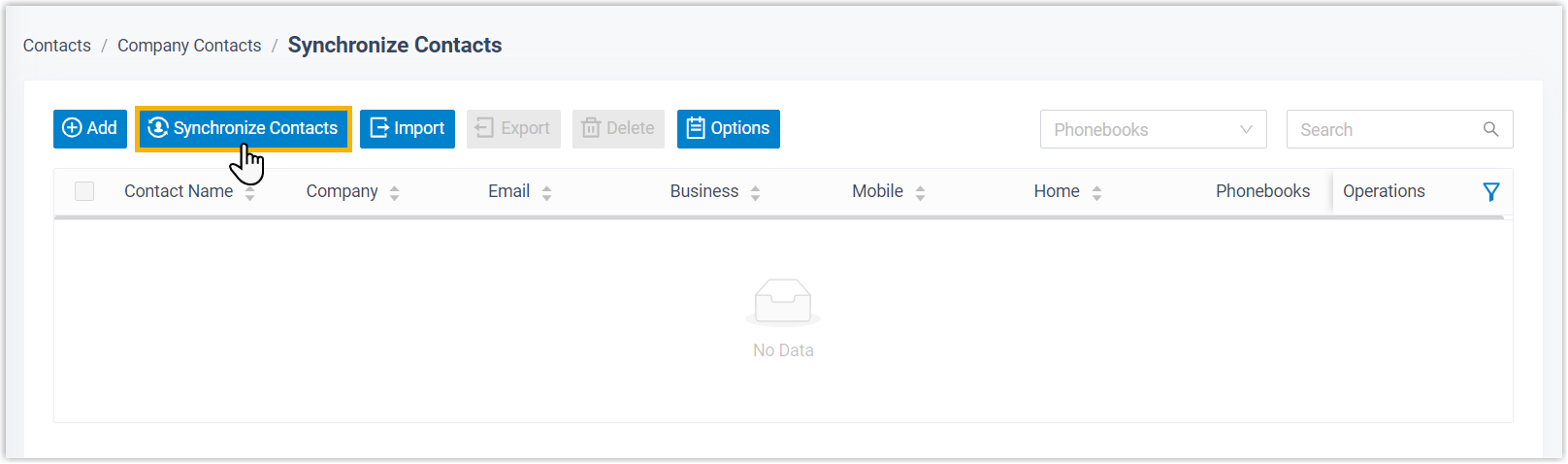
-
-
Switch off Enable Microsoft SQL Integration.

-
Select Save.
What happens next
Section titled “What happens next”- The Status field changes to Disabled.
- Your Microsoft SQL configuration stays in place. The next time you enable the integration, it reconnects with the same settings, so there is no need to set it up again.
Question about this page?
Ask the AI assistant. It starts from this page, then searches the rest of the docs.
Ask Cloud Voice AI
Answers are AI-generated from the docs and may contain mistakes. Verify with the linked pages.