
Unreturned Missed Call Report
The Unreturned Missed Call Report gathers every missed inbound call in one place and shows whether each caller was contacted again afterward. Use it to spot the calls your team still owes a callback and to review the follow-up that has already happened.
Open the report
Section titled “Open the report”-
Sign in to the PBX (Private Branch Exchange, your phone system) web portal and go to Reports and Recordings > Call Reports.
-
Open the report list:
-
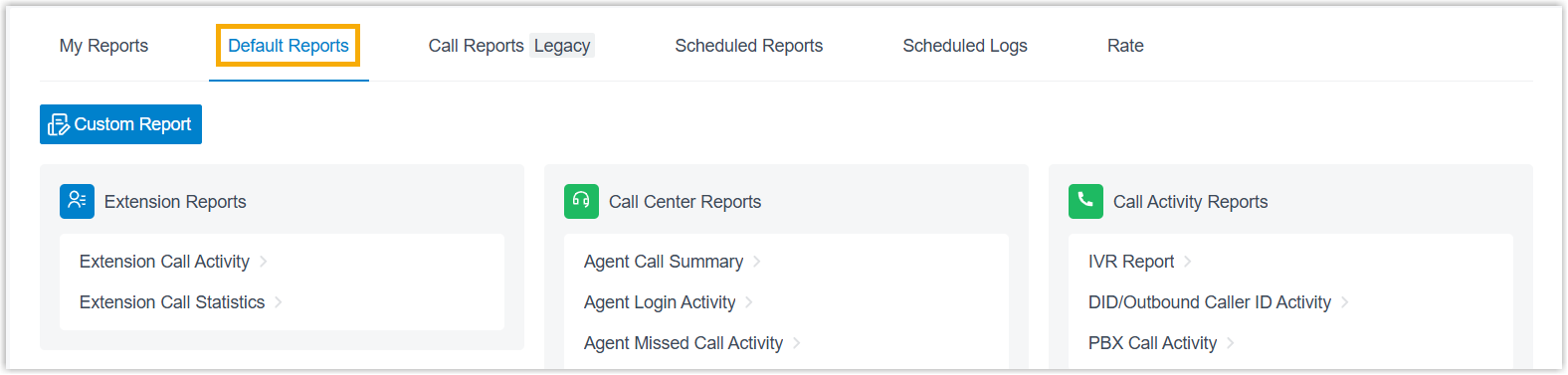
Select the Default Reports tab.
-
In the Call Center Reports pane, click Unreturned Missed Call Report.
-
-
Set the filters that define which calls appear.

-
Use the Time field to choose the date range the report covers.
-
Narrow the results with any of the following filters.
Filter Description Call From The caller’s number or name. Call To The callee’s number or name. Call Destination The kind of destination that the inbound call was routed to. Missed Call Type The reason the call was missed. Callback Status Whether the missed call has been returned. Exclude Calls Abandoned within Xs A ring-duration threshold for dropping very short calls. Any call abandoned within this window is left out of the report.
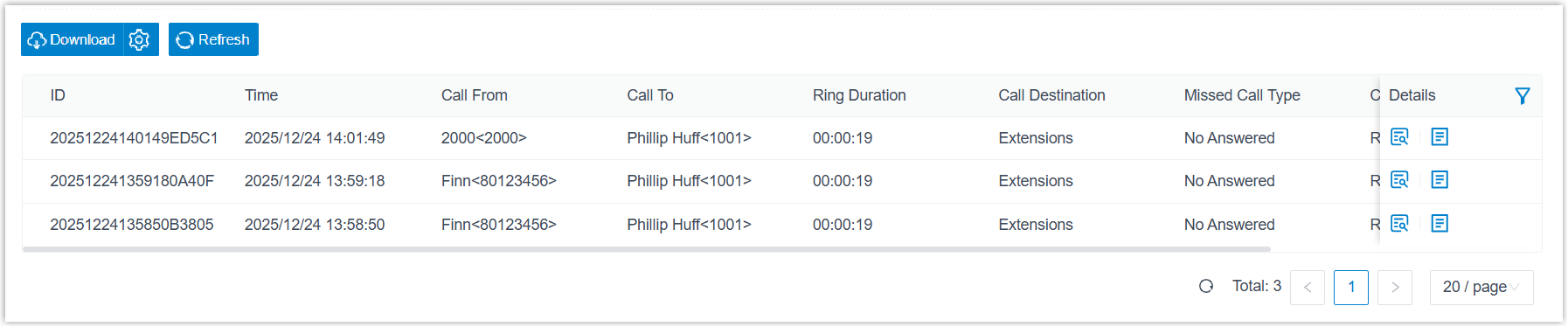
The matching results appear below the filters.
-
-
Optional: Rearrange the columns so the metrics you care about stay in view.
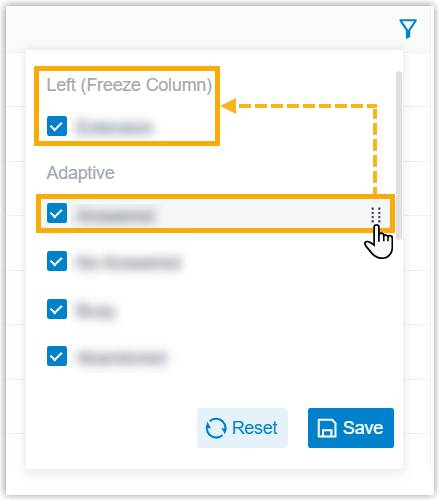
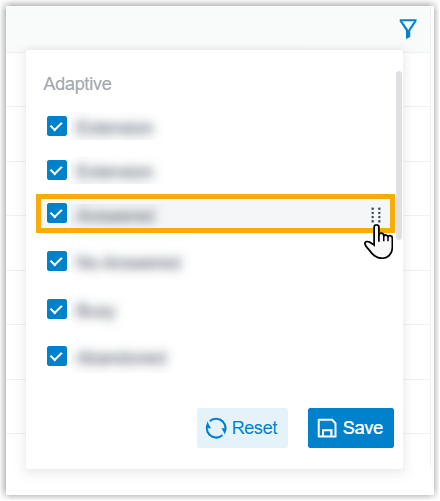
Action How Choose which columns show Click the column icon and select the columns you want displayed. Freeze a column Click the drag handle next to a field, then drop it onto Left (Freeze Column) or Right (Freeze Column) so it stays pinned as you scroll. Reorder columns Click the drag handle next to a field and move it to a new position. 
Dragging a field’s handle onto Left (Freeze Column) or Right (Freeze Column) pins it in place:
Dragging a field’s handle to a new spot changes the column order:
-
Optional: Keep the report for later or have it emailed on a schedule.
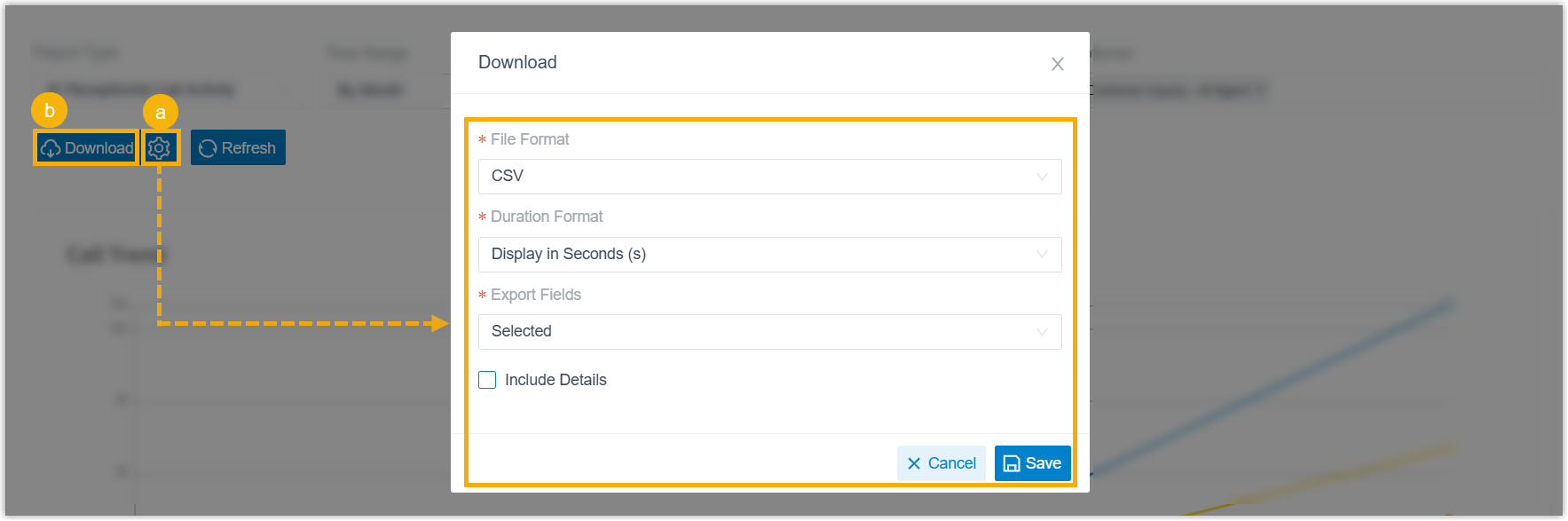
Action How Save to My Reports Store the report for quick reuse: at the bottom of the page, click Add to My Reports, give it a name, adjust the filters or metrics if needed, then click Save. Add to Scheduled Reports Have the report sent by email automatically: at the bottom of the page, click Add to Scheduled Reports, then finish the delivery settings as described in Schedule call reports. Download Export the report to your computer for offline review. When downloading, you can open the download settings first (the settings icon) to control the output, then click Download:
- File Format:
CSV,XLS,HTML, orPDF. - Duration Format: show duration fields either Display in Second (s) or Display as HH:MM:SS.
- Export Fields: export All fields or only the Selected ones.
- Include Details: export just the list, or include the detailed records behind each row. If you include details, choose how they are laid out: Download data as multiple files/sheets, or Details are displayed as indented, offset rows within the same list.
- File Format:
Report metrics
Section titled “Report metrics”Each row in the report is one missed call. Expanding a row reveals two detail views: the segment details of the original call and the callback details of any return calls. The tables below describe every column.
Unreturned missed call summary
Section titled “Unreturned missed call summary”Each row summarizes one missed call and its callback status.

| Metric | Description |
|---|---|
| ID | A unique identifier for the call. |
| Time | When the call came in. |
| Call From | The caller’s number or name. |
| Call To | The callee’s number or name. |
| Ring Duration | The time between the call starting and being answered. |
| Call Destination | The type of destination the inbound call was routed to: Extensions, Ring Group, or Queue. |
| Missed Call Type | Why the call was missed: No Answered, Abandoned, or Busy. |
| Callback Status | Returned or Unreturned. |
| Last Callback Time | The most recent time a callback was placed. |
Call segment details
Section titled “Call segment details”Expand a row to see each leg of the original missed call.
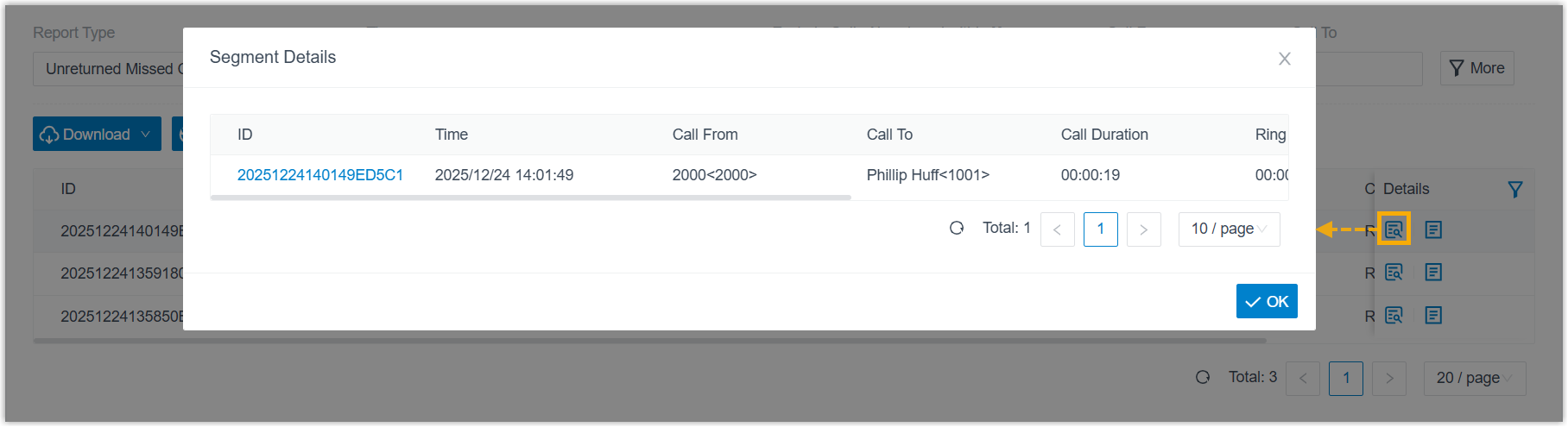
| Metric | Description |
|---|---|
| ID | A unique identifier for the call. |
| Time | When the call came in. |
| Call From | The caller’s number or name. |
| Call To | The callee’s number or name. |
| Call Duration | The time between the call starting and ending. |
| Ring Duration | The time between the call starting and being answered. |
| Talk Duration | The time between the call being answered and ending. |
| Status | Whether the call was answered. |
| Communication Type | The type of call. |
Callback details
Section titled “Callback details”Expand a row to review the callbacks made to the missed caller.
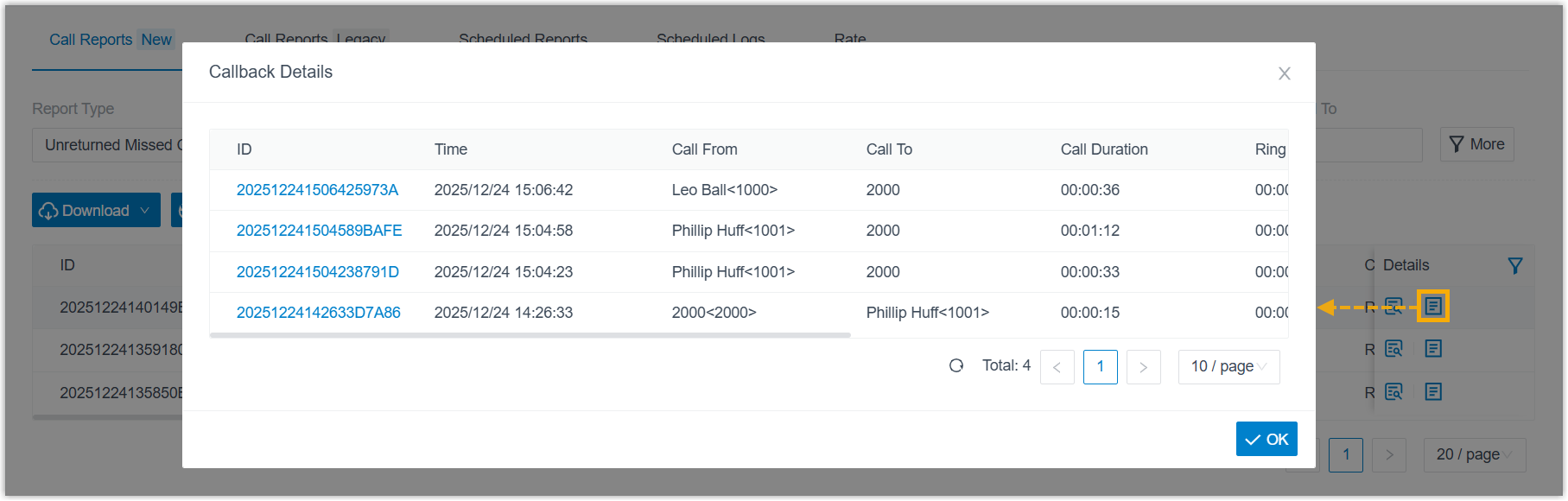
| Metric | Description |
|---|---|
| ID | A unique identifier for the call. |
| Time | When the call came in. |
| Call From | The caller’s number or name. |
| Call To | The callee’s number or name. |
| Call Duration | The time between the call starting and ending. |
| Ring Duration | How long the callee’s phone rang before the call was answered or disconnected. |
| Talk Duration | The time between the call being answered and ending. |
| Status | The call status. |
| Communication Type | The type of call. |
Question about this page?
Ask the AI assistant. It starts from this page, then searches the rest of the docs.
Ask Cloud Voice AI
Answers are AI-generated from the docs and may contain mistakes. Verify with the linked pages.