
Change Room Status
Room status tells your front desk and housekeeping teams the current condition of every guest room at a glance. Cloud Voice gives you two ways to keep those states accurate.
- Front desk can update rooms directly from the visual Room Panel in the Cloud Voice App (Desktop or Web).
- Housekeeping staff can update a room by dialing a room status feature code from the in-room phone.
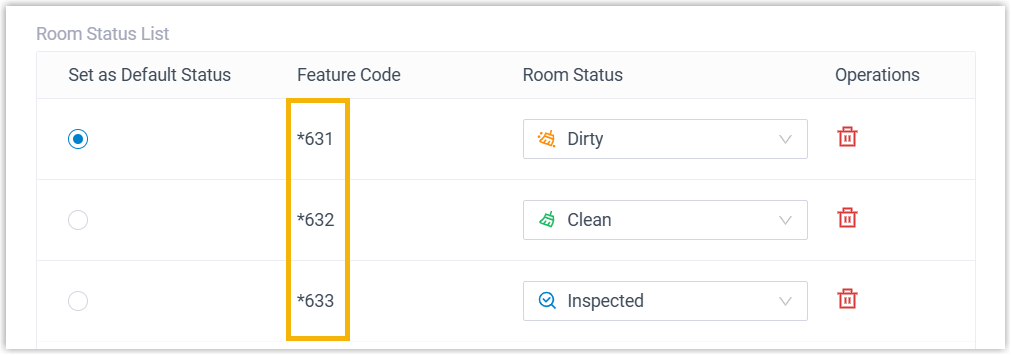
The sections below cover updating rooms from the Room Panel, either several at once or one at a time.
Update several rooms at once
Section titled “Update several rooms at once”-
Sign in to the Cloud Voice App (Desktop or Web) and go to Hotel Management > Room Panel.
-
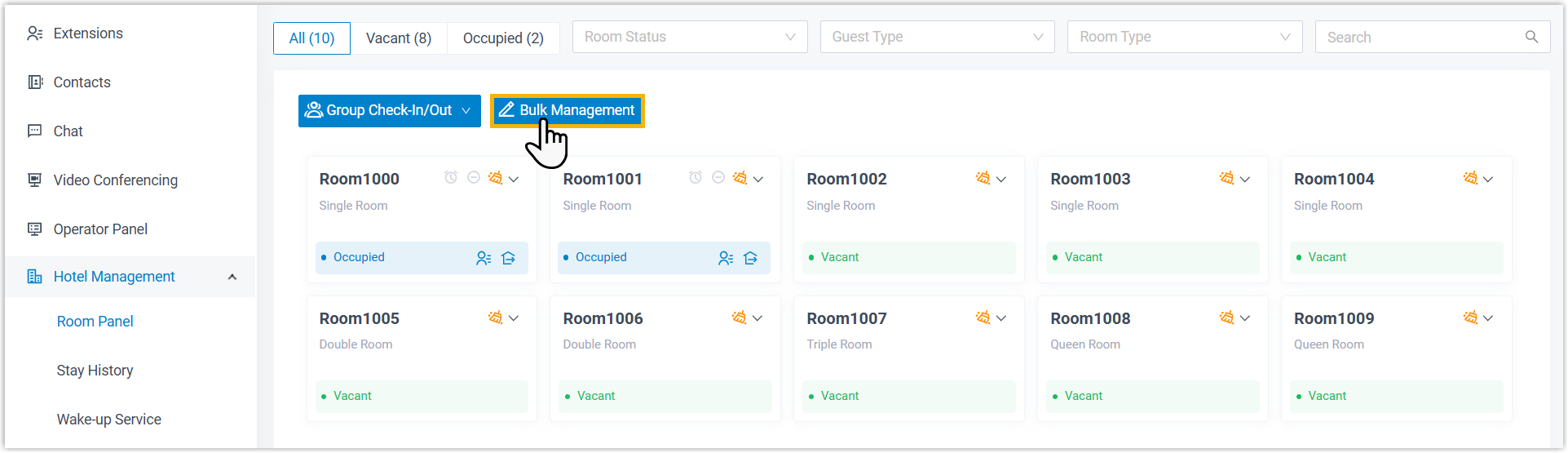
In the top-left corner, click Bulk Management.
-
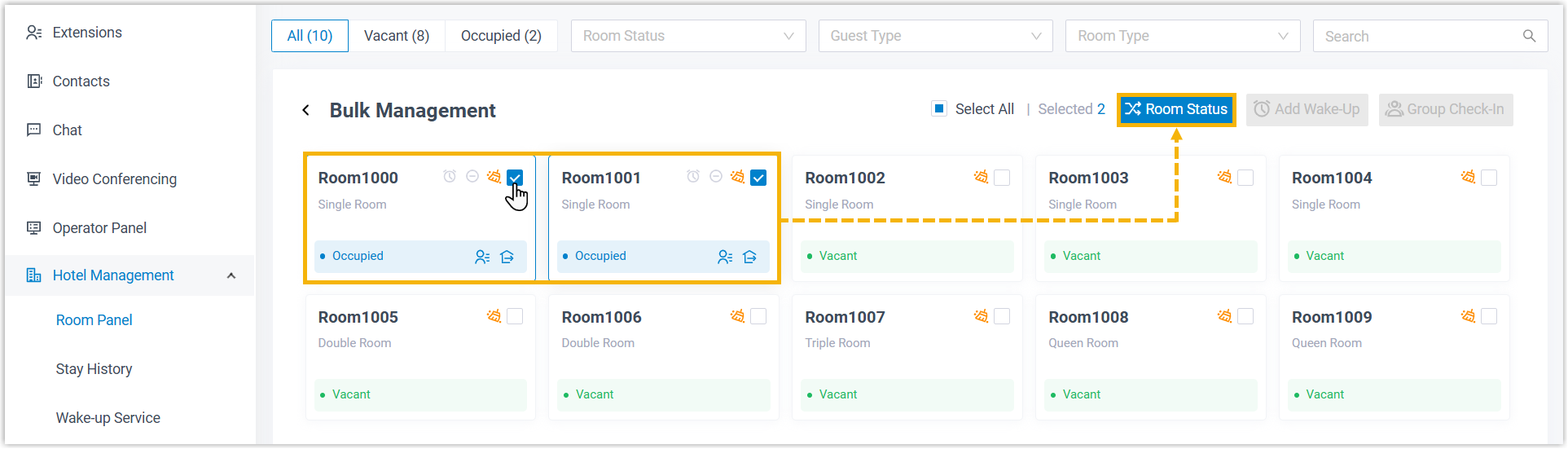
Tick the checkbox for each room you want to change, then click Room Status.
-
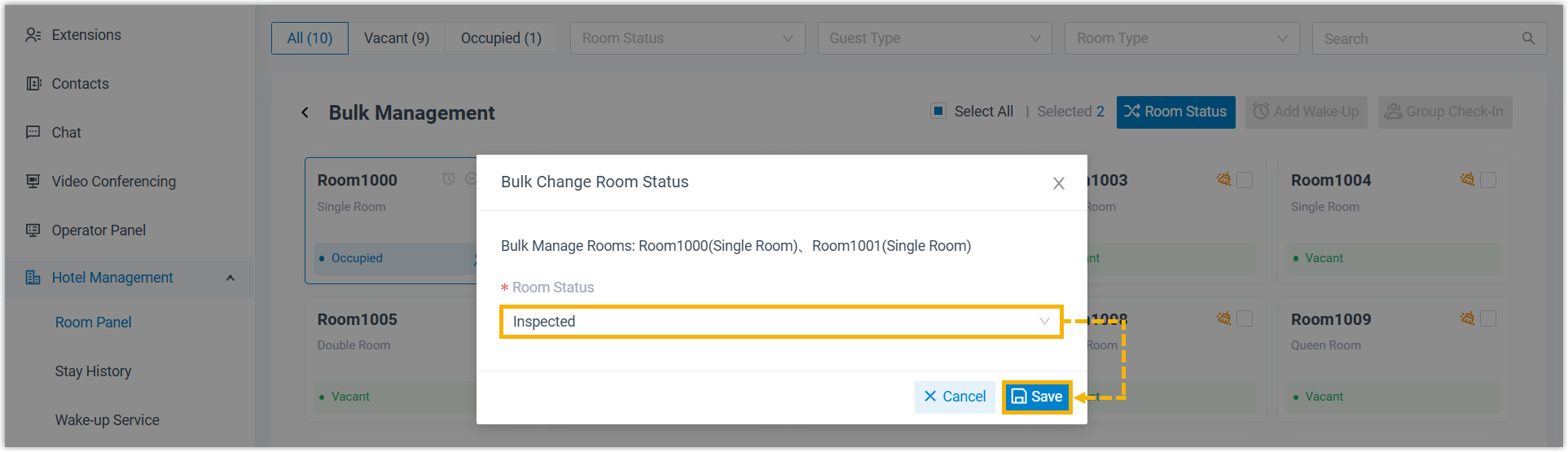
In the dialog that appears, choose the new state from the Room Status drop-down list, then click Save.
Update a single room
Section titled “Update a single room”-
Sign in to the Cloud Voice App (Desktop or Web) and go to Hotel Management > Room Panel.
-
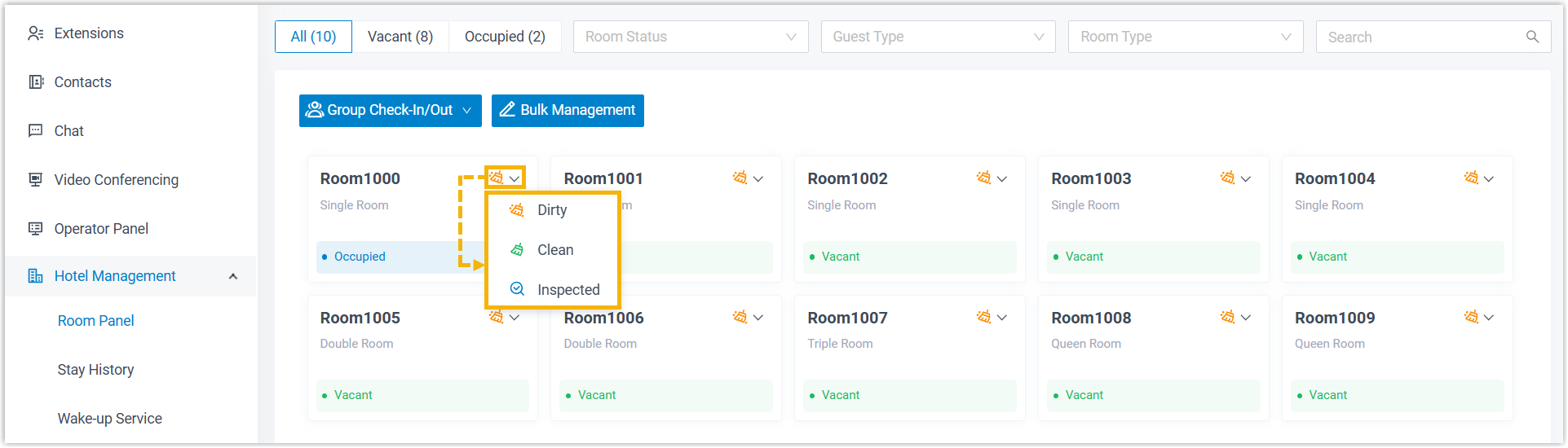
In the top-right corner of the room’s tile, click the room status icon, then pick a new state from the drop-down list.
Question about this page?
Ask the AI assistant. It starts from this page, then searches the rest of the docs.
Ask Cloud Voice AI
Answers are AI-generated from the docs and may contain mistakes. Verify with the linked pages.