
Check Guest Bills and Invoices
Every guest who checks in gets a bill that accumulates the charges from their stay, and check-out turns that bill into an invoice you can hand to the guest. This page walks front-desk staff through viewing an in-progress bill and pulling up a completed invoice.
View a guest’s bill
Section titled “View a guest’s bill”While a guest is still staying with you, you can look up the charges on their room at any time from the Room Panel.
-
Sign in to the Cloud Voice App (Desktop or Web) and open Hotel Management > Room Panel.
-
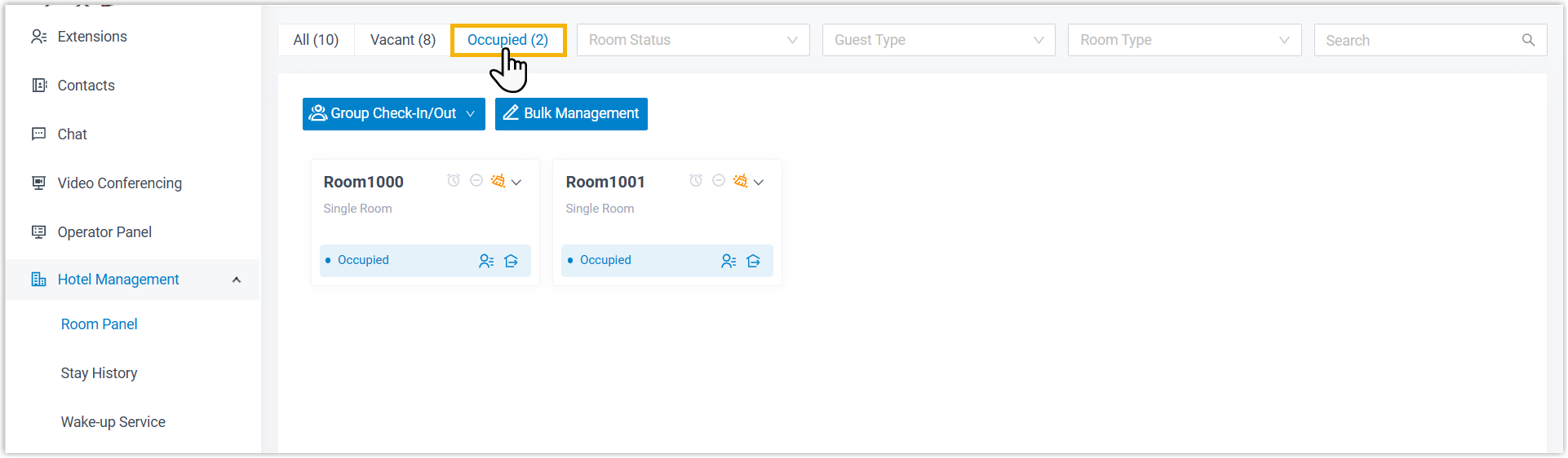
Optional: select the Occupied tab to show only rooms that are currently checked in.
-
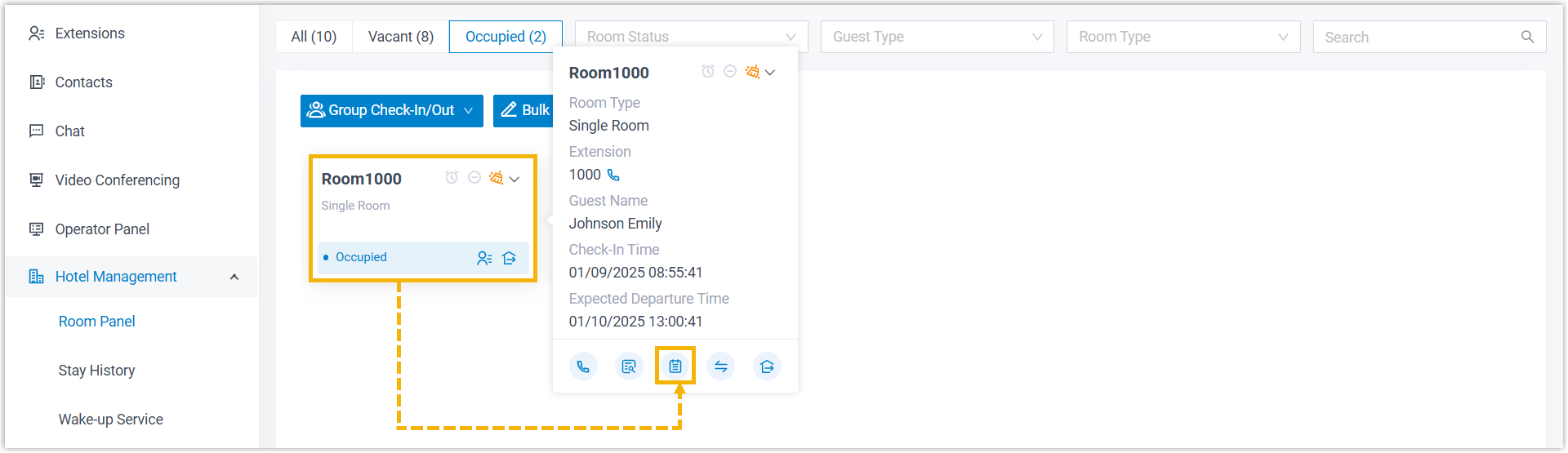
Select the room you want, then click the billing details icon
 .
.
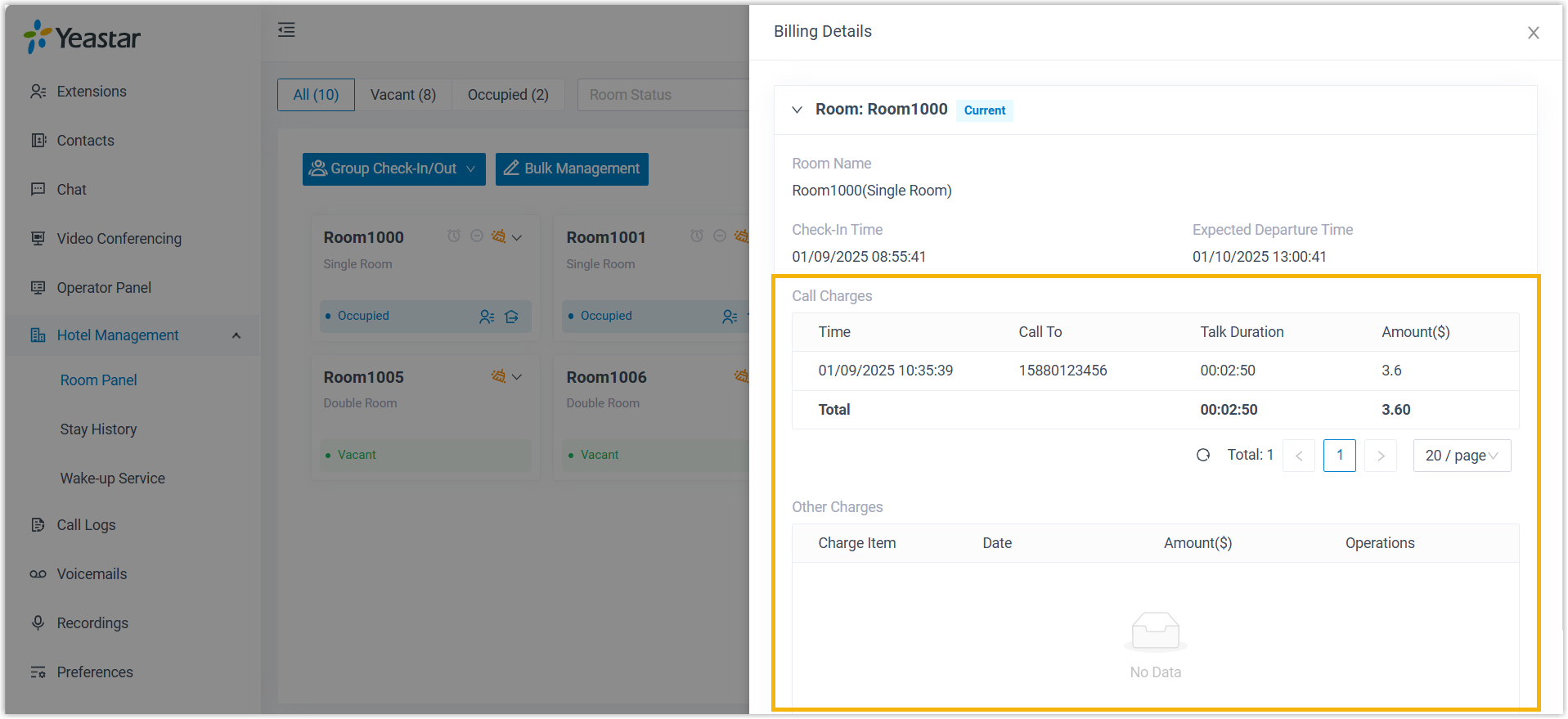
The room’s bill appears in the panel on the right.
View a guest’s invoice
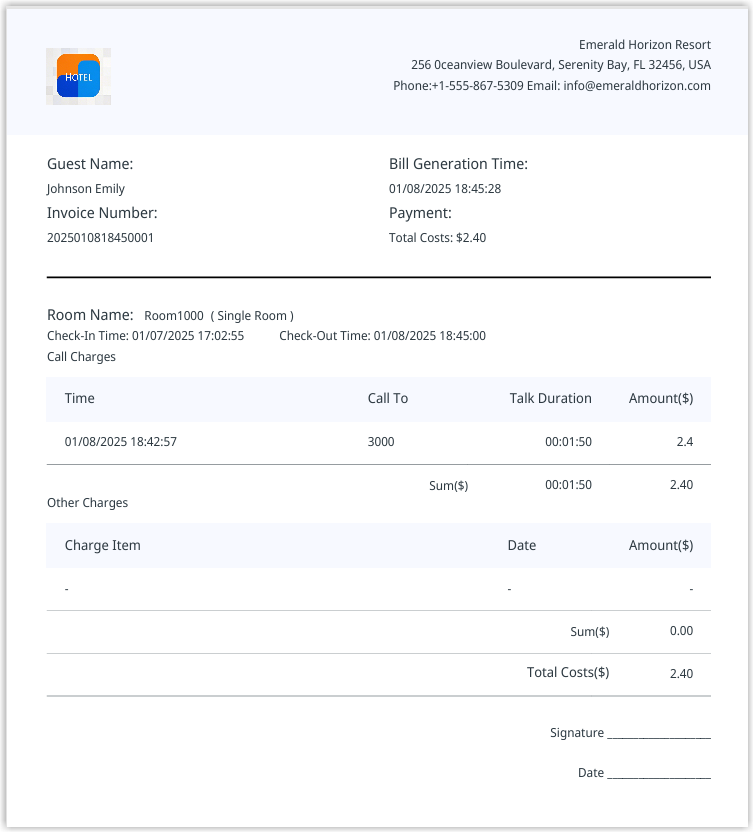
Section titled “View a guest’s invoice”After a guest checks out, their invoice is available from the Stay History panel, where you can open it and give the guest a copy.
-
Sign in to the Cloud Voice App (Desktop or Web) and open Hotel Management > Stay History.
-
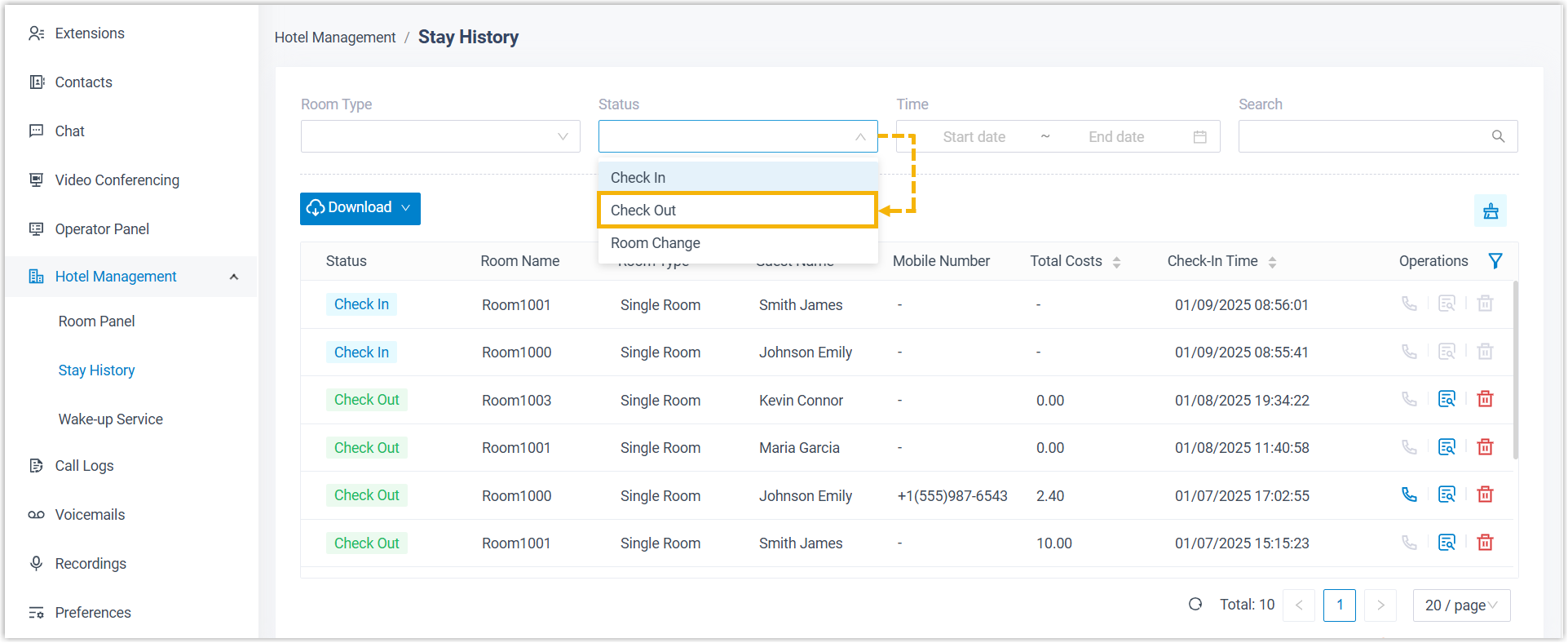
Optional: in the Status drop-down, choose Check Out to list only the records for guests who have already left.
-
Click the view icon
 next to the record whose invoice you want.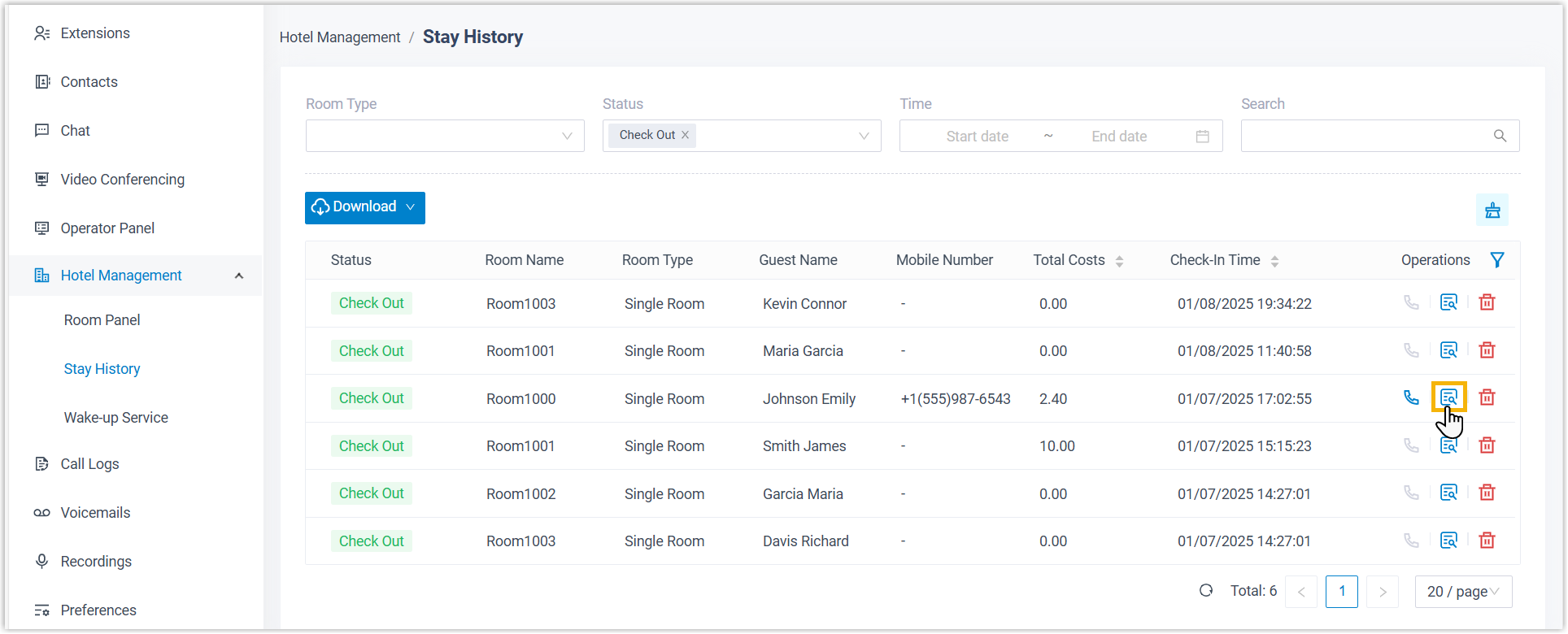
The invoice opens in a new browser tab.
Question about this page?
Ask the AI assistant. It starts from this page, then searches the rest of the docs.
Ask Cloud Voice AI
Answers are AI-generated from the docs and may contain mistakes. Verify with the linked pages.