
Grant Room Management Permission
Give your front desk the tools they need without handing them full access to the phone system admin portal. By assigning room management permissions to specific extensions, staff can check guests in and out, reassign rooms, schedule wake-up calls, and more, all from the Cloud Voice App.
Assign the permissions
Section titled “Assign the permissions”-
Sign in to the PBX web portal and open Hotel Management.
-
On the Hotel Settings tab, add a permission rule.
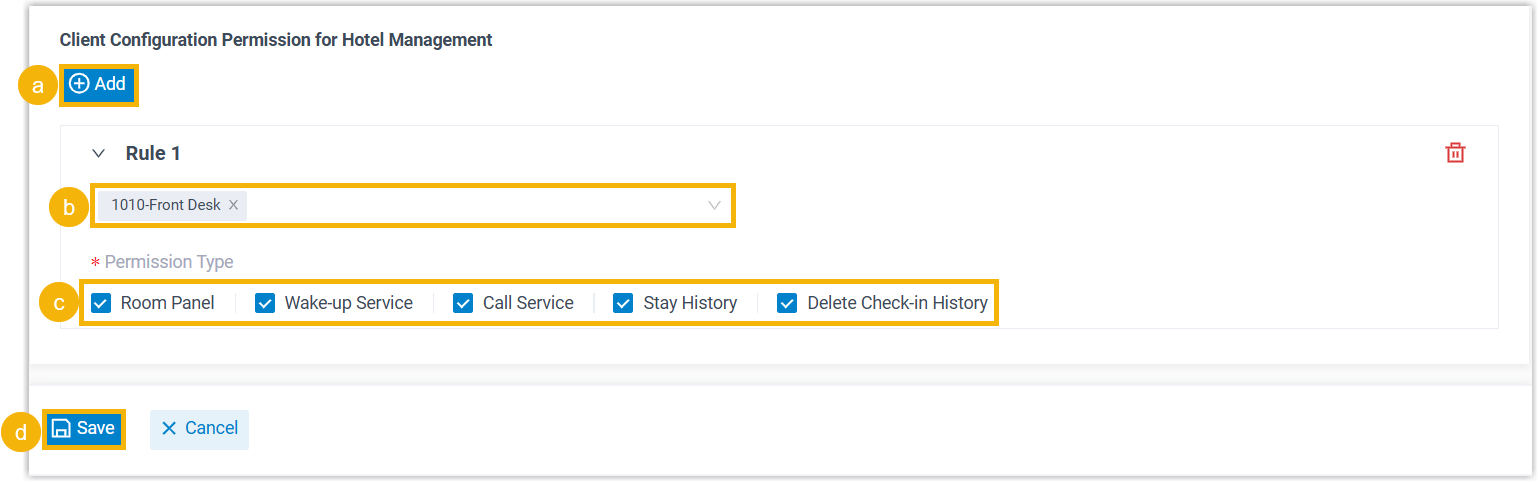
a. In the Client Configuration Permission for Hotel Management section, click Add.
b. Open the Extension drop-down and pick the extension or extensions that should receive the permissions.
c. Under Permission Type, select the features you want to enable. Each permission maps to a specific area of the Cloud Voice App, as described below.
d. Click Save.
What each permission unlocks
Section titled “What each permission unlocks”Room Panel
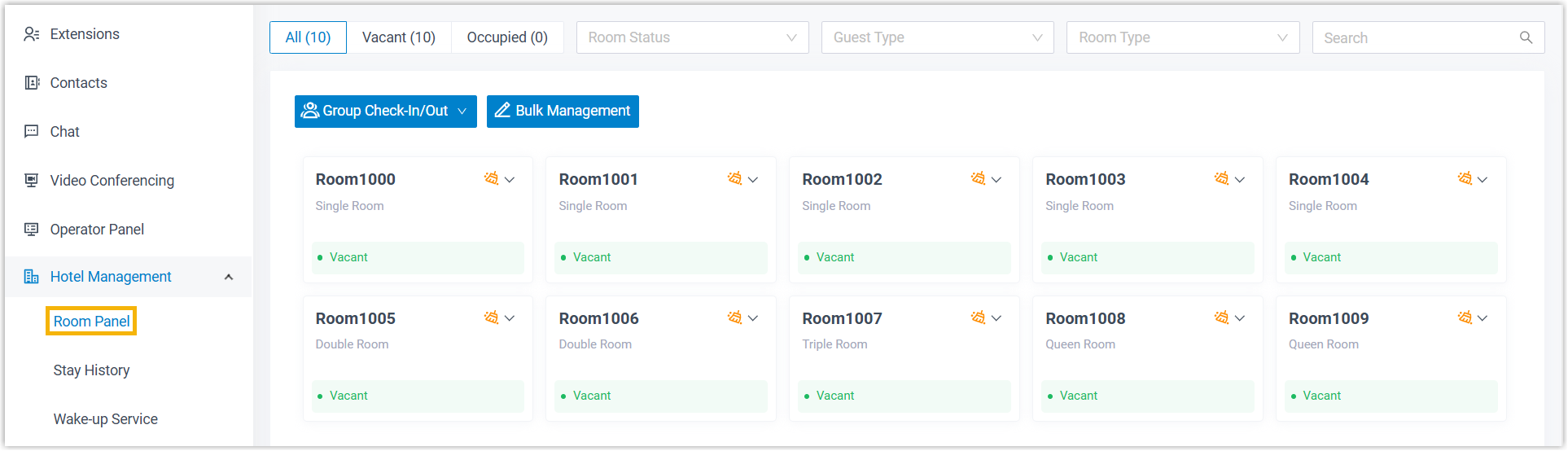
Section titled “Room Panel”Grants access to the Room Panel in the Cloud Voice App (Hotel Management > Room Panel). From here staff can check guests in, move them between rooms, toggle Do Not Disturb (DND), update room status, add wake-up calls, and check guests out.
Wake-up Service
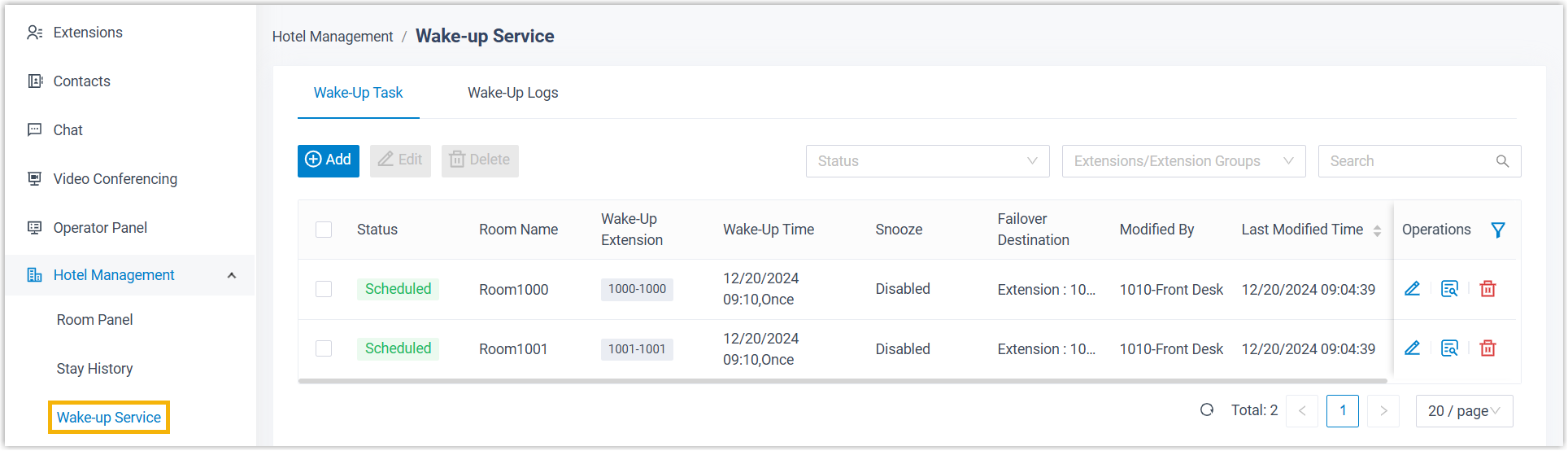
Section titled “Wake-up Service”Grants access to the Wake-up Service (Hotel Management > Wake-up Service) in the Cloud Voice App, where staff can schedule wake-up tasks and review the wake-up log.
Call Service
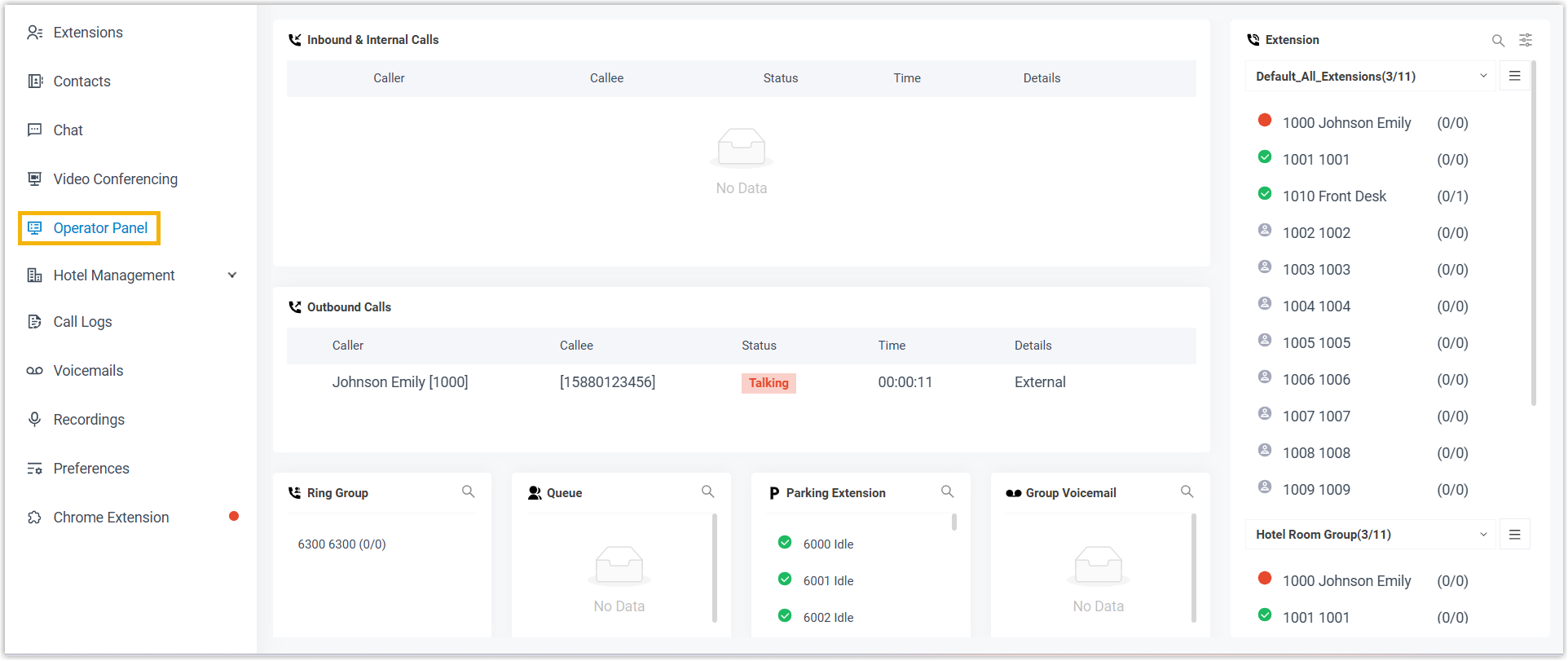
Section titled “Call Service”Lets staff handle guest calls from the Operator Panel in the Cloud Voice App.
Stay History
Section titled “Stay History”Grants access to Stay History (Hotel Management > Stay History) in the Cloud Voice App so staff can review a record of past guest stays.
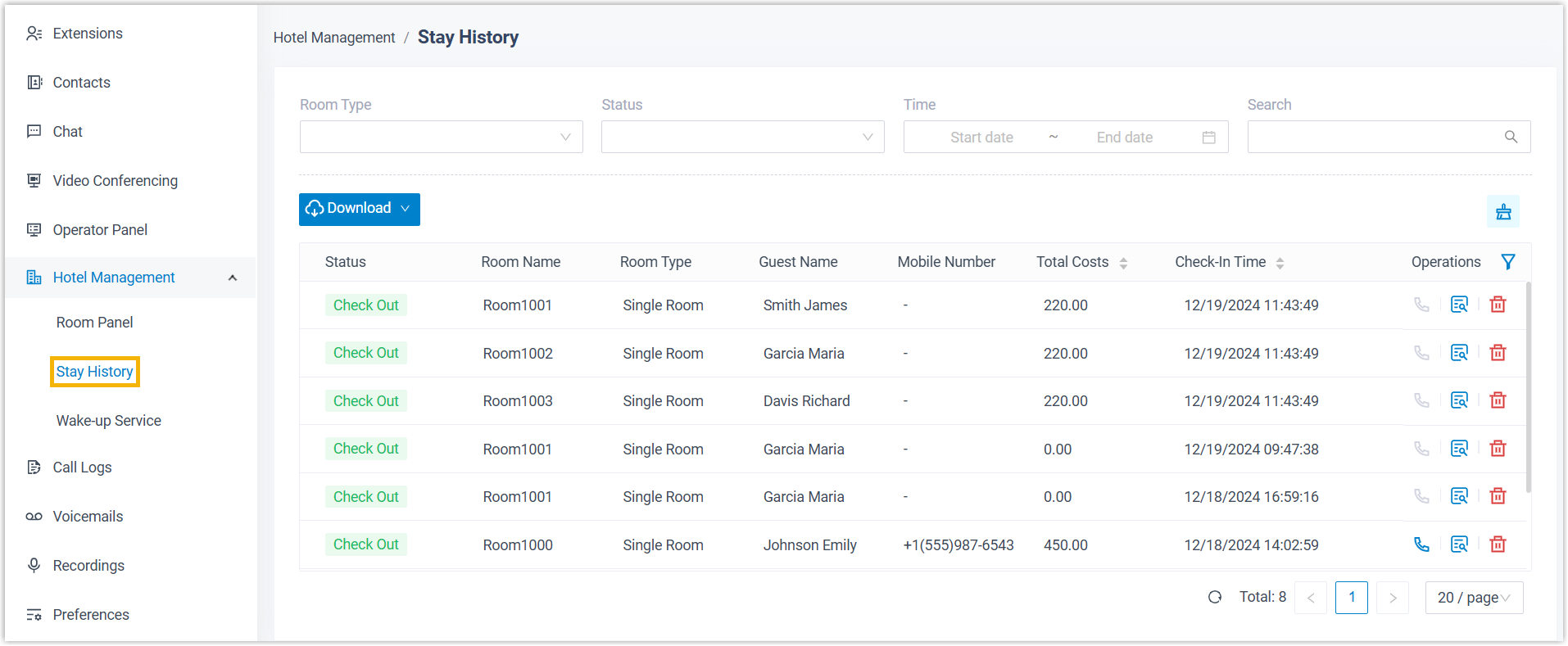
Delete Check-in History
Section titled “Delete Check-in History”Allows staff to remove guest stay records from Stay History (Hotel Management > Stay History) in the Cloud Voice App.
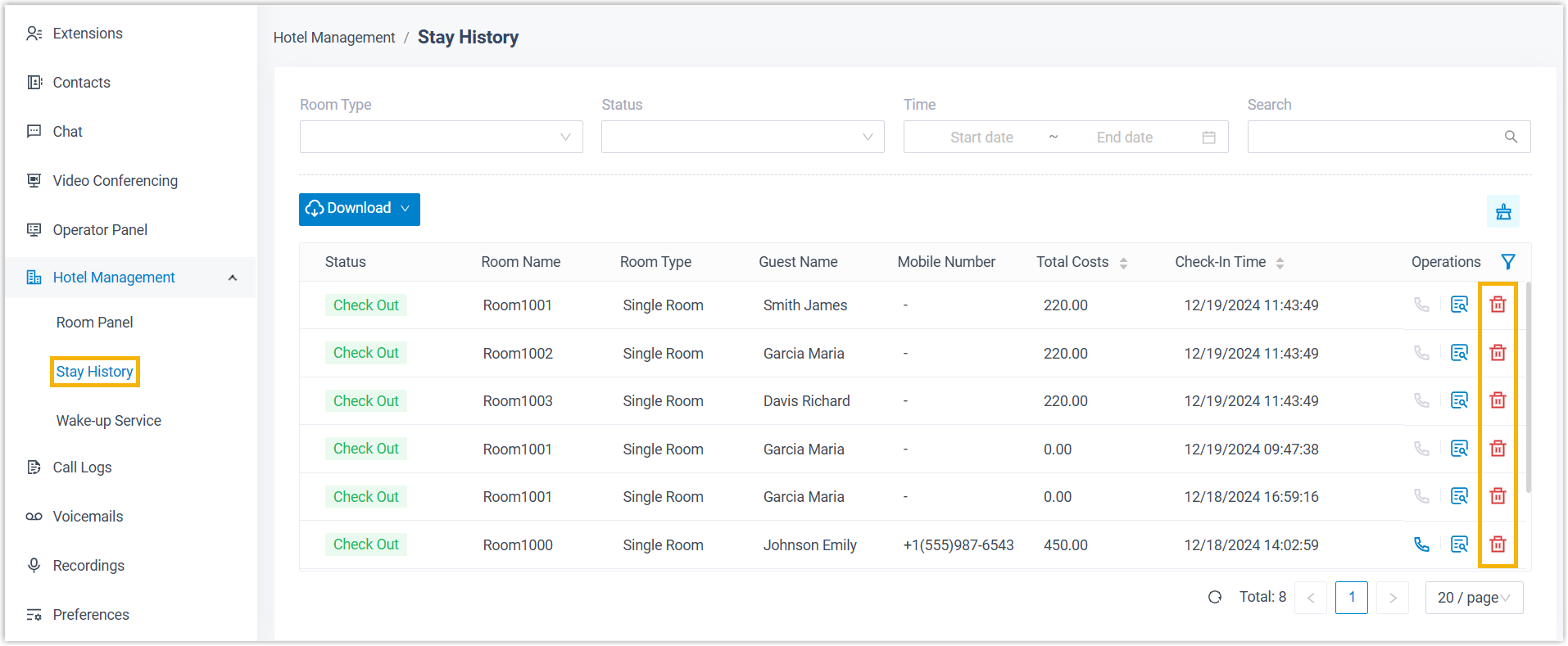
Result
Section titled “Result”The extensions you selected can now work in the Cloud Voice App according to the permissions you granted.
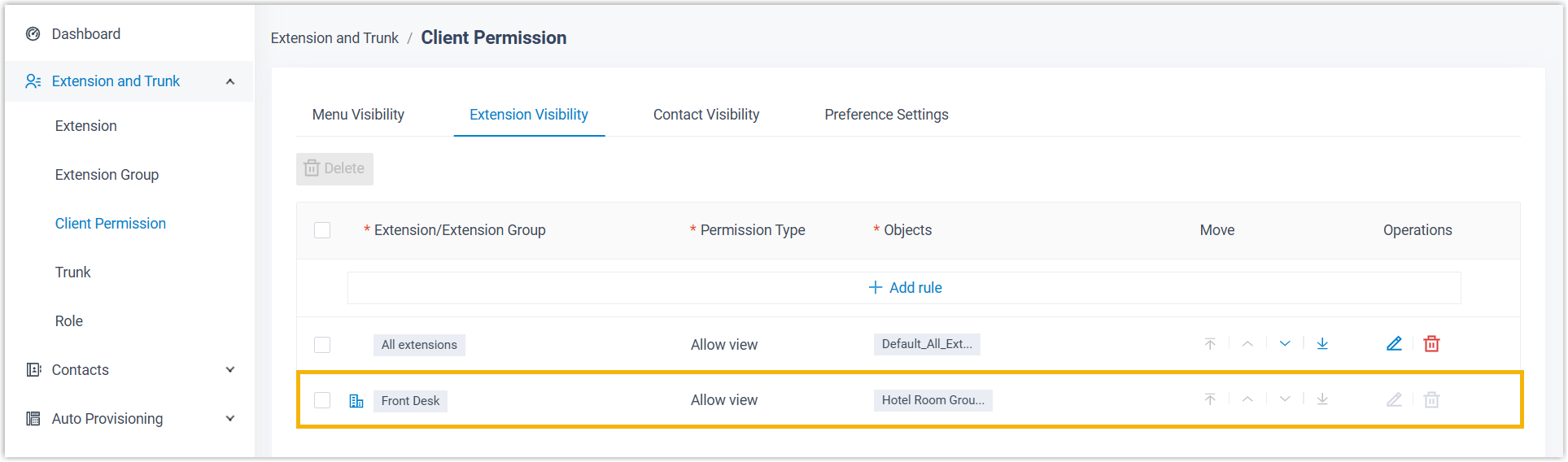
If you enabled Room Panel, Wake-up Service, or Call Service for any extension, Cloud Voice also creates an extension visibility rule on the PBX so those extensions can place calls to the guest rooms.
Question about this page?
Ask the AI assistant. It starts from this page, then searches the rest of the docs.
Ask Cloud Voice AI
Answers are AI-generated from the docs and may contain mistakes. Verify with the linked pages.