
Query Scheduled Wake-up Calls
When you need to confirm what wake-up calls a guest has booked, you have a few options. Front-desk staff can look up scheduled calls from the Cloud Voice App (Desktop or Web), and guests can check their own reservations directly from the in-room phone.
Look up wake-up calls from the Wake-up Service panel
Section titled “Look up wake-up calls from the Wake-up Service panel”The Wake-up Service panel is best when you want to review scheduled calls across one or several guest rooms at once.
-
Sign in to the Cloud Voice App (Desktop or Web) and go to Hotel Management > Wake-up Service > Wake-Up Task.
-
Filter the list to the room or rooms belonging to the guests you want.
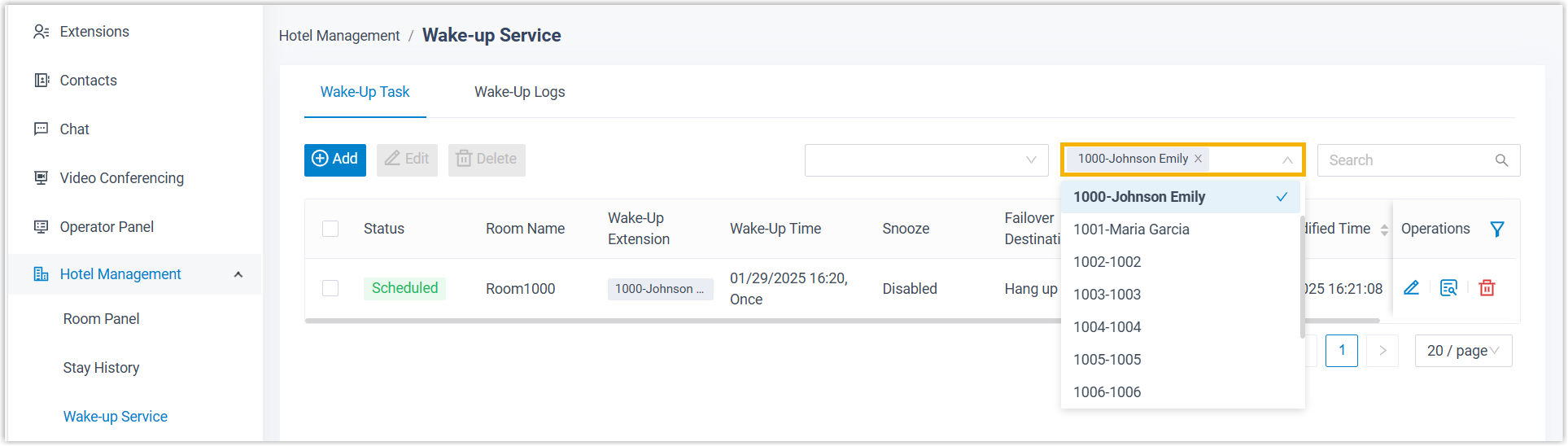
The scheduled wake-up tasks for the rooms you selected appear in the list.
Look up wake-up calls from the Room Panel
Section titled “Look up wake-up calls from the Room Panel”When you only need to check a single guest’s room, the Room Panel is the fastest route.
-
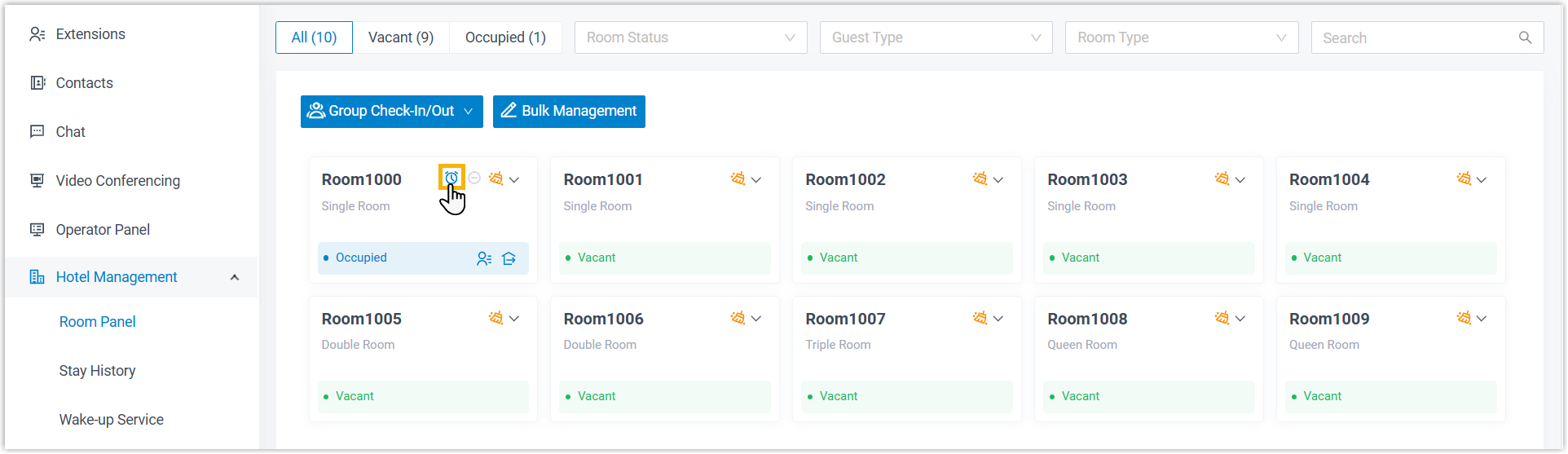
Sign in to the Cloud Voice App (Desktop or Web) and go to Hotel Management > Room Panel.
-
In the top-right corner of the room’s tile, click the wake-up icon
 .
.
The room’s scheduled wake-up task opens in a panel on the right.
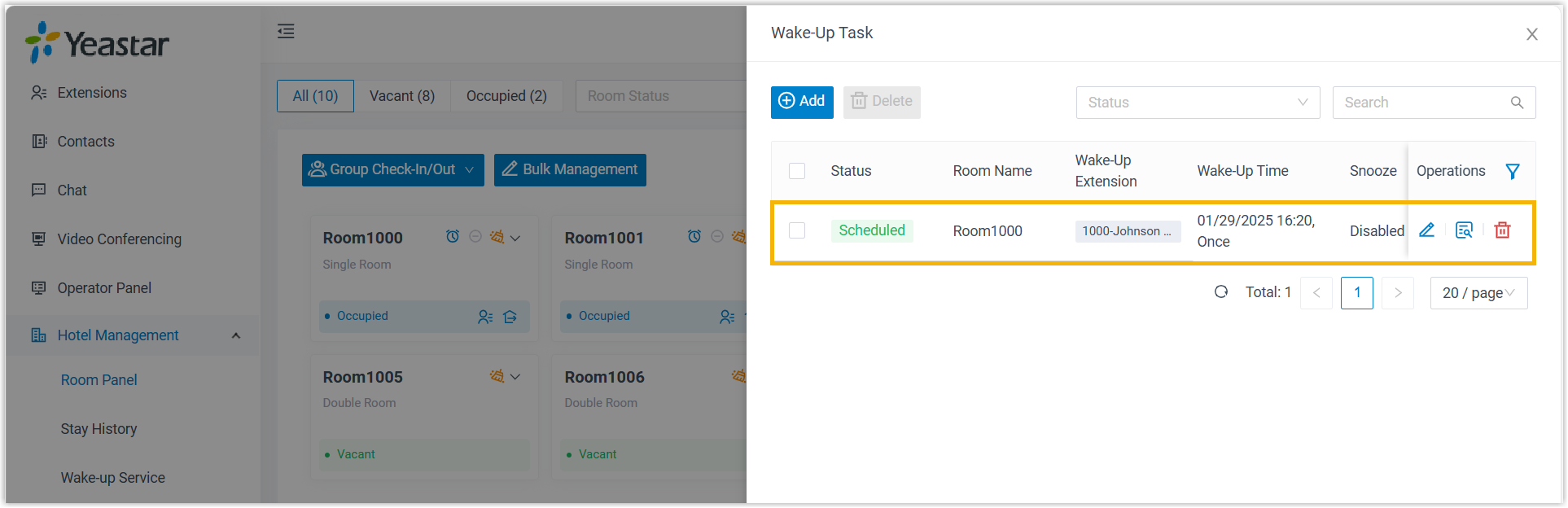
Let guests check wake-up calls from the room phone
Section titled “Let guests check wake-up calls from the room phone”Guests can review their own wake-up calls by dialing the wake-up number and following the spoken menu, so they never have to call the front desk. To offer this, get the wake-up number from your hotel manager and share it with guests along with the steps below.
After dialing the wake-up number, the guest hears the main menu:
“Please choose your operation. Press 1 to add wake-up calls. Press 2 to query wake-up calls. Press 3 to delete wake-up calls. Press 0 to delete all wake-up calls. Press # to exit.”
To review the booked calls:
-
Dial the wake-up number from the room phone to reach the main menu.
-
Press
2. The system reads back the reservations, prompting:“You have {number} wake-up calls. First {wakeup_time}…”
-
Hang up to finish. Pressing another option continues in the menu, so avoid
0and3unless you intend to delete calls.
Question about this page?
Ask the AI assistant. It starts from this page, then searches the rest of the docs.
Ask Cloud Voice AI
Answers are AI-generated from the docs and may contain mistakes. Verify with the linked pages.