
Grant Call Management Permission
Room extensions start out with no ability to manage each other’s calls. To let front desk or other staff redirect, transfer, park, and monitor guest calls, you assign them the call service permission described below.
How call permissions are organized
Section titled “How call permissions are organized”Cloud Voice controls call-management rights on your PBX (Private Branch Exchange, the phone system that runs your extensions) at the group level. The first time you turn on hotel management, the system creates an extension group named Hotel Room Group and automatically enrolls every extension you assign to a guest room.
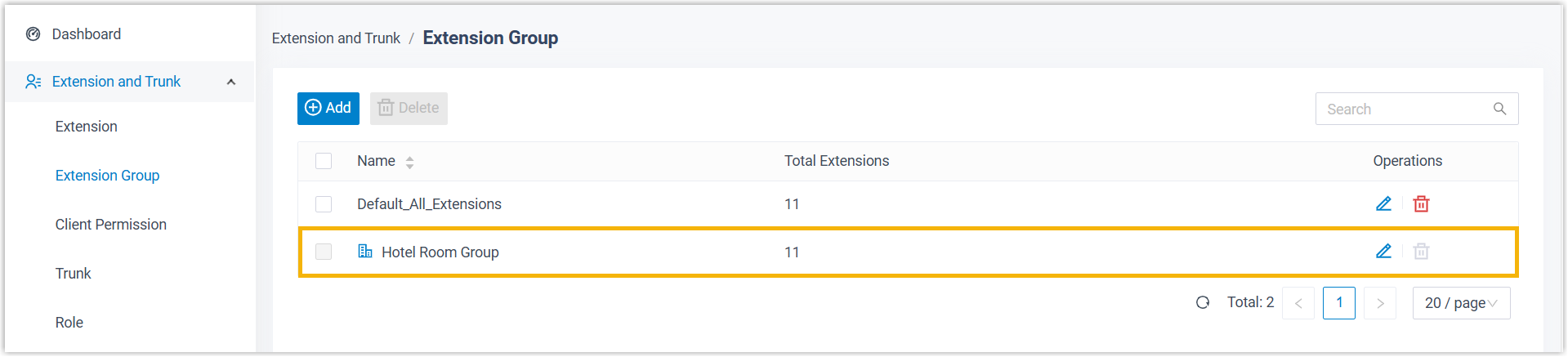
Membership in this group comes with one of three user types, each carrying a different set of default rights:
- Manager: Can open the Extensions page and the Operator Panel in the Cloud Voice App and act on calls:
- Extensions page: redirect, transfer, park, or retrieve internal calls.
- Operator Panel: redirect, transfer, park, or retrieve calls; drag and drop a call onto another destination in your organization; pull calls straight out of an IVR (Interactive Voice Response, the automated “press 1 for…” menu that answers callers) no matter which menu they are in; and change an extension’s presence (the availability status shown for an extension, such as available, busy, or away).
- User: Cannot manage calls at all.
- Custom: Rights you define yourself to match how your property operates.
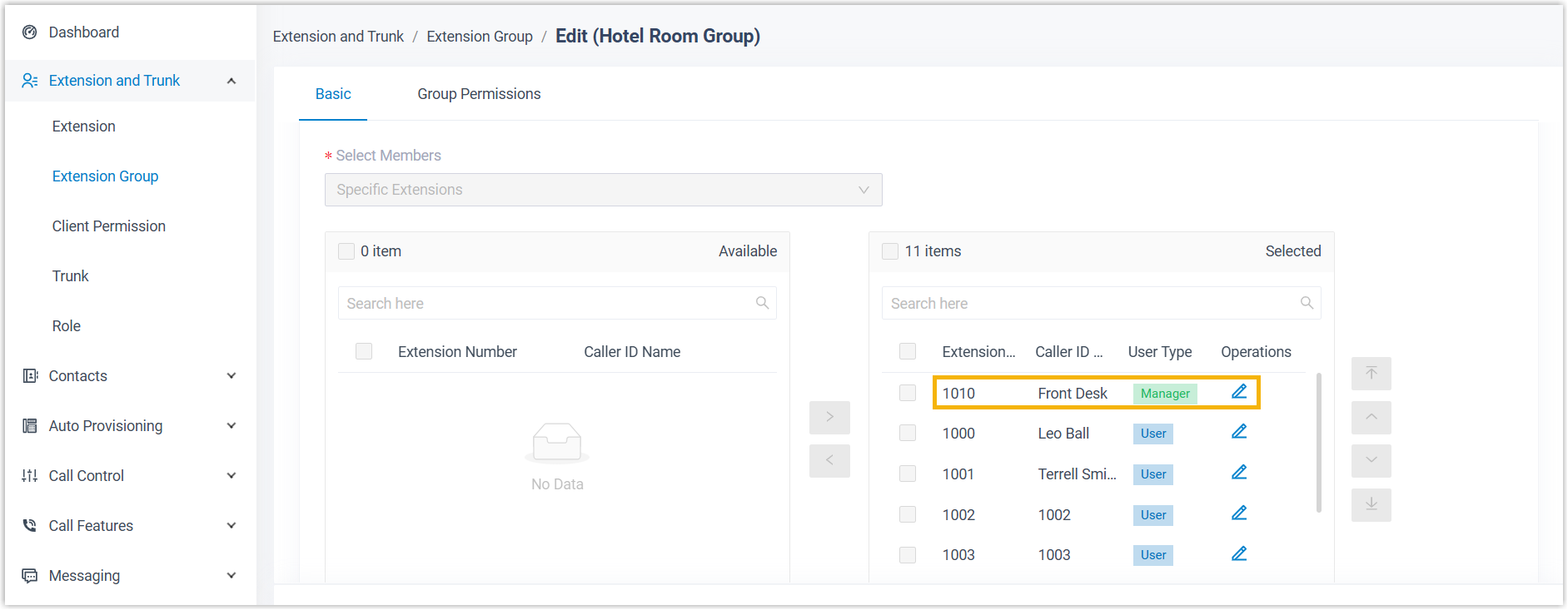
Every room extension is a User by default, so out of the box nobody can touch another guest’s calls. To put someone in charge, typically the front desk, you promote them to Manager by granting the call service permission. Once granted, they can run guest calls from the Cloud Voice App.
Grant the permission
Section titled “Grant the permission”-
Sign in to the PBX web portal and open Hotel Management.
-
On the Hotel Settings tab, create a permission rule.
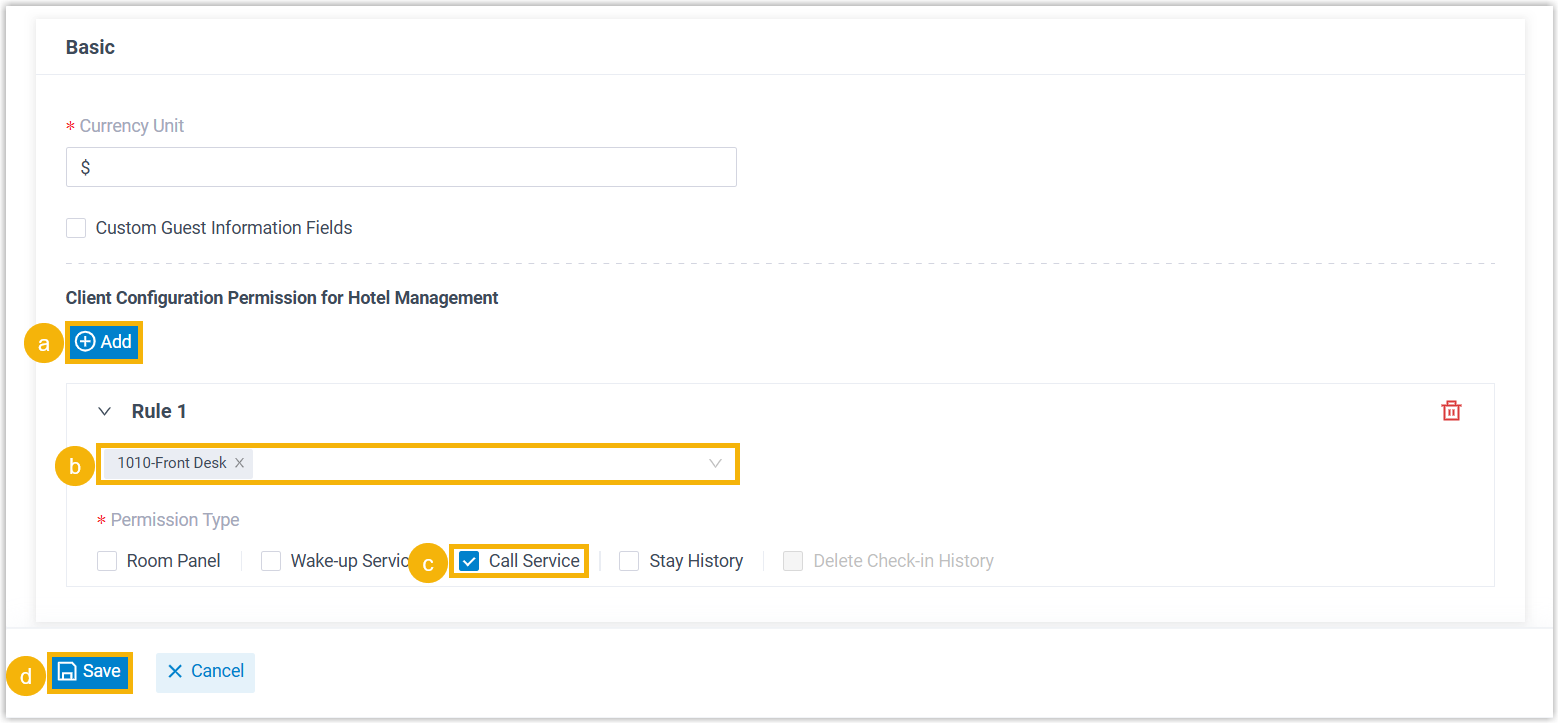
a. In the Client Configuration Permission for Hotel Management section, click Add.
b. Open the Extension drop-down and choose the extension or extensions that should receive the permission.
c. Under Permission Type, select the Call Service checkbox.
d. Click Save.
Result
Section titled “Result”The extensions you selected become managers of the hotel extension group and can manage calls from the Cloud Voice App.
Question about this page?
Ask the AI assistant. It starts from this page, then searches the rest of the docs.
Ask Cloud Voice AI
Answers are AI-generated from the docs and may contain mistakes. Verify with the linked pages.