
Set up Contact Synchronization with Odoo CRM
Once Cloud Voice is connected to Odoo CRM (Customer Relationship Management, the system where Odoo stores your customer records), you can pull external contacts out of Odoo and into a Cloud Voice phonebook. The sync runs in one direction only, so the phonebook stays a read-only mirror of the records that live in your CRM.
Before you begin
Section titled “Before you begin”Cloud Voice must already be integrated with Odoo CRM.
Configure contact synchronization
Section titled “Configure contact synchronization”-
Sign in to the PBX (Private Branch Exchange, the phone system) web portal and open Integrations > CRM.
-
On the CRM integration page, turn on Synchronize Contacts Automatically.
-
Open the Synchronize Contacts From drop-down and pick which kinds of Odoo CRM contacts should be included in the sync.
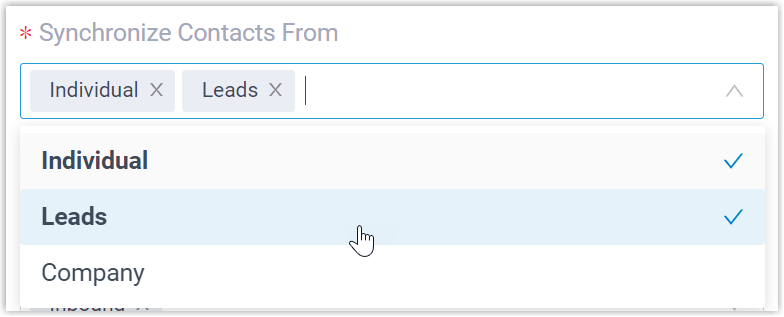
- Individual: an external contact stored in your Odoo database.
- Leads: prospects or unqualified sales opportunities stored in your Odoo database.
- Company: an external company contact stored in your Odoo database.
-
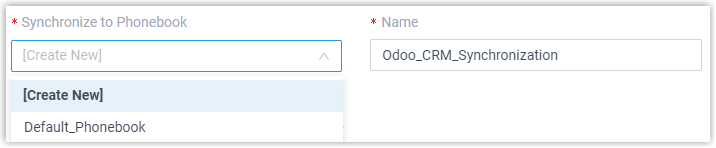
From the Synchronize to Phonebook drop-down, choose an existing empty phonebook or create a new one to hold the contacts pulled from Odoo CRM.
-
Set the Always Query CRM option to control how contacts are looked up.

- When enabled, the PBX queries Odoo CRM in real time for caller details and lets the associated extension users search CRM contacts directly from the dial pad in the Cloud Voice App.
- When disabled, the PBX only reaches out to Odoo CRM if no match is found among the existing company contacts.
-
Click Save.
What happens next
Section titled “What happens next”Under Contacts > Phonebooks, the destination phonebook is marked with a CRM label so you can tell it apart from your standard phonebooks.
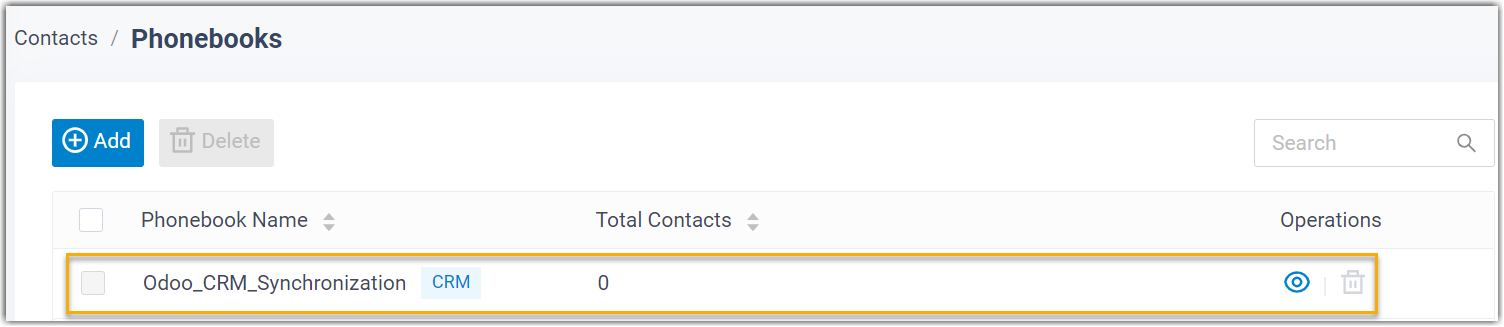
From then on, whenever an associated extension answers an inbound call from an Odoo CRM contact of a selected type, or dials one, the PBX looks the number up in the CRM and copies the matching record into the linked phonebook.
Some contacts won’t sync
Section titled “Some contacts won’t sync”Missing details on the Odoo side are the usual cause of a failed sync. Confirm that each affected contact has the following fields populated, then run the directory synchronization again:
- Either the First name or the Last name field is filled in.
- At least one phone-number field is filled in.
Question about this page?
Ask the AI assistant. It starts from this page, then searches the rest of the docs.
Ask Cloud Voice AI
Answers are AI-generated from the docs and may contain mistakes. Verify with the linked pages.