
Enable Call Recording Playback in Zoho CRM
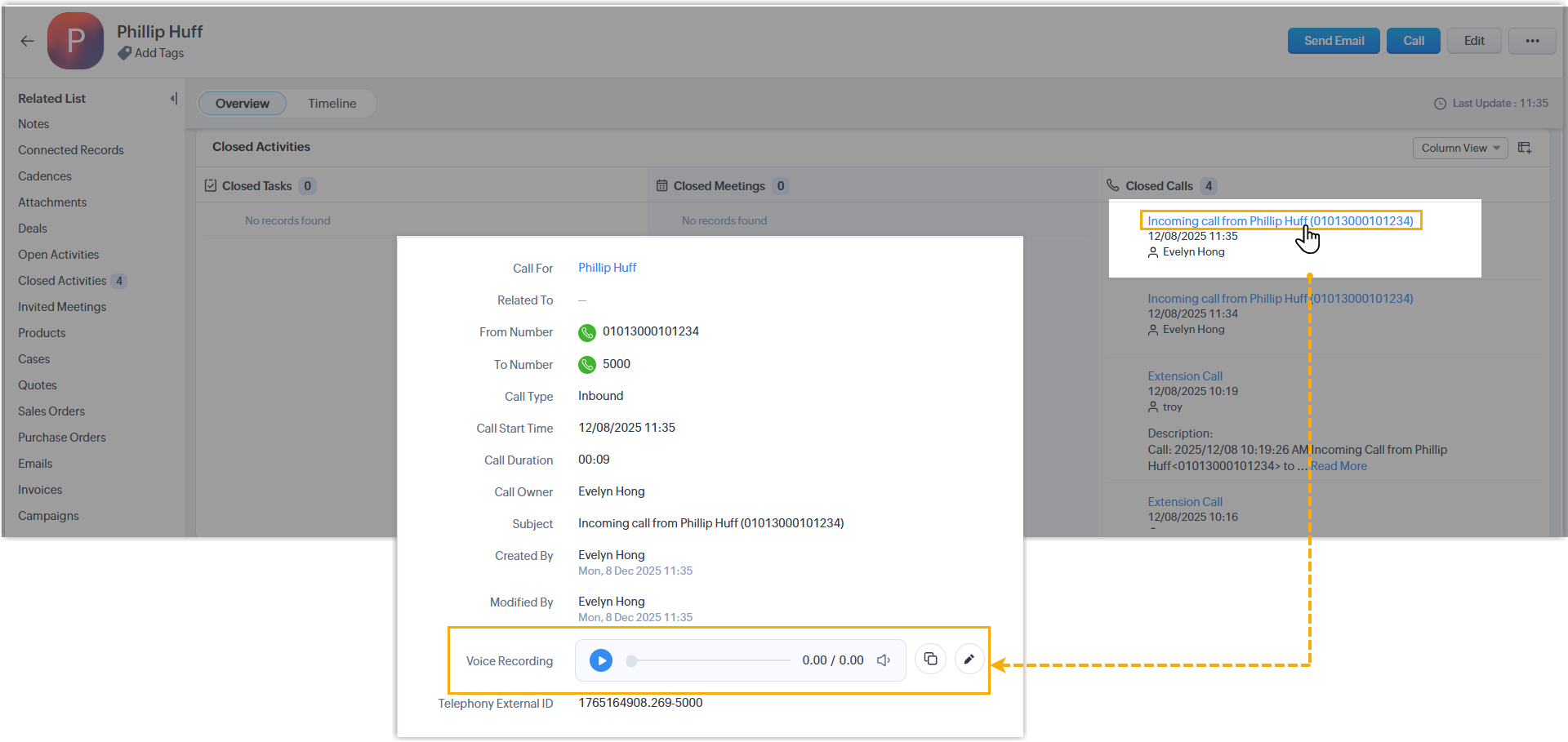
Once Zoho CRM (Customer Relationship Management) is connected to Cloud Voice, calls that associated users make to Zoho contacts are logged in the CRM automatically. You can take this a step further by letting agents play back the recording attached to each of those call logs without leaving Zoho CRM.
Before you start
Section titled “Before you start”Make sure the Zoho CRM integration is already set up and active.
Turn on recording playback
Section titled “Turn on recording playback”-
Sign in to the Cloud Voice management portal and open Integration > CRM.
-
Find the Call Journal section and tick the Play Call Recording checkbox. When an agent presses play inside Zoho CRM, Cloud Voice serves the recording file on demand.

-
Select Save.
What happens next
Section titled “What happens next”Any Zoho CRM user tied to a Cloud Voice extension can now open a call log and play the matching recording, which continues to live on Cloud Voice, straight from the CRM interface.
Question about this page?
Ask the AI assistant. It starts from this page, then searches the rest of the docs.
Ask Cloud Voice AI
Answers are AI-generated from the docs and may contain mistakes. Verify with the linked pages.