
Disable LDAP Integration
When you need to stop syncing directory contacts for a while, you can switch off the LDAP integration in Cloud Voice. Turning it off pauses the sync without erasing anything, so you can bring it back later without re-entering your settings.
Turn off the integration
Section titled “Turn off the integration”-
Open the LDAP settings:
-
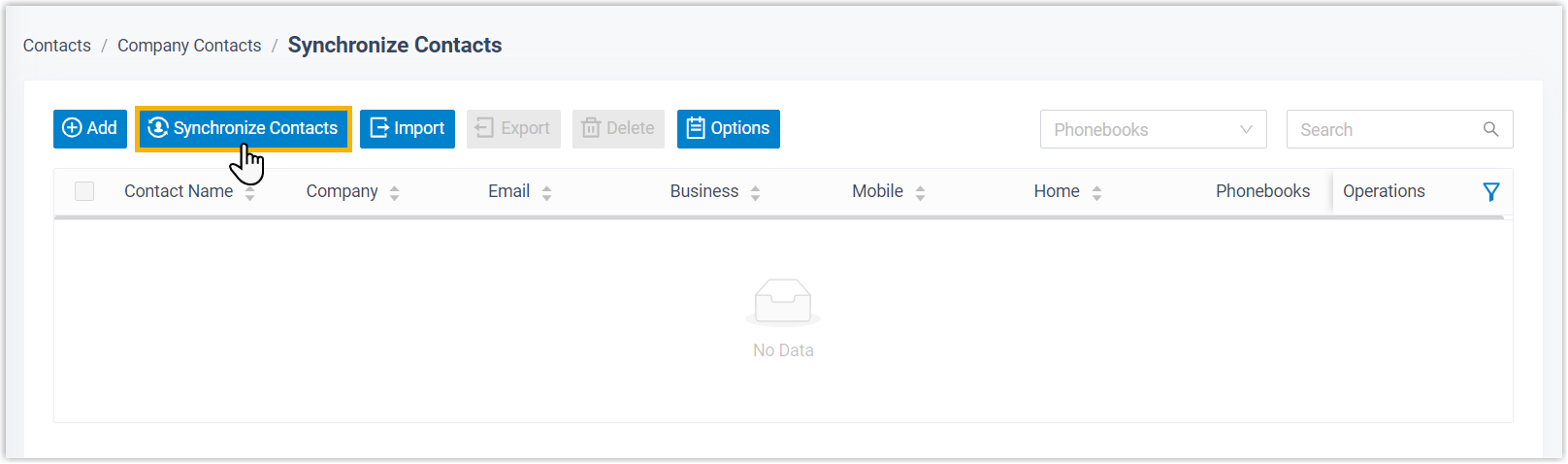
Sign in to the PBX web portal and go to Contacts > Company Contacts.
-
At the top of the page, select Synchronize Contacts.
-
Open the LDAP tab.

-
-
Clear the Enable LDAP Integration option.

-
Select Save.
What happens next
Section titled “What happens next”- The Status field changes to Disabled.
- Your LDAP settings stay in place. The next time you enable the integration, they are ready to use as-is.
Question about this page?
Ask the AI assistant. It starts from this page, then searches the rest of the docs.
Ask Cloud Voice AI
About
Answers are AI-generated from the docs and may contain mistakes. Verify with the linked pages.