
Make Outbound Calls from an Analog Phone Connected to a TA100/200 FXS Gateway
Once your TA100/200 FXS gateway is connected to Cloud Voice, an analog phone plugged into an FXS port can place external calls through a Cloud Voice trunk. To enable this, add an outbound route and grant call permission to the extension that the FXS port is registered as.
This page assumes the gateway is already connected and its FXS port is registered to a Cloud Voice extension.
Step 1: Add the outbound route
Section titled “Step 1: Add the outbound route”Create the route in Cloud Voice and authorize the extension tied to the FXS port so it can dial out.
-
Sign in to the Cloud Voice portal and go to Call Control > Outbound Route, then click Add.
-
Fill in the route settings:
-
Name: A label that identifies the route.
-
Dial Pattern: Define how dialed digits are matched and rewritten. In this example, set Pattern to
9.and Strip to1, so callers dial a leading9before the destination number. To reach15880123456, a user dials915880123456, and Cloud Voice strips the9before sending the call.
-
Trunk: Choose the trunk that carries the call.
-
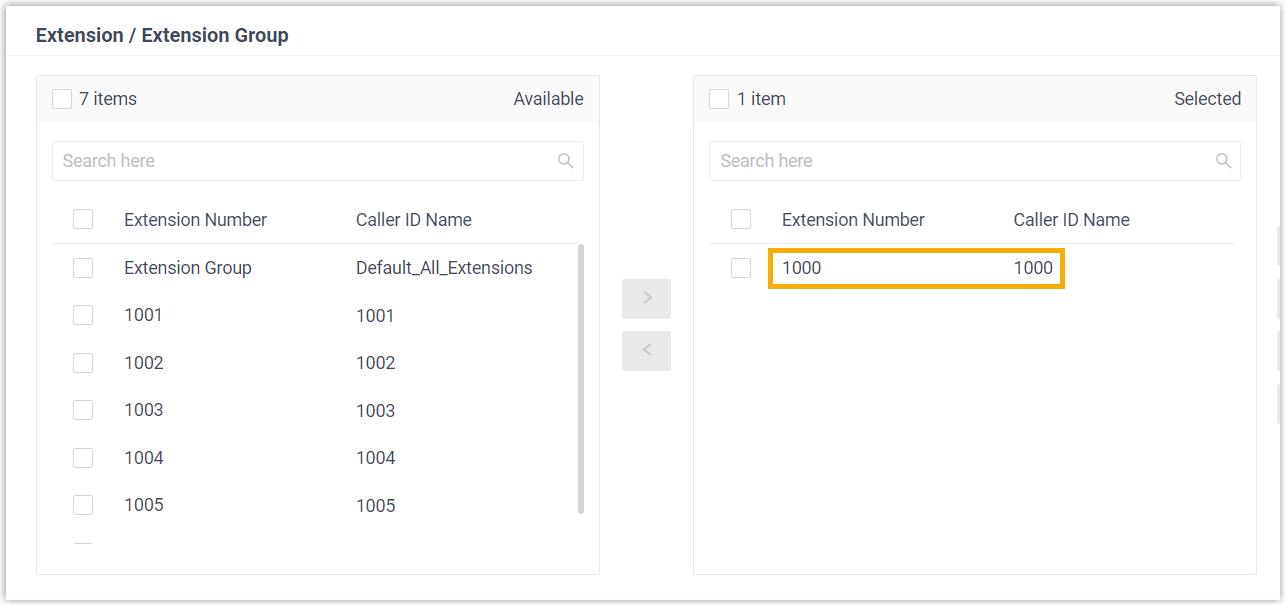
Extension / Extension Group: Add the extension(s) permitted to use this route. Here, select extension 1000, the extension registered to the FXS port.
-
-
Click Save, then Apply.
Step 2: Place a test call
Section titled “Step 2: Place a test call”From the analog phone, dial a number that matches the route. For example, dialing 915880123456 connects the call to 15880123456.
Question about this page?
Ask the AI assistant. It starts from this page, then searches the rest of the docs.
Ask Cloud Voice AI
Answers are AI-generated from the docs and may contain mistakes. Verify with the linked pages.