
Disable Data Connector Integration
A data connector is the link that lets Cloud Voice share records (such as contacts and call activity) with an outside system, for example a CRM or an external database. When you no longer need that link, you can switch the connector off. Disabling it stops any further data exchange but leaves everything already shared in place, so this is a safe, reversible action.
Turn off the connector
Section titled “Turn off the connector”-
Sign in to the PBX web portal and open Integrations > Data Connectors.
-
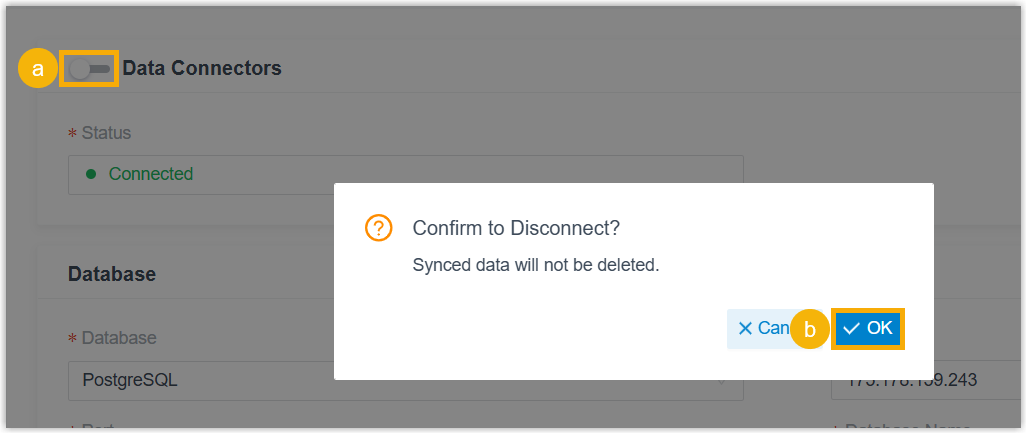
At the top of the connector page, toggle the switch to the off position.
-
When the confirmation dialog appears, select OK.
What happens next
Section titled “What happens next”- The Status field changes to Disconnect, which confirms the connector is no longer active.
- Any records that were previously synced remain in the third-party database. Disabling the connector does not erase them.
Question about this page?
Ask the AI assistant. It starts from this page, then searches the rest of the docs.
Ask Cloud Voice AI
Answers are AI-generated from the docs and may contain mistakes. Verify with the linked pages.