
Set up Lead or Contact Creation for Salesforce CRM
Once Cloud Voice is connected to Salesforce CRM (Customer Relationship Management, the system that stores your contact and sales records), you can have calls involving unrecognized numbers turned into CRM records. A lead or contact can be generated whenever an extension user answers a call from a number that isn’t in the CRM, or dials out to one. Turning this on keeps your CRM populated without manual data entry and makes sure caller details aren’t lost.
Before you start
Section titled “Before you start”Make sure the Salesforce CRM integration is already set up.
Configure record creation
Section titled “Configure record creation”-
Sign in to the Cloud Voice management portal and open Integrations > CRM.
-
On the CRM integration page, enable Create New Contact.
-
Open the Create Contact or Lead drop-down list and choose which record type Cloud Voice should generate.
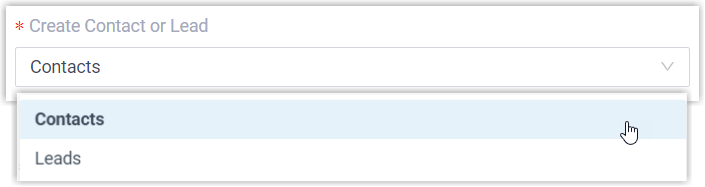
- Contacts: store the unknown number as a Contact.
- Leads: store the unknown number as a Lead.
-
Under Create Method, decide how records get added.
- To let Cloud Voice add records on its own for the call directions you specify:
-
Choose Automatically.
-
Use the Call Type drop-down list to pick which calls trigger creation.
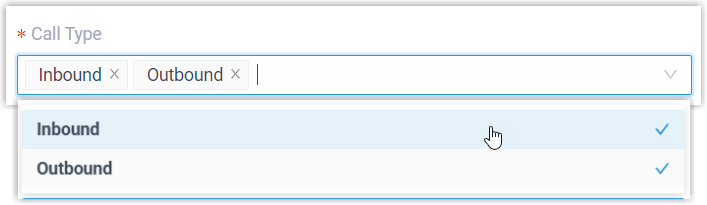
- Inbound: an incoming call from an unknown number that matches no existing Contact, Lead, or Account in the CRM.
- Outbound: an outgoing call to an unknown number that matches no existing Contact, Lead, or Account in the CRM.
-
- To let the assigned extension users add records themselves while on a call, choose Manually. This gives users control over which numbers become records, which keeps the CRM cleaner.
- To let Cloud Voice add records on its own for the call directions you specify:
-
Click Save.
What happens next
Section titled “What happens next”-
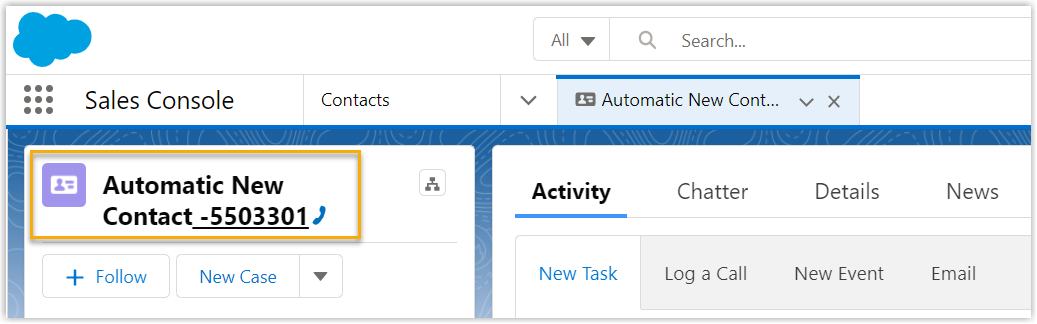
With automatic creation set up, a new lead or contact appears in Salesforce CRM whenever a call goes to, or comes from, an unknown number.
-
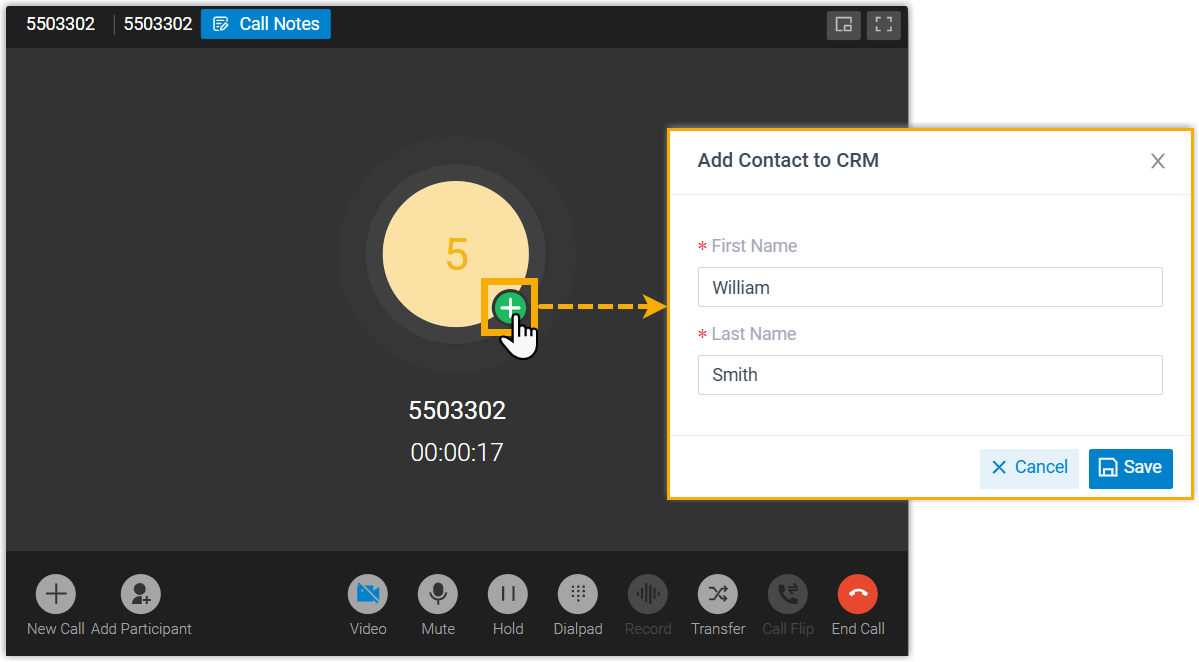
With manual creation set up, the assigned extension users can add an unknown number to the CRM as a lead or contact during the call.
Question about this page?
Ask the AI assistant. It starts from this page, then searches the rest of the docs.
Ask Cloud Voice AI
Answers are AI-generated from the docs and may contain mistakes. Verify with the linked pages.