
Prompt
The Prompt component plays audio to callers as they move through a call flow. Use it to greet people, read out instructions, or hold them with music while the rest of the flow decides where to send them.
What you can play
Section titled “What you can play”The component supports three kinds of prompt.
| Prompt type | What it plays |
|---|---|
| Custom Prompt | An existing custom prompt, or a new one you record from an extension or upload as an audio file. |
| Music on Hold (MoH) | A hold-music track you have already saved on the system. |
| Text to Speech (TTS) | Text you type, spoken back in the language and voice style you choose. |
Configure the component
Section titled “Configure the component”-
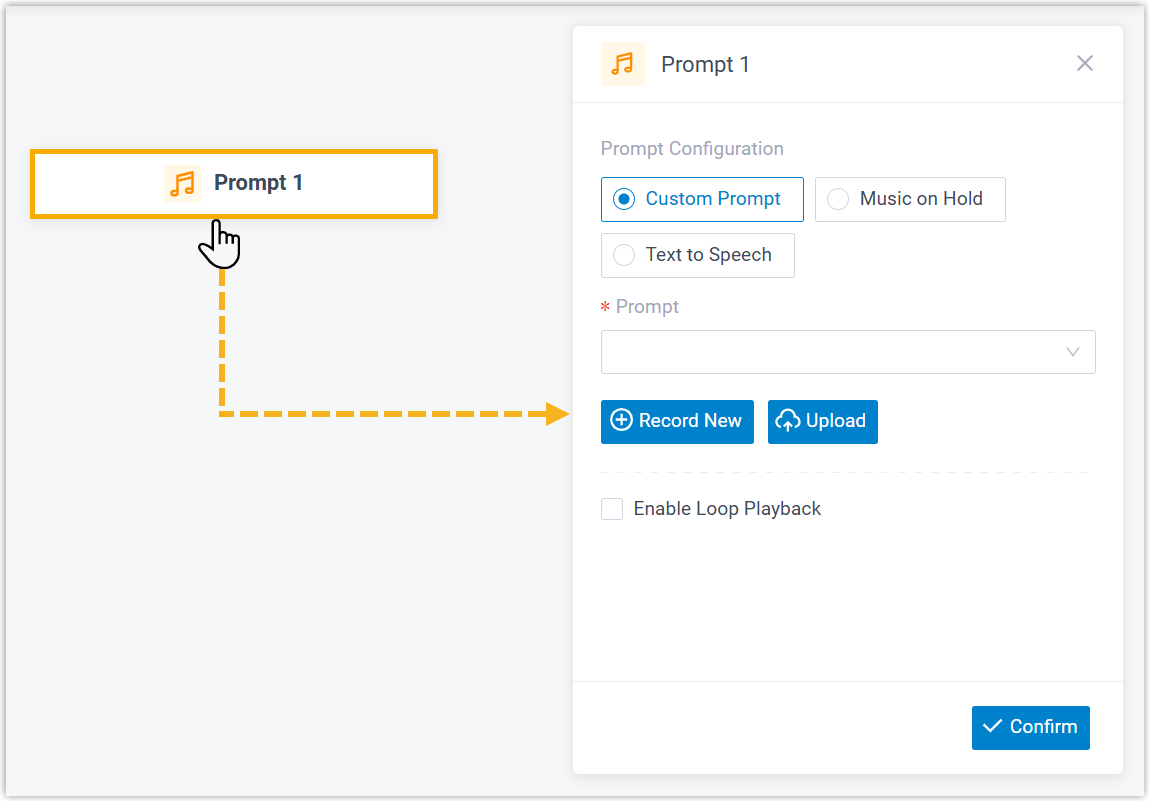
Add the Prompt component to your call flow, then click it to open its settings.
-
Choose a prompt type and fill in its settings, following the relevant section below.
-
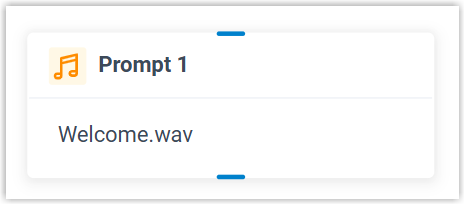
Click Confirm in the bottom-right corner. The prompt you picked now shows on the component.
Play a custom prompt
Section titled “Play a custom prompt”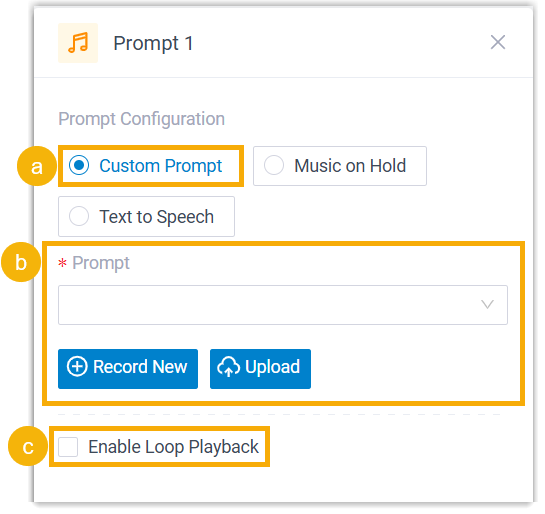
-
Select Custom Prompt.
-
Choose the prompt or prompts to play.
-
To use a prompt that already exists, pick it from the Prompt list.
-
To add a new one, click Record New to record from an extension, or Upload to add an audio file.
-
-
Optional: to repeat the prompt(s) continuously, select Enable Loop Playback.
Play music on hold
Section titled “Play music on hold”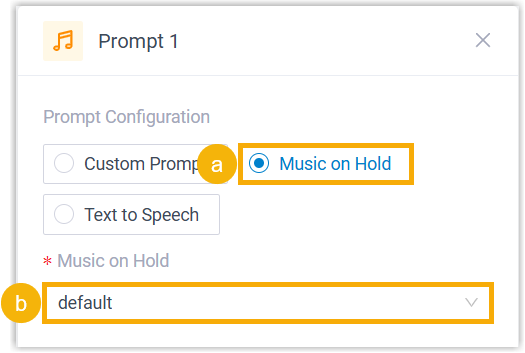
- Select Music on Hold.
- Pick a saved track from the Music on Hold list.
Play a text-to-speech message
Section titled “Play a text-to-speech message”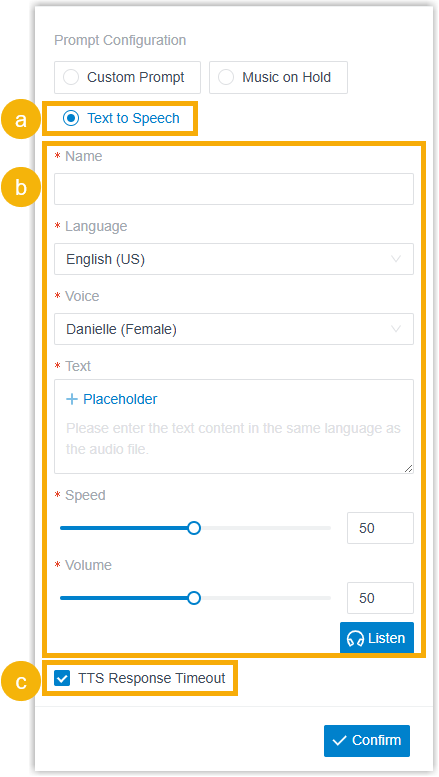
-
Select Text to Speech.
-
Enter the message and choose its voice style. You can write either static or dynamic text.
-
Static text: type the message straight into the Text field.
-
Dynamic text: type the message and drop in placeholders backed by variables, so the wording is built at call time. You can also set how long the system may take to generate the speech and where to send the caller if that limit is hit.
Example:
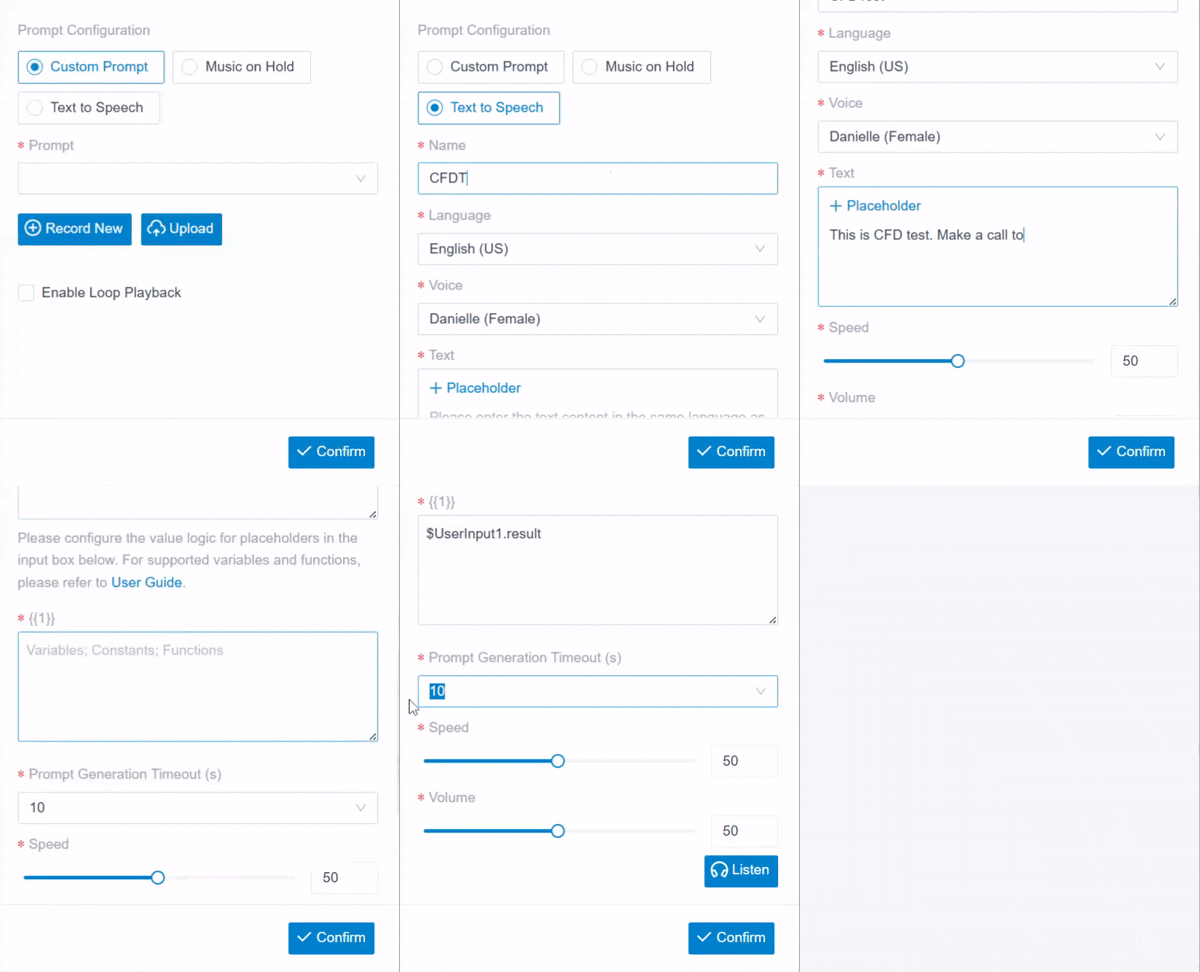
The generated speech is stored on the system and synced to PBX Settings > Voice Prompt > Custom Prompt.
-
-
Optional: to control what happens when the speech takes too long to generate, select TTS Response Timeout, then attach the next components to the TTS Playback Success and TTS Response Timeout branches.
Component variable
Section titled “Component variable”When a Prompt component uses text to speech, the system saves the outcome in a variable. Expression-aware components such as Condition can read that value and route the call accordingly.
| Variable | Type | Description | Example |
|---|---|---|---|
$Prompt{index}.ttsResult | String | The text-to-speech outcome of the Prompt component: PromptTTSResult.Success means the text was converted and played to the caller; PromptTTSResult.Timeout means it was not generated in time, so the caller moved straight to the next component with no prompt. | $Prompt1.ttsResult(STRING)=PromptTTSResult.Success |
Connect the component
Section titled “Connect the component”A Prompt component connects to one downstream component, or two when TTS Response Timeout is on (one for success, one for the timeout). You can connect any of the components below.
| Component | What it does |
|---|---|
| Prompt | Plays another audio prompt or text-to-speech message to the caller. |
| Business Hours | Routes calls to different destinations based on the time of day. |
| Menu | Offers callers a set of options and routes on the DTMF (Dual-Tone Multi-Frequency, the touch-tone signal a phone keypad sends) digit they press. |
| User Input | Collects DTMF digits from the caller, usually paired with Condition to route on what was entered. |
| Language | Switches the system-prompt language for the components that follow. |
| Record | Starts recording once the caller connects to another party, with optional notice prompts, or disables recording for a call that would otherwise be recorded. |
| Dial by Number | Lets callers dial a number directly to reach their destination. |
| Dial by Name | An end component that lets callers reach a user by typing the first three letters of their name. |
| Transfer | An end component that hands the caller to a set destination, with an optional prompt announcing the transfer. |
| Hang Up Call | An end component that disconnects the caller. |
| Condition | Routes calls according to logical expressions. |
| Loop | Repeats a group of components a set number of times or until a condition is met. |
| Internal Data Ops | Reads from and writes to the PBX’s built-in database. See Get Extension Presence Status, Set Extension Presence Status, Get Queue Agent, Get Queue Info, Get Agent Status, Set Agent Status, Get System Info, Get System Capacity, Get Extension Info, and Get Company Contact Info. |
| Email Sender | Sends email for real-time notifications, alerts, or user-specific information. |
| Database Access | Runs SQL (Structured Query Language, the language used to read and write database records) against a database mid-call to read or update data. |
| HTTP Request | Sends HTTP requests to external servers to exchange data with third-party services. |
Question about this page?
Ask the AI assistant. It starts from this page, then searches the rest of the docs.
Ask Cloud Voice AI
Answers are AI-generated from the docs and may contain mistakes. Verify with the linked pages.