
Enable Live Chat on a Squarespace Website
A Live Chat widget lets people browsing your website start a real-time conversation with your agents without having to call in. Once you have generated the Live Chat code snippet in Cloud Voice, you drop it into your Squarespace site’s footer. The widget then loads in the lower-right corner of every page.
Before you begin
Section titled “Before you begin”You must already have created a live chat channel in Cloud Voice and copied the code snippet it produced. That snippet is what you paste into Squarespace. If you have not generated it yet, complete that step first, because there is nothing to paste without it.
Add the widget
Section titled “Add the widget”-
Sign in to your Squarespace account.
-
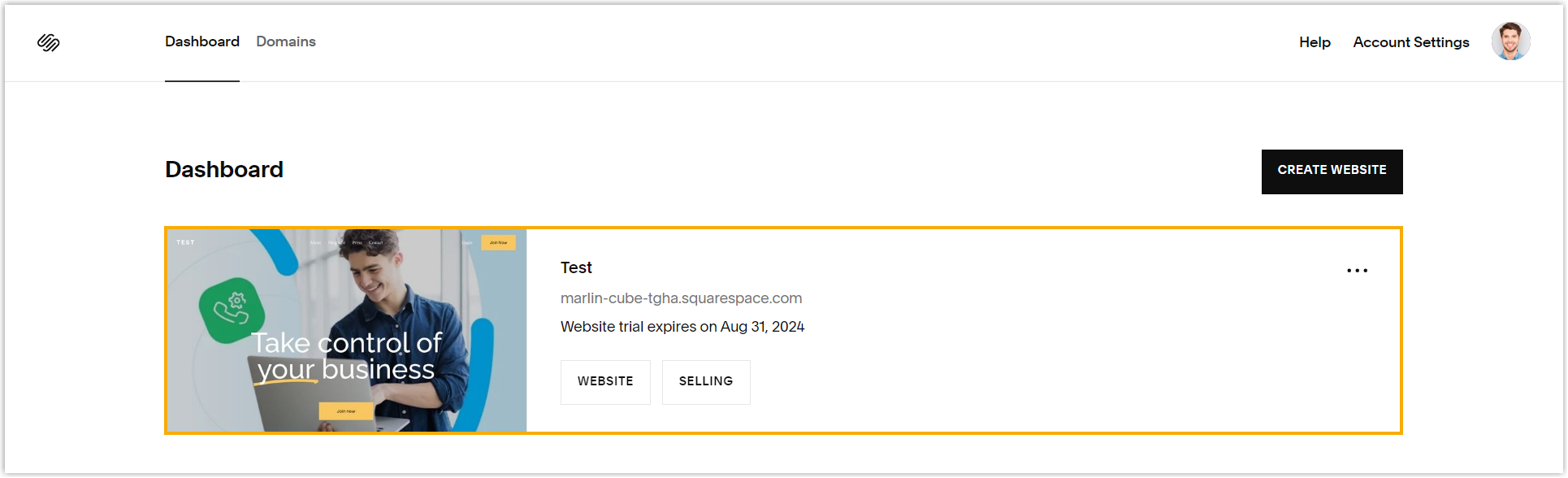
From the Dashboard, select the site where the widget should appear.
-
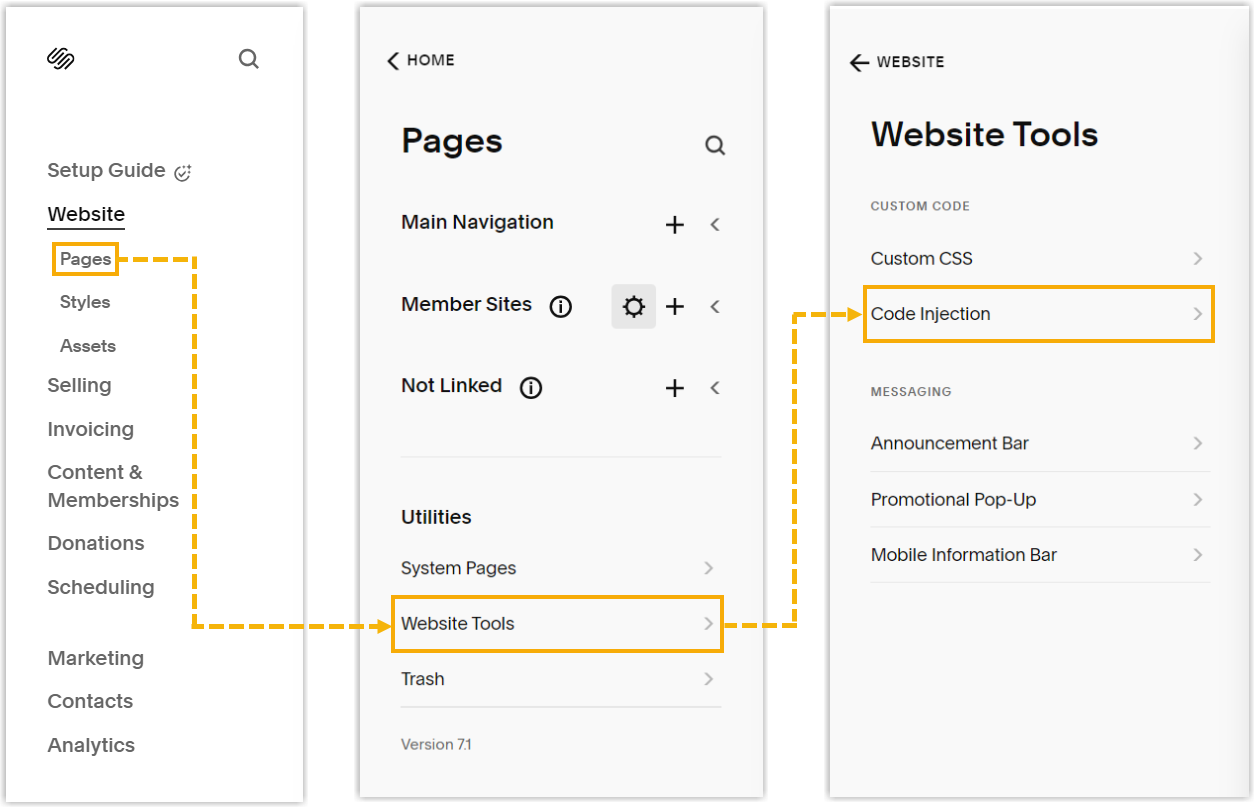
In the left-hand menu, choose Pages > Website Tools > Code Injection.
-
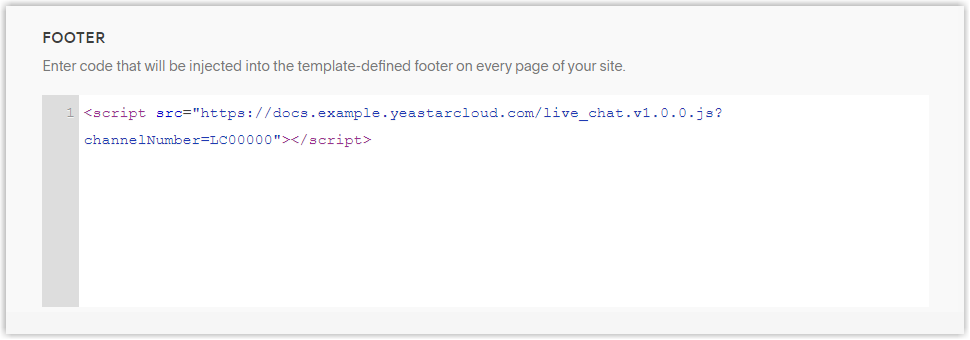
Paste the code snippet into the Footer field.
-
Click Save in the upper-left corner.
Result
Section titled “Result”The Live Chat widget now shows in the bottom-right corner of your website, ready for visitors to start a conversation.

Question about this page?
Ask the AI assistant. It starts from this page, then searches the rest of the docs.
Ask Cloud Voice AI
Answers are AI-generated from the docs and may contain mistakes. Verify with the linked pages.