
Set up Skill-based Routing for a Queue
Skill-based routing lets you rank the agents in a queue by proficiency and have Cloud Voice offer each call to the strongest agents first, working down the list only when they are unavailable. Sending inquiries to your most capable people first improves the quality of each interaction and keeps the queue running efficiently.
Before you begin
Section titled “Before you begin”Confirm both of the following:
- Firmware: version 84.14.0.24 or later.
- Plan: Enterprise Plan (EP) or Ultimate Plan (UP).
How calls are distributed
Section titled “How calls are distributed”The way a call moves through the queue depends on whether any agents share the same skill level.
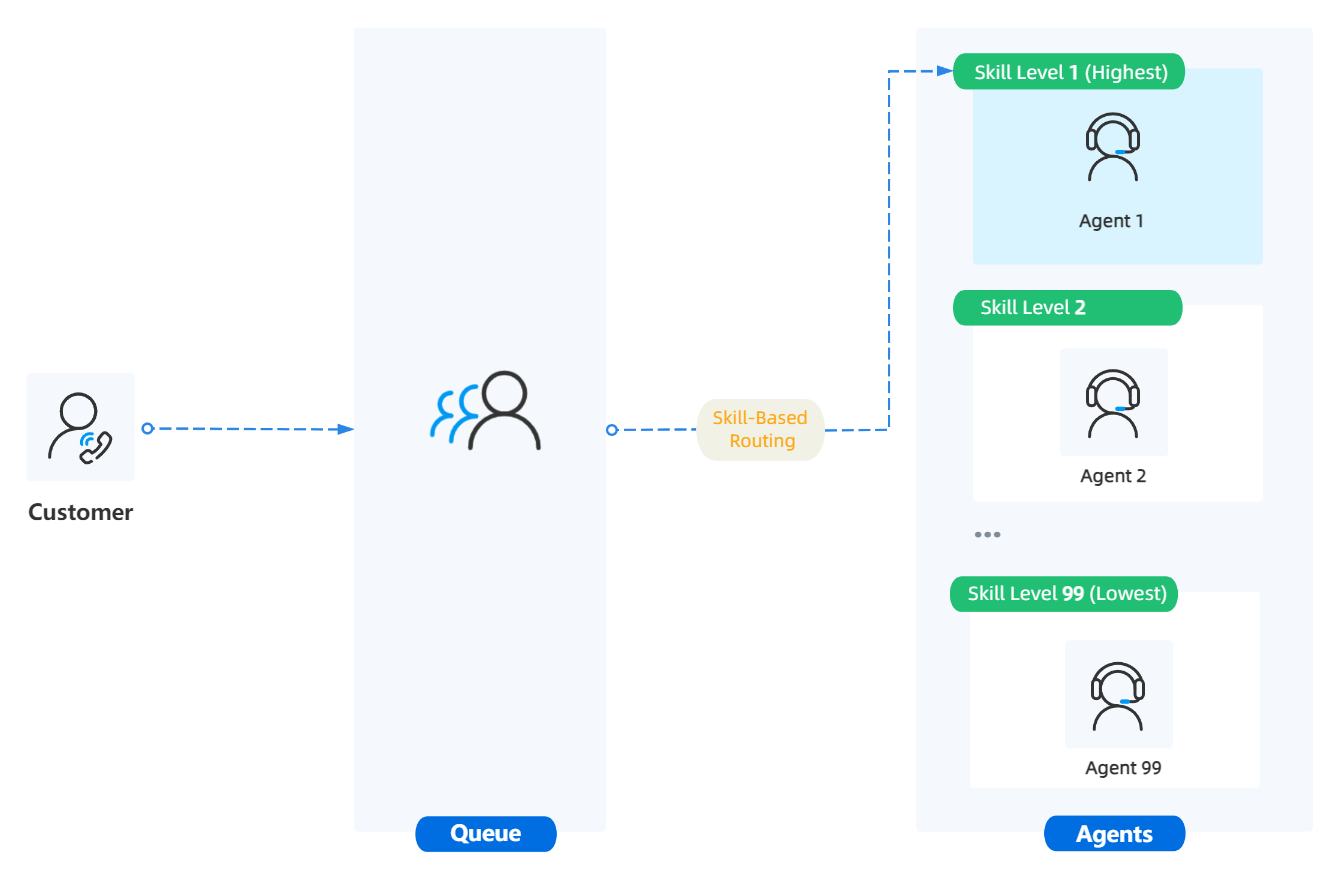
Every agent has a distinct skill level
Section titled “Every agent has a distinct skill level”When each agent in the queue holds a different skill level, an incoming call goes straight to the top-ranked agent (level 1). If that agent cannot take the call, Cloud Voice offers it to the next agent, continuing down the ranking one agent at a time.
Some agents share a skill level
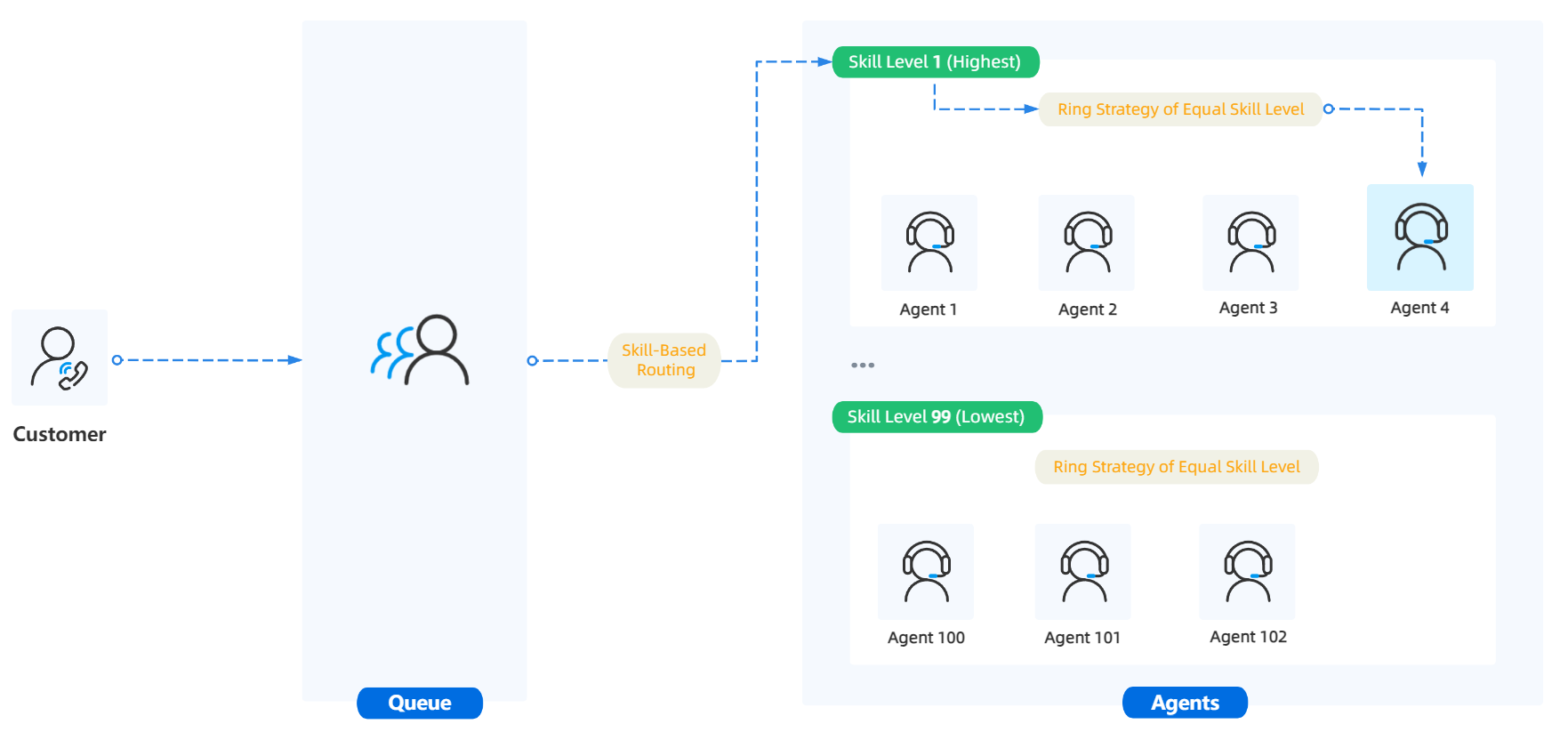
Section titled “Some agents share a skill level”When two or more agents are set to the same skill level, an incoming call is offered to everyone at the highest level (1) at once, and Cloud Voice decides who rings first using the ring strategy you choose for equal skill levels. If none of the top-level agents answer, the call moves down to the agents at the next level.
Turn on skill-based routing
Section titled “Turn on skill-based routing”-
Sign in to the PBX web portal and go to Call Features > Queue.
-
Click the edit icon next to the queue you want to change.
-
On the Basic tab, enable the feature and pick a ring strategy.
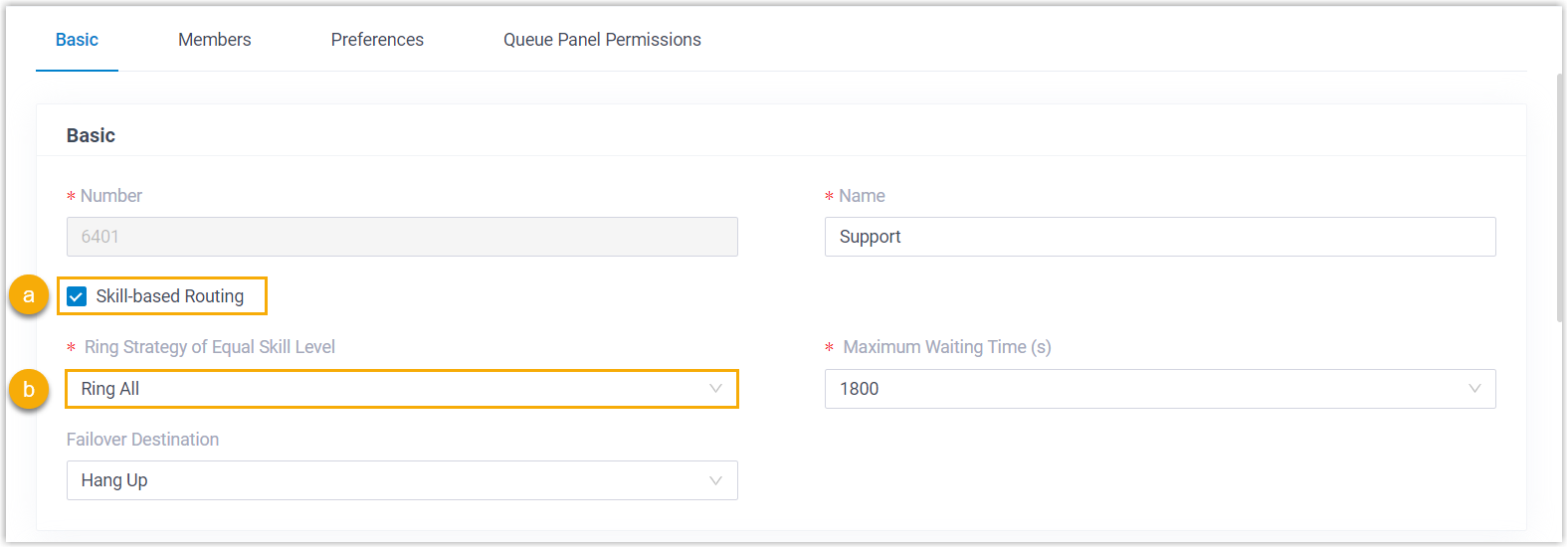
a. Select the Skill-based Routing checkbox.
b. From the Ring Strategy of Equal Skill Level drop-down, choose how agents who share a skill level should be rung.
Ring strategy Behavior Ring All Rings every agent at the same skill level at once until one of them answers. Least Recent Among agents at the same skill level, rings whoever has gone the longest without a call. Fewest Calls Among agents at the same skill level, rings whoever has completed the fewest calls. Random Rings agents at the same skill level in no set order. Rrmemory Round robin with memory. In a queue of static agents only, Cloud Voice recalls the last agent it tried and rings the next agent in the static list. In a queue of dynamic agents only, it recalls the last agent tried and rings the next in the order agents logged in. In a mixed queue, it rings the next static agent in the list; if no static agents are free, it rings dynamic agents in login order. Linear Rings agents at the same skill level in a fixed order that depends on agent type. In a queue of static agents only, it follows the order of the agents list. In a queue of dynamic agents only, it follows login order. In a mixed queue, it follows login order. -
On the Members tab, assign a skill level to each agent.
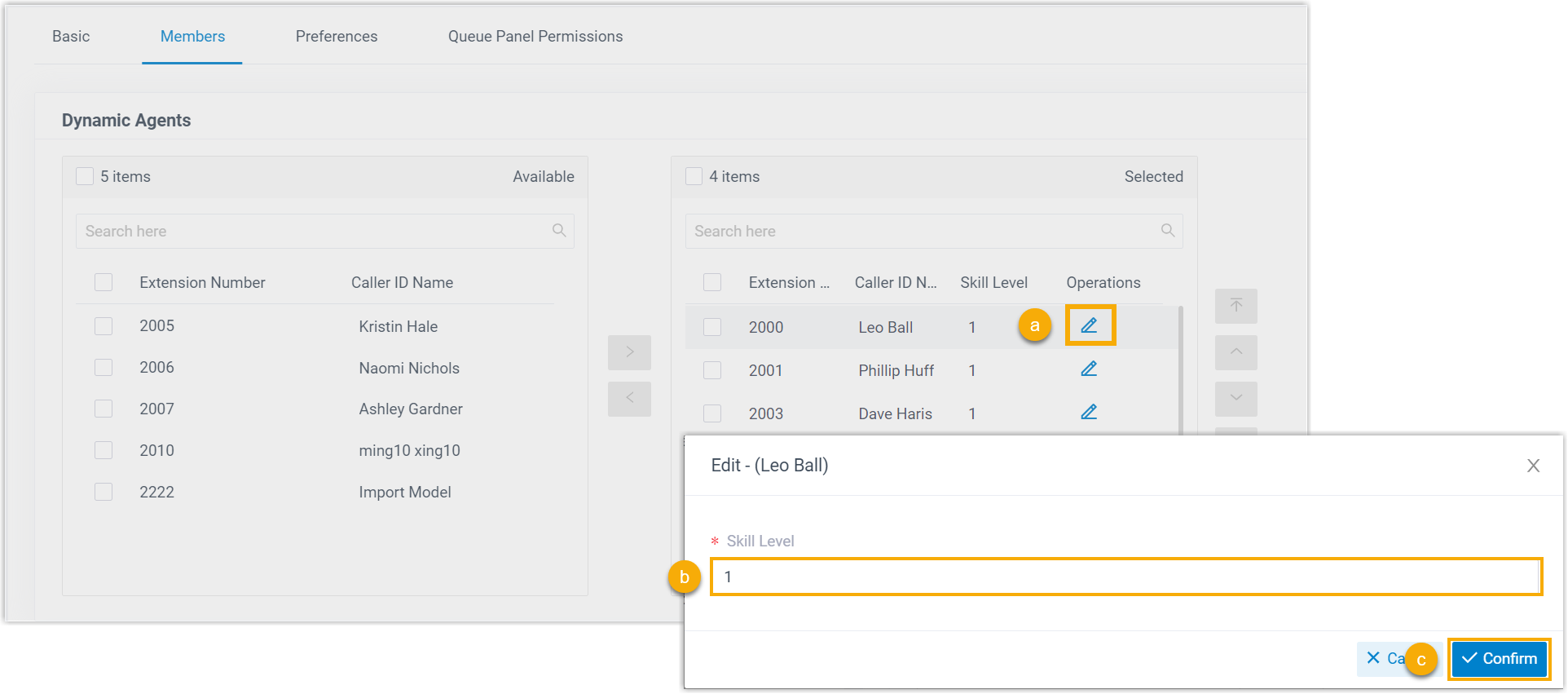
a. Click the edit icon next to an agent.
b. In the dialog, enter the agent’s skill level.
c. Click Confirm.
d. Repeat steps a through c for each agent you want to rank.
-
Click Save, then Apply.
Result
Section titled “Result”Callers reaching the queue are connected to agents in order of skill level, starting with the highest-ranked agents and stepping down through the lower levels as needed.
Question about this page?
Ask the AI assistant. It starts from this page, then searches the rest of the docs.
Ask Cloud Voice AI
Answers are AI-generated from the docs and may contain mistakes. Verify with the linked pages.