
Set Pause Reasons for Queue Agents
Cloud Voice lets you build a list of named pause reasons for your queues. Instead of simply going idle, agents record why they are stepping away from calls, and each reason is tied to a feature code. Once configured, agents can pause with a reason from their phone or from the Cloud Voice App, and queue managers can review both the reason and the elapsed time in call reports.
Set up pause reasons
Section titled “Set up pause reasons”-
Sign in to the PBX (Private Branch Exchange, your phone system) web portal and go to Call Features > Queue.
-
At the top of the page, click Pause Reason.

-
In the dialog that opens, review the reason list and adjust it to fit your team.
Cloud Voice ships with a set of default reasons, each paired with a feature code. Edit any of these, or add your own.
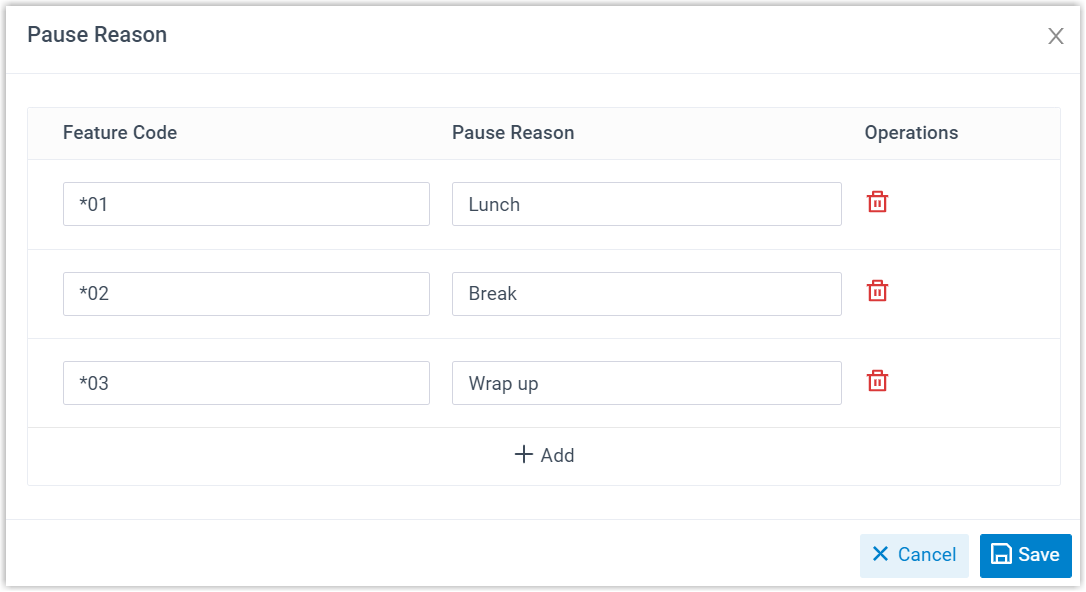
For each row, set the following:
- Feature Code: The code an agent dials to select this reason.
- Pause Reason: A short label describing why the agent is no longer taking calls.
-
Click Save.
How agents pause with a reason
Section titled “How agents pause with a reason”By feature code
Section titled “By feature code”An agent pauses from a queue by dialing three parts in sequence:
Pause feature code + queue number + pause reason feature code
For example, dialing *076400*03 pauses the agent in queue 6400 with the Wrap up reason (here *07 is the pause feature code and 03 is the reason code).
From the Cloud Voice App
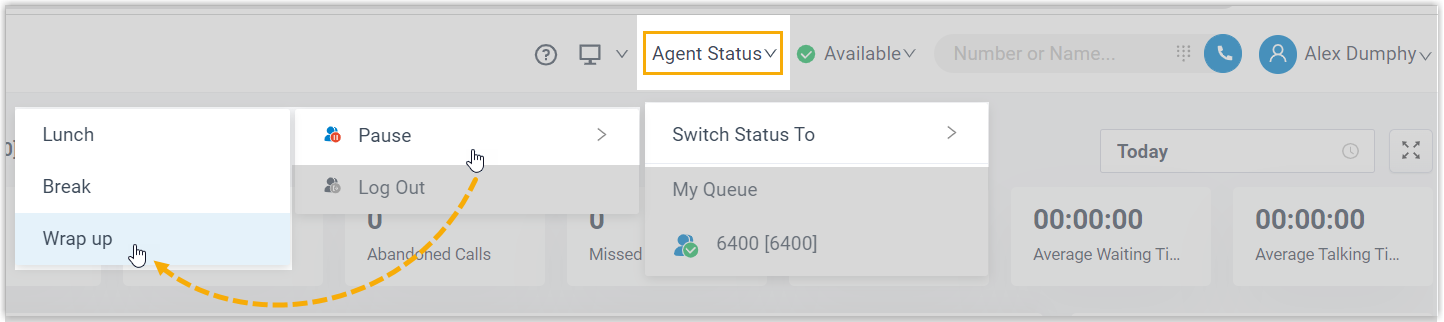
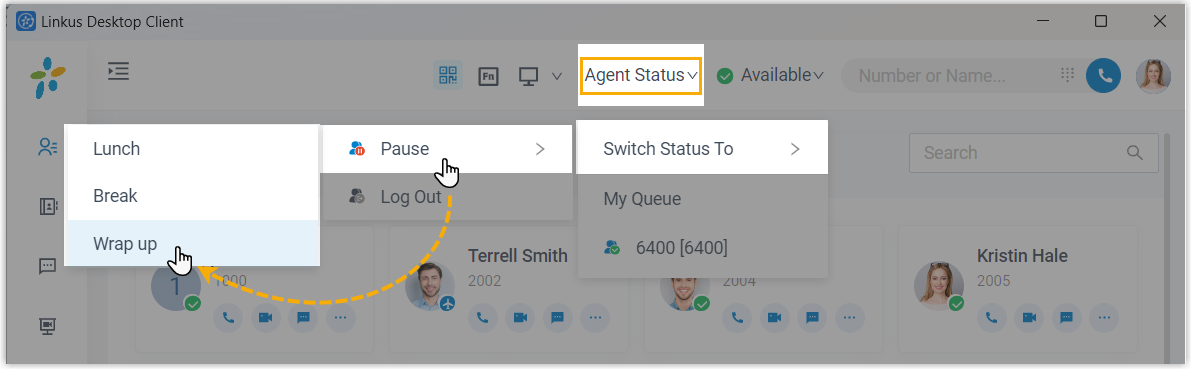
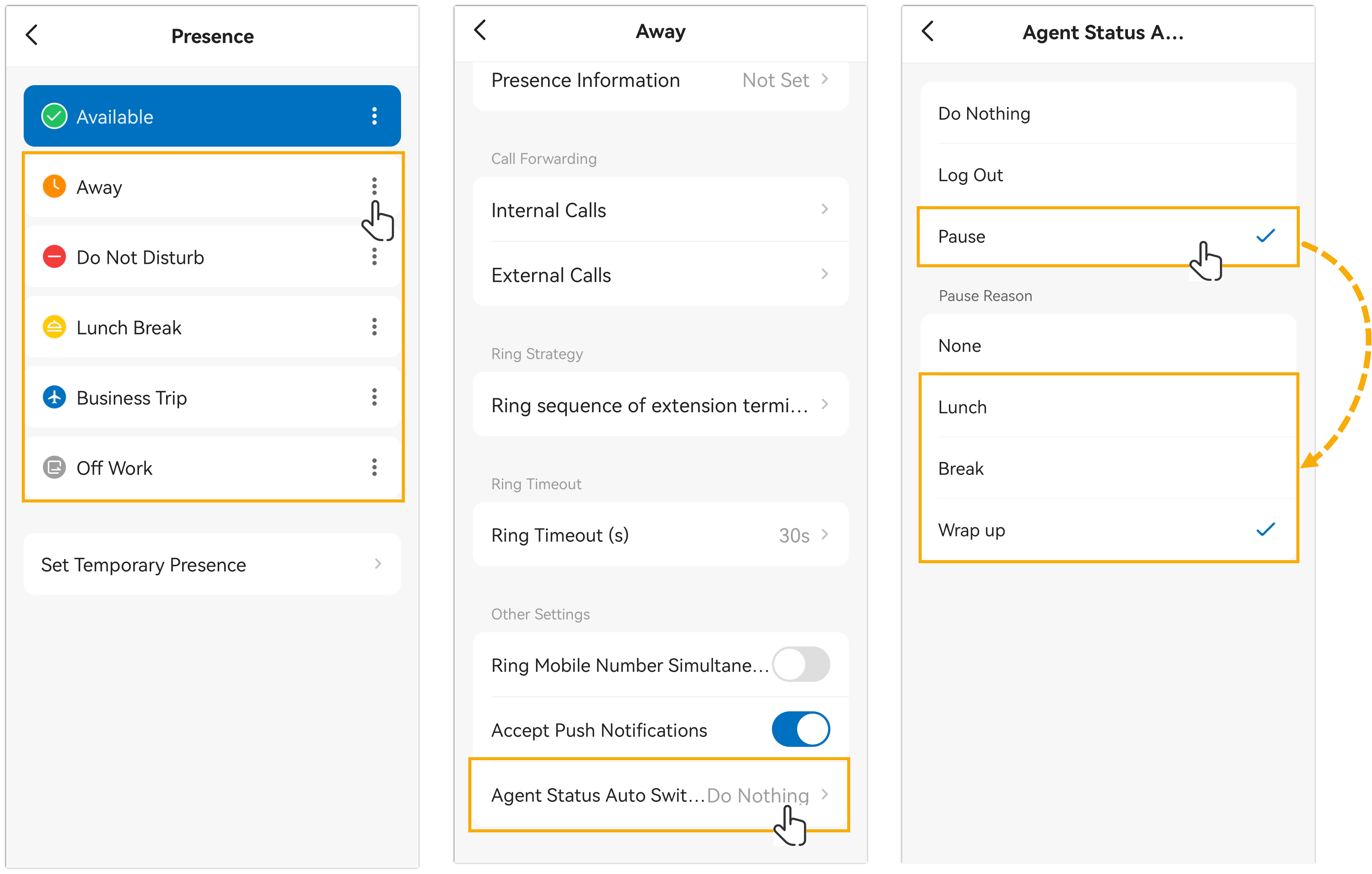
Section titled “From the Cloud Voice App”In the Cloud Voice App, agents click the Pause button and pick a reason from the list. This works across the web, desktop, and mobile versions of the app.
Web
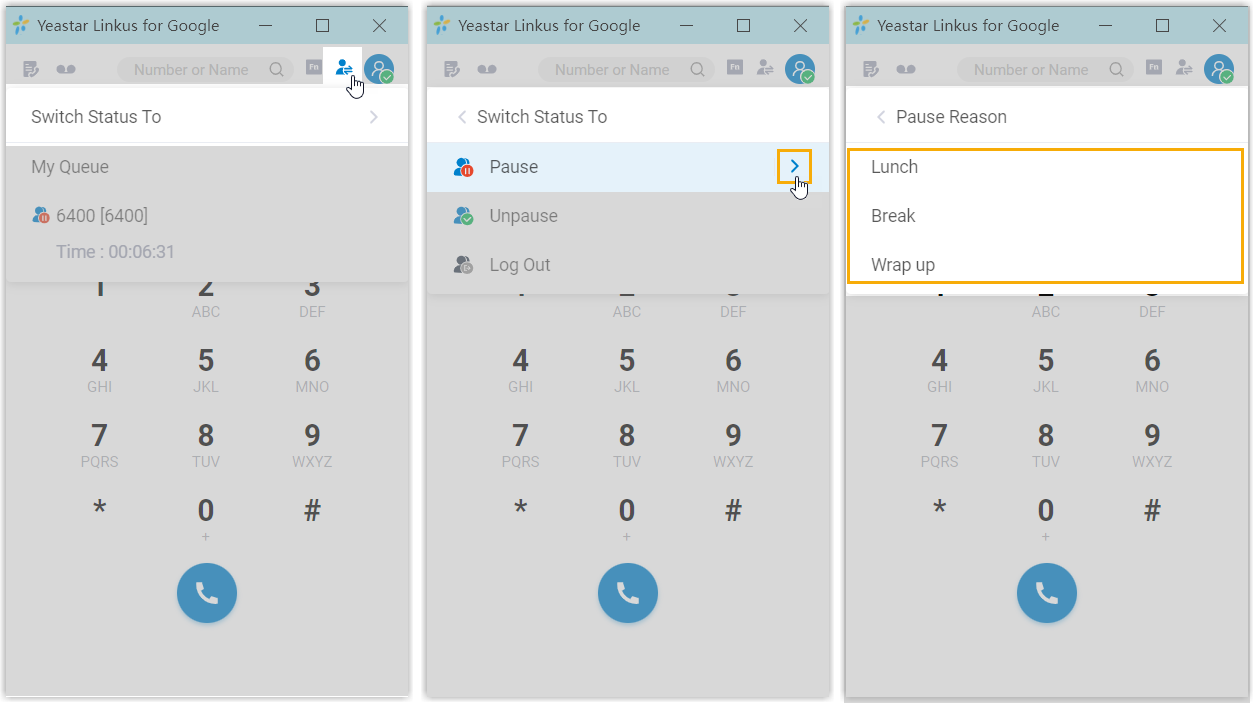
You can also change pause status from the Cloud Voice App Chrome extension:
Desktop
Mobile
How managers pause agents
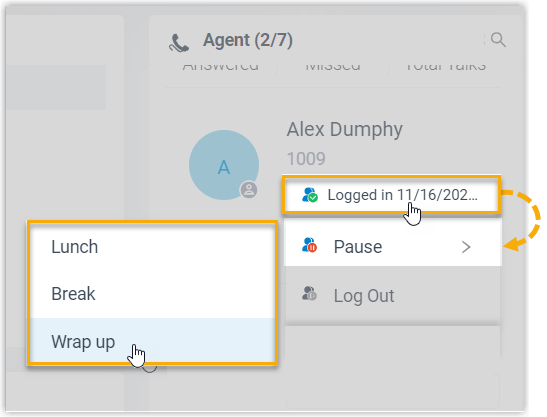
Section titled “How managers pause agents”From the queue panel, a queue manager can move an agent into a paused state and assign a specific reason on the agent’s behalf.
Question about this page?
Ask the AI assistant. It starts from this page, then searches the rest of the docs.
Ask Cloud Voice AI
Answers are AI-generated from the docs and may contain mistakes. Verify with the linked pages.