
Release 84.23.0.123 Beta 1
Released June 29, 2026 as version V24.3-Beta, this is the first beta build of firmware 84.23.0.123. It introduces call quality monitoring, new AI receptionist capabilities, and a wide range of improvements and bug fixes.
To install this build, open your admin portal, check for firmware updates, and upgrade your phone system.
This release also includes updates to the Cloud Voice App and its browser extension. Those changes are covered separately in the Cloud Voice App release notes.
New features
Section titled “New features”Call Quality Monitoring
Cloud Voice can now monitor extension call quality in real time during calls and produce call performance reports with detailed metrics. This helps your support team diagnose and troubleshoot call issues more quickly.
Related updates in this release:
-
A new Poor Call Quality Reminder event notification (System > Event Notification > Event Type > Reminder) fires when a monitored call is rated as having poor overall quality.
-
API interfaces were extended to support call quality monitoring:
Feature Details Extension extension/get,extension/query,extension/create, andextension/updategain theenb_monitor_call_qualityandmonitoring_end_timestampparameters to query or set call quality monitoring for an extension.Call Report call_report/list,call_report/detail, andcall_report/downloadgain theendpoint,network,call_score,cdr_id, andqos_call_quality_listparameters to query call quality details in call reports.
AI Receptionist
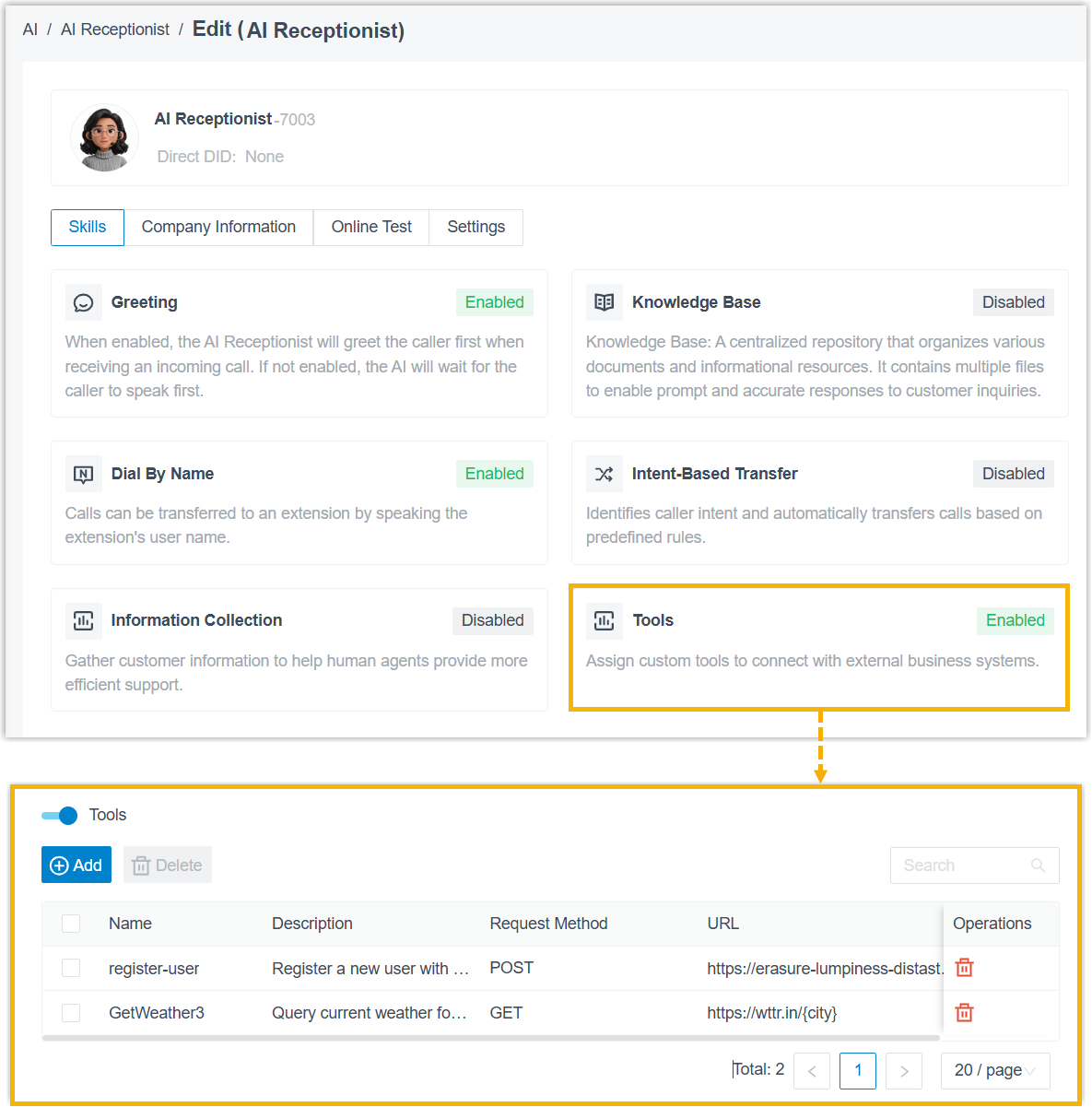
You can now define custom tools built on HTTP requests and assign them to an AI receptionist. Once assigned, the receptionist invokes the tools automatically as the conversation unfolds, for example, to check an order status or book an appointment, retrieving information or performing actions on external systems during a call.
Related updates in this release:
-
Assign custom tools to an AI receptionist for more flexible conversation handling.
-
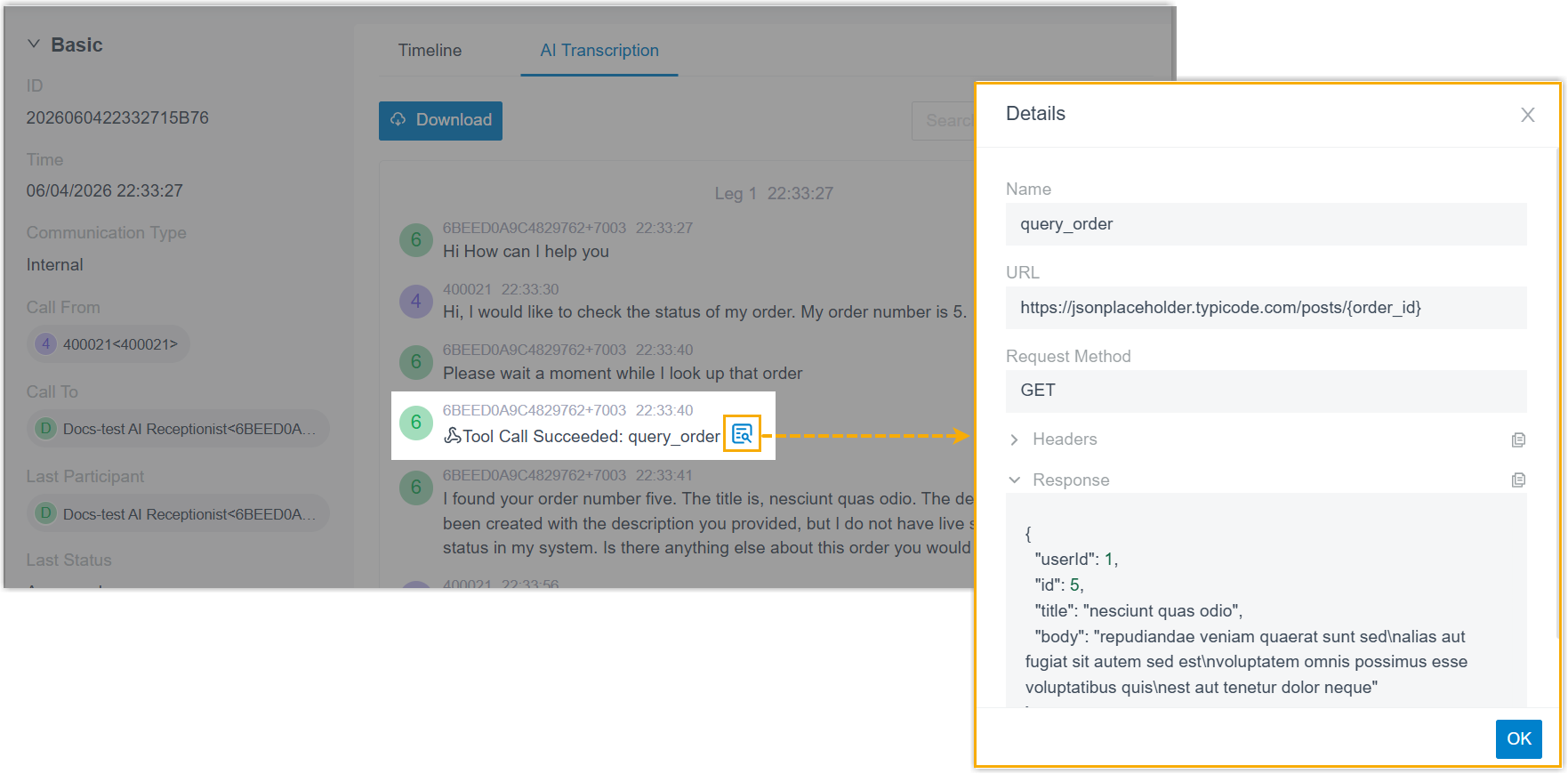
The CDR (Call Detail Record, the log entry the system saves for every call) for AI receptionist calls now logs every tool call the receptionist makes, including the tool name, execution status, and the full request parameters and response results.
Improvements and bug fixes
Section titled “Improvements and bug fixes”Web Interface
- Added two more web interface languages: Catalan and Hungarian.
Extension Group
- Fixed a member list display issue. When an extension’s first or last name was
set to
nullthrough the API, the member list of its extension group appeared empty, and querying the group through the API returned no data.
Auto Provisioning
-
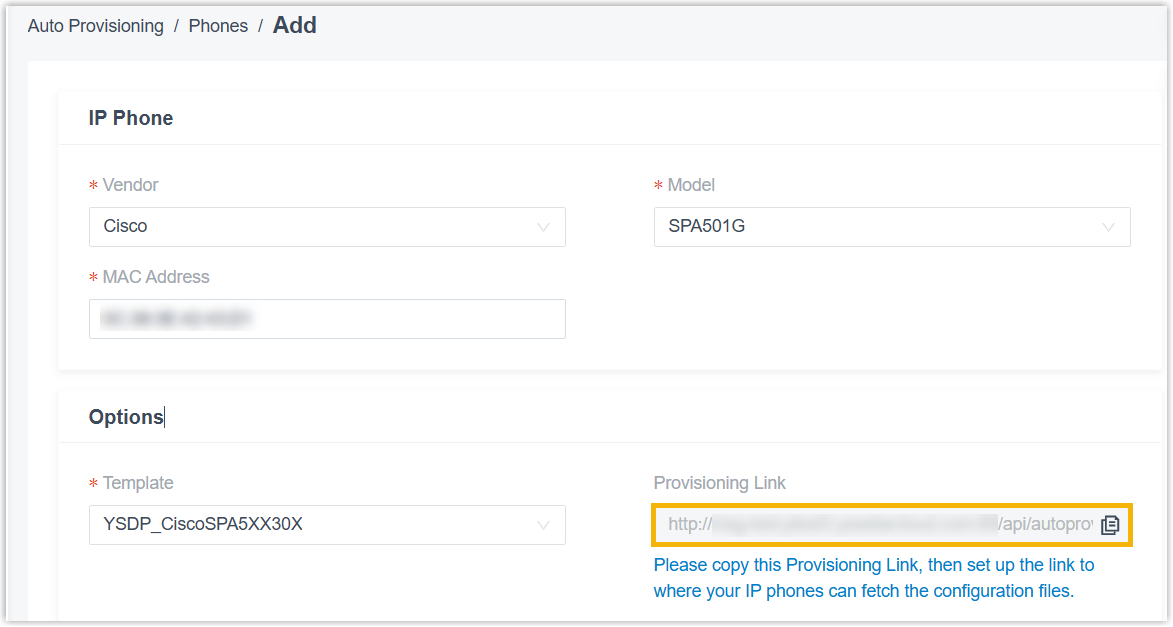
You can now auto-provision Cisco SPA-series IP phones by retrieving their configuration files over HTTP.
-
Fixed a random password issue. When you bulk-added Yealink IP phones with Generate a random phone password enabled, the system failed to generate the Var Phone Password and User Phone Password for the first phone.
Inbound Route
Fixed two inbound route list display issues:
- If you set a default destination and then configured Time Condition routing before saving, the route worked but did not appear in the list.
- After switching a Custom Time Periods inbound route’s destination to an AI Receptionist with a feature code, the route’s Current Destination column showed empty instead of the AI receptionist.
Call Flow Designer
- Fixed a DID (Direct Inward Dialing, a phone number that routes callers straight to a specific destination) issue. When a trunk’s DID number was assigned to a call flow, editing any other trunk setting removed the DID number from the call flow list, and calls to that number were no longer routed to the call flow.
Voicemail
-
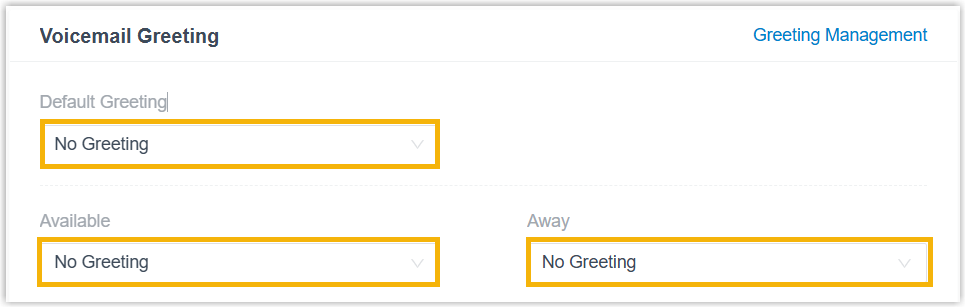
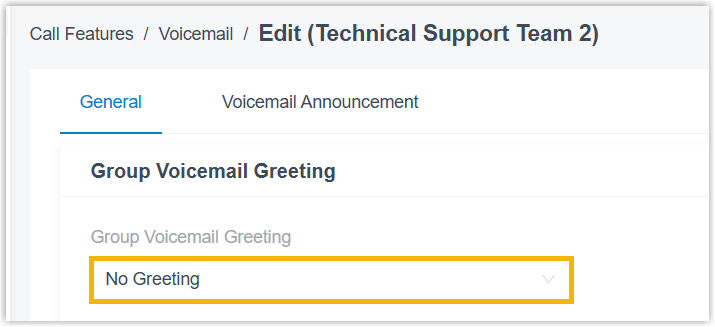
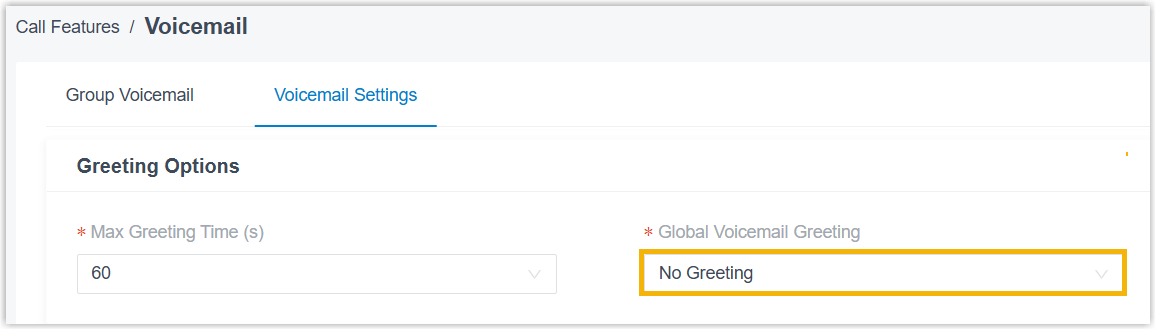
Added a No Greeting option for voicemail greetings. When selected, the system plays no greeting before callers leave a message. The option is available in three places:
-
Extension voicemail greeting, Extension and Trunk > Extension > edit > Voicemail > Voicemail Greeting.
-
Group voicemail greeting, Call Features > Voicemail > Group Voicemail > edit > Group Voicemail Greeting.
-
Global voicemail greeting, Call Features > Voicemail > Voicemail Settings > Greeting Options > Global Voicemail Greeting.
-
AI Transcription
- Fixed a usage display issue. Usage was counted in seconds but shown as minutes, making the displayed usage much higher than the actual figure.
Message Channel
-
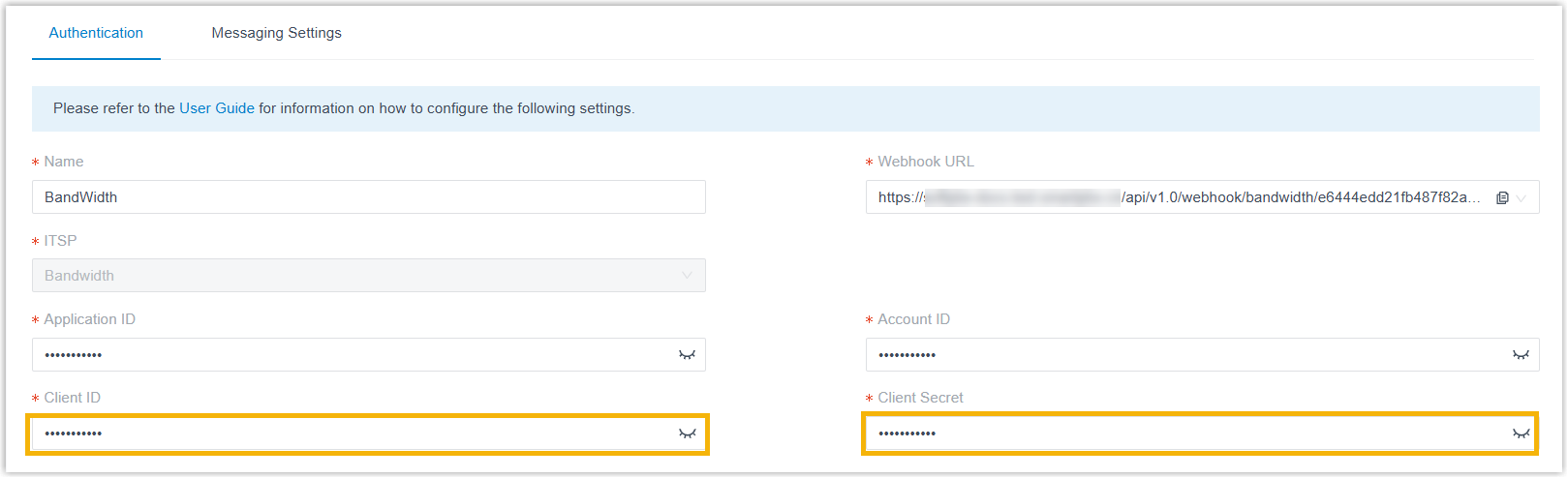
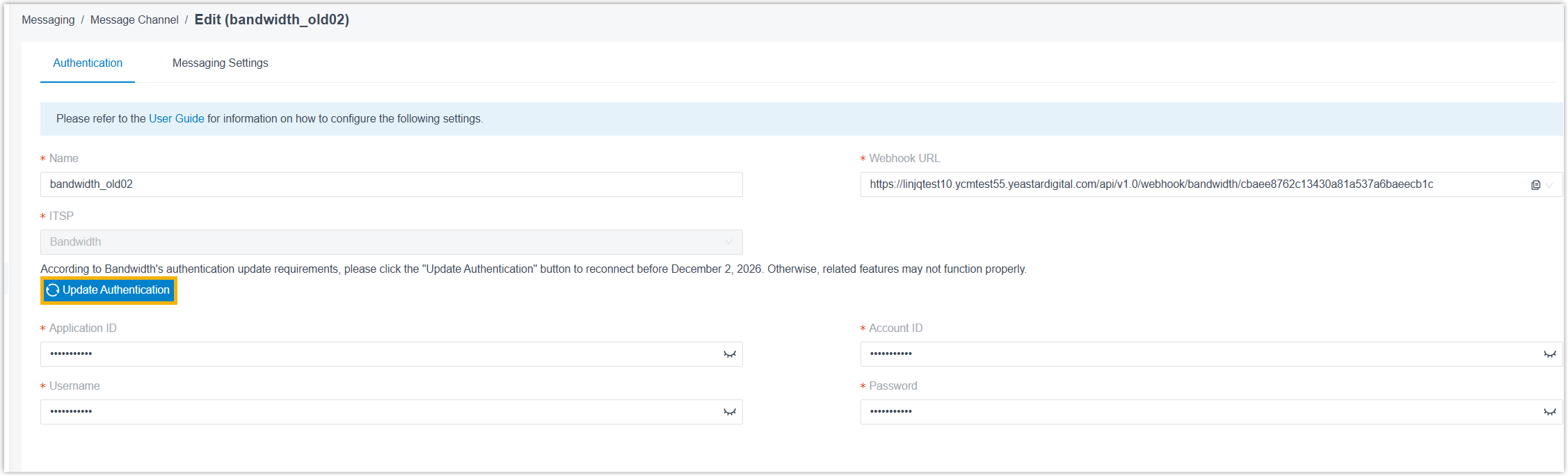
The Bandwidth SMS channel integration now authenticates with a Client ID and Client Secret instead of a Username and Password, to comply with Bandwidth’s updated authentication requirements.
Hot Desking
- Fixed a login issue. After you bulk-updated voicemail access PINs, users could not log in to hot desking phones with the new PINs.
SIP Settings
SIP (Session Initiation Protocol) is the signaling protocol that sets up and ends calls. TLS (Transport Layer Security) is the encryption that protects that signaling as it travels over the network.
-
Added a TLS V1.3 option to TLS Connection Method (PBX Settings > SIP Settings > TLS > TLS Connection Method). When selected, the system uses TLS 1.3 for outbound SIP client connections, providing stronger security.
Microsoft Entra ID (Azure Active Directory) Integration
Fixed three user synchronization issues:
- When User Range for Extension Auto Creation was set to Users in Specific Group, newly added users in the specified Entra ID group(s) were synced to the extension list but were not added to the matching extension group(s) synced from Entra ID.
- Syncing users with blank email addresses cleared the email field on the matching extensions, which unexpectedly logged those users out of the Cloud Voice App.
- Enabling Microsoft Teams User Presence Synchronization for more than 200 extensions in bulk drove CPU load to 100%.
CRM/Helpdesk Integration Template
-
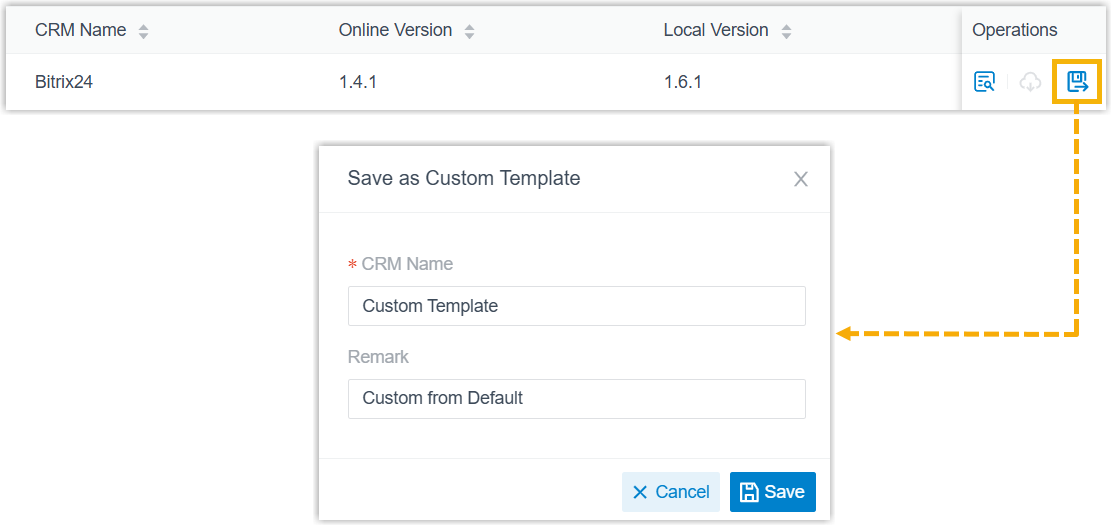
You can now save a default template as a custom template.
-
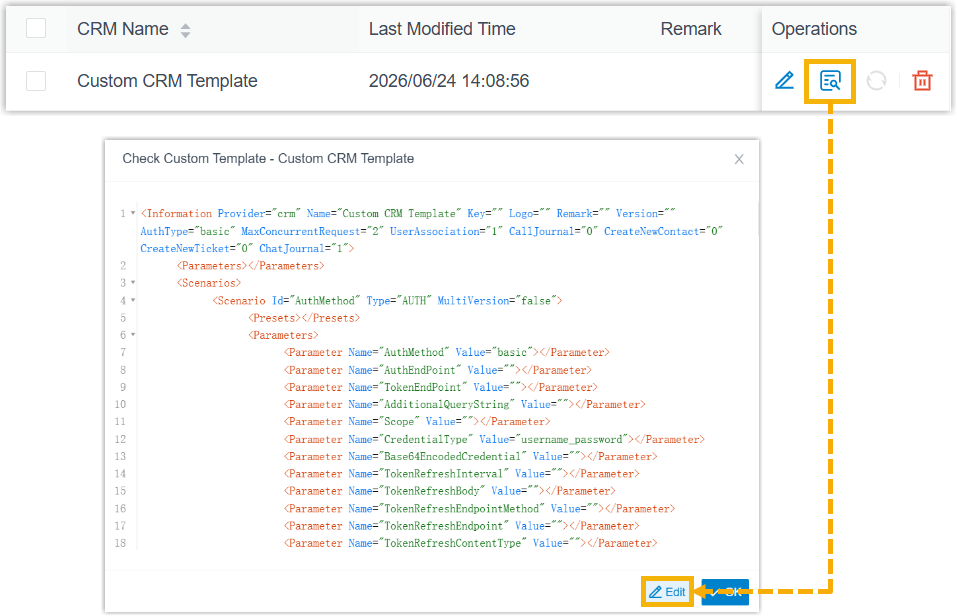
You can now edit a custom template’s XML content directly in the view window.
-
Several custom template configurations were improved:
-
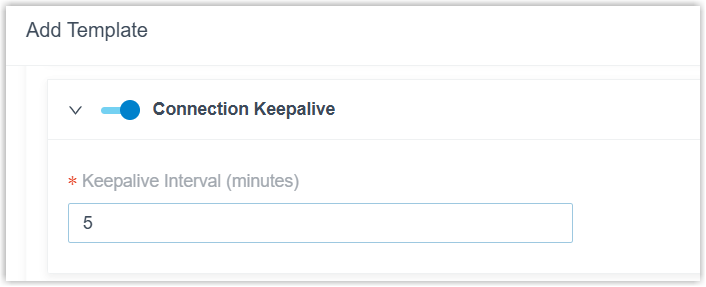
Added Connection Keepalive to the Request Configuration section. When enabled, the system sends keep-alive requests to the CRM/Helpdesk at the set interval to monitor connection status and authentication validity, preventing the connection from closing due to network timeout or inactivity.
-
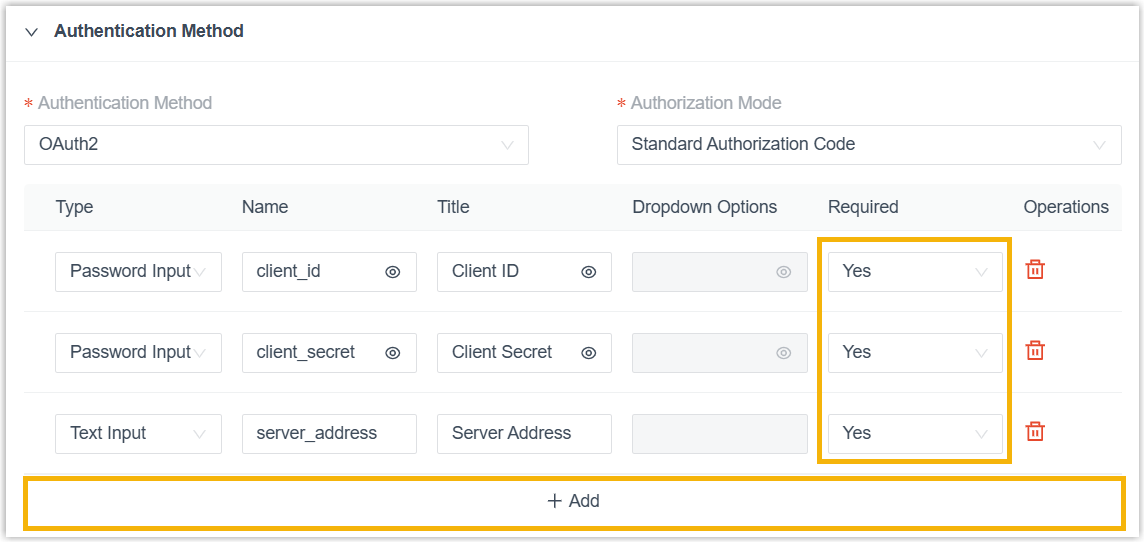
Improved the Authentication Method configuration. When you configure OAuth2 authentication on the template page, you can add up to 10 custom fields and mark each as mandatory with the Required field.
-
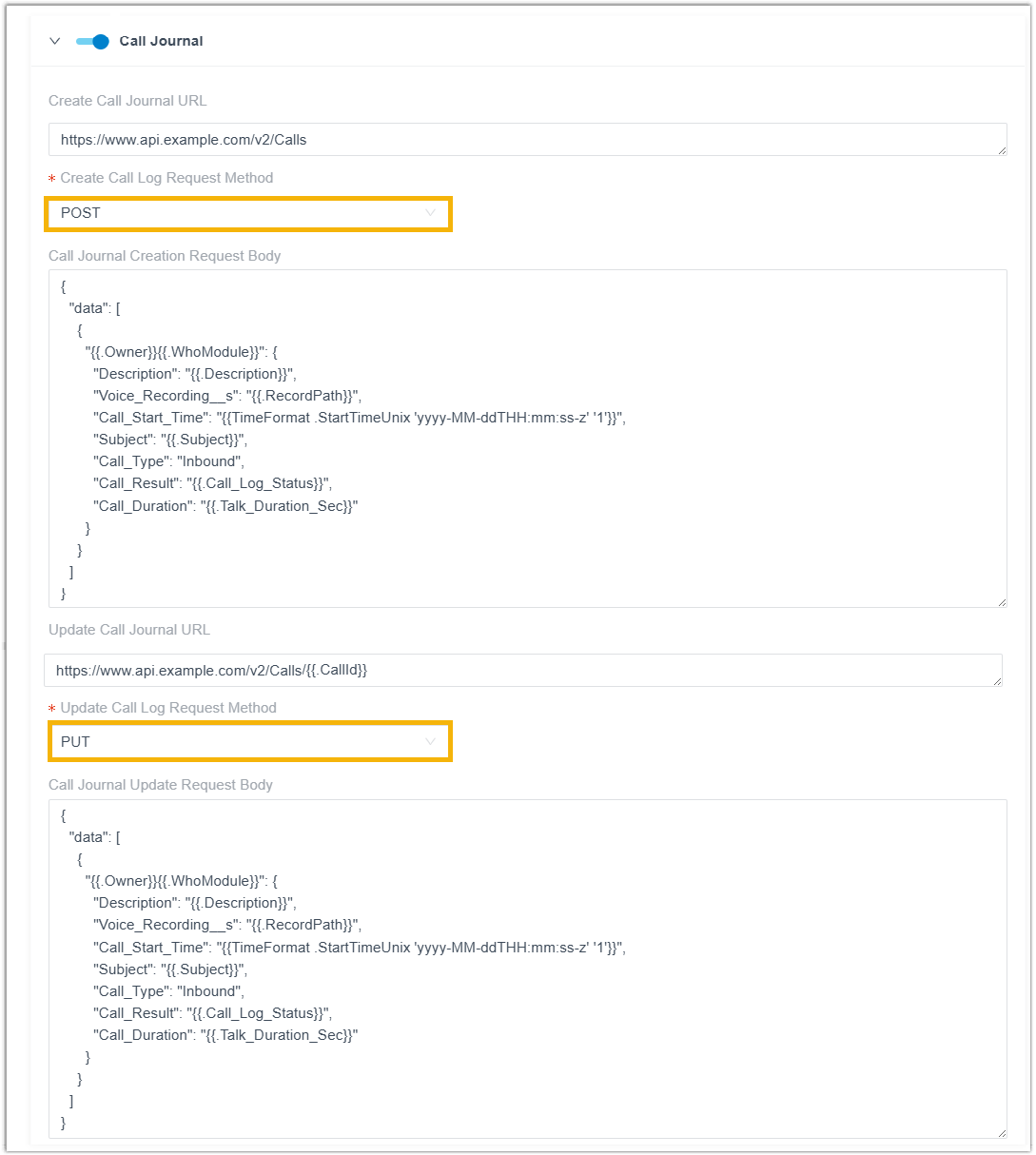
Improved the Call Journal configuration. New Create Call Log Request Method and Update Call Log Request Method items let you set the request method to POST or PUT.
-
CDR
-
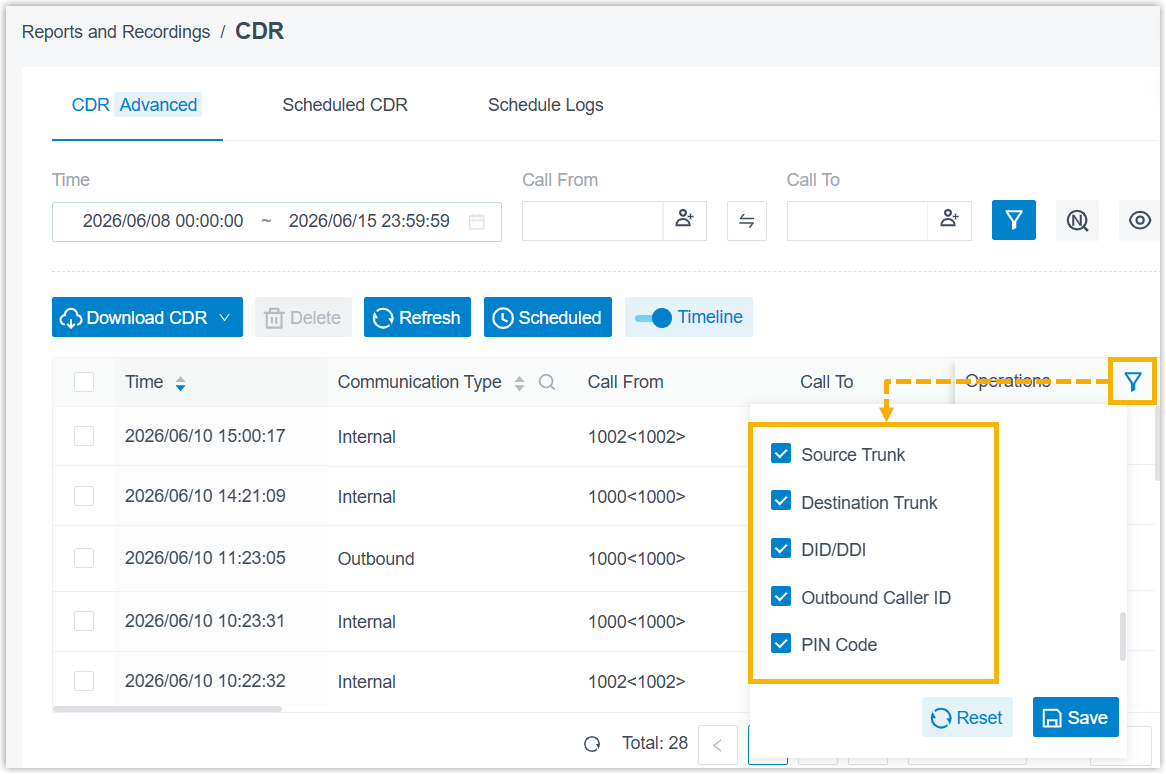
Improved the CDR list filters:
- Added the column-header filters Source Trunk, Destination Trunk, and DID/DDI.
- Moved the Outbound Caller ID and PIN Code filters from the top filter bar to column-header filters.
-
Fixed a Pure Talk Duration calculation issue. Monitoring time was incorrectly included in the Pure Talk Duration for monitored calls.
Recording File
- Fixed a playback and download issue. Archived recordings of inbound calls to queues or ring groups could not be played or downloaded.
Call Report
-
Improved the Extension Call Statistics report. For a monitored call, the report now shows two separate entries, one with call metrics for the monitored party and one for the monitoring party.

API
-
Added CDR API interfaces under
openapi/v2.0for querying CDRs and setting CDR options. -
Improved API event
30013(Call Transfer Report). For a blind transfer, the report now also includes the destination extension number. -
Fixed an error code issue. A Redis exception caused the system to return error code
10004(TOKEN EXPIRED) even when the token was still valid.
Question about this page?
Ask the AI assistant. It starts from this page, then searches the rest of the docs.
Ask Cloud Voice AI
Answers are AI-generated from the docs and may contain mistakes. Verify with the linked pages.