
Firmware 84.22.0.17-beta1 Release Notes
This is the first beta build of Cloud Voice firmware 84.22.0.17. It adds virtual fax and new SMS (Short Message Service, text messaging) channels, refines the Call Flow Designer, and delivers a round of improvements and fixes across recording, SIP, archiving, security, integrations, and the API.
Changes to the Cloud Voice App (Desktop, Web, mobile, and the browser extension) ship on their own schedule and are listed in the Cloud Voice App release notes, not here.
- Release date: February 5, 2026
- Release version: V23.1-Beta (firmware 84.22.0.17)
New features
Section titled “New features”Virtual fax integration
Section titled “Virtual fax integration”Cloud Voice can now connect to the BlueFax online fax service. Once the integration is set up, your team sends and receives faxes securely over the internet from the Cloud Voice App (Desktop or Web), with no physical fax hardware required.
Omnichannel messaging (SMS)
Section titled “Omnichannel messaging (SMS)”Two more SMS providers, VoIP.ms and NETPLANET, can now be used as messaging channels. After you configure a channel for either provider, agents receive and reply to customer text messages directly in the Cloud Voice App.
Improvements and bug fixes
Section titled “Improvements and bug fixes”Call Flow Designer
Section titled “Call Flow Designer”Call control components
Section titled “Call control components”-
Prompt and UserInput now include a TTS Response Timeout option under their Text to Speech (TTS) prompt settings. Text to Speech turns typed text into a spoken prompt, so the timeout controls how long the system waits for that audio to be generated.
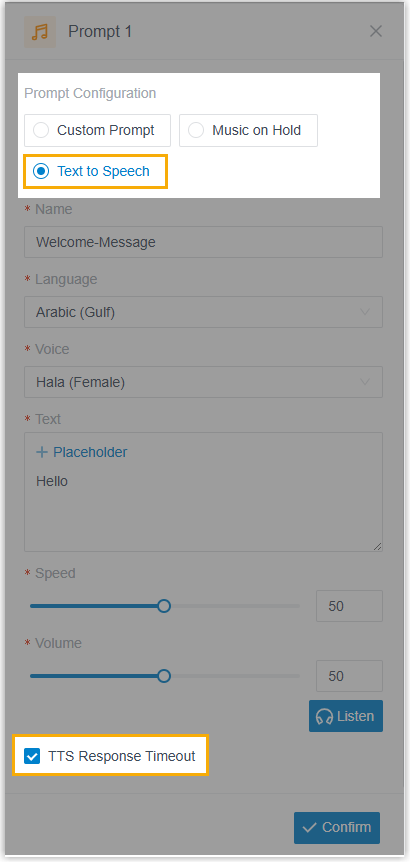
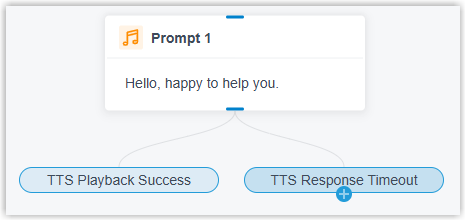
When it is enabled, the component splits into two branches, TTS Playback Success and TTS Response Timeout, so you can route the call differently depending on whether speech generation completed or timed out.
-
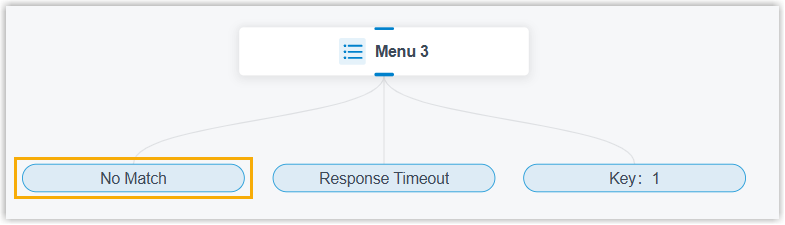
In the Menu and Dial by Number components, the Invalid Input branch is now named No Match.
-
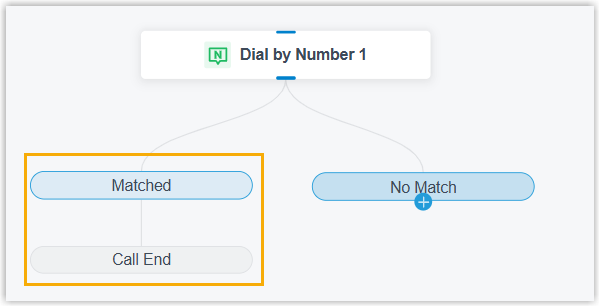
The Dial by Number component gains a Matched branch that connects straight to Call End.
-
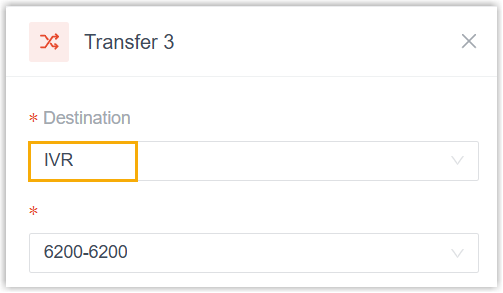
The Transfer component adds IVR (Interactive Voice Response, an automated caller menu) as a destination type.
-
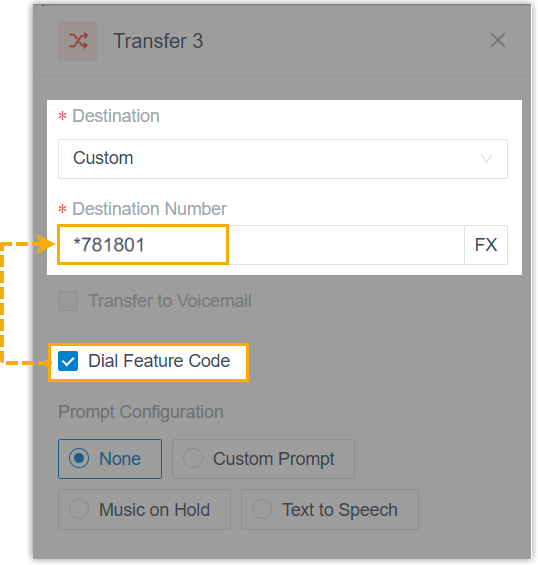
The Transfer component also adds a Dial Feature Code option for custom destinations. Turn it on to enter the feature code you want dialed in the Destination Number field.
Flow components
Section titled “Flow components”-
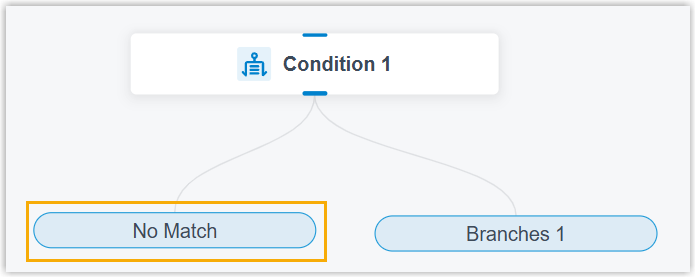
In the Condition component, the Invalid Input branch is now named No Match.
Developer components
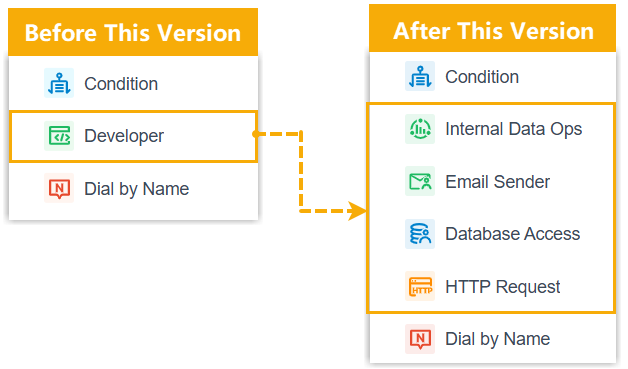
Section titled “Developer components”The single Developer entry in the left toolbox has been broken out into four separate components: Internal Data Ops, Email Sender, Database Access, and HTTP Request.
Internal Data Ops keeps the Get and Set operations on PBX internal data that the old Developer component offered, plus the following changes:
-
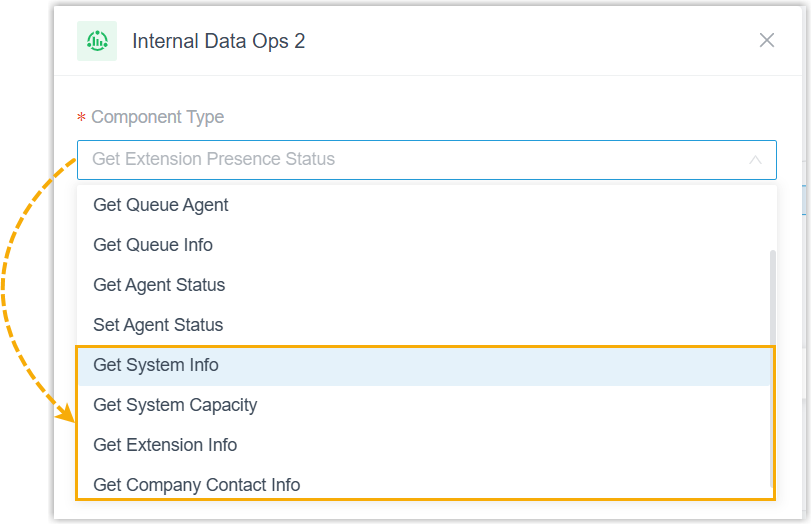
New Get operations are available: Get System Info, Get System Capacity, Get Extension Info, and Get Company Contact Info.
-
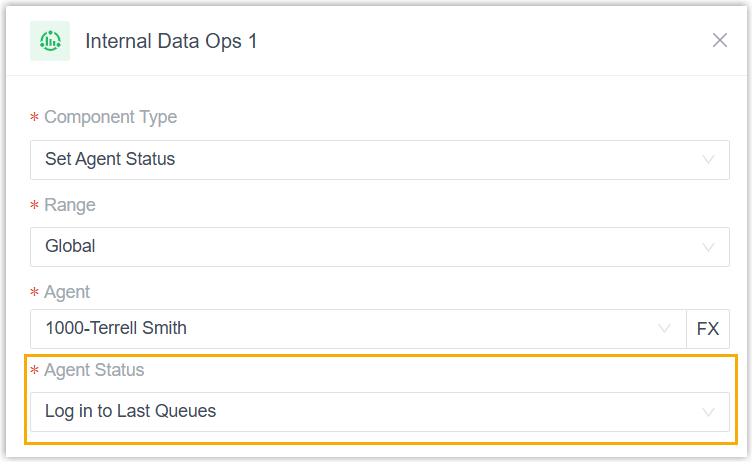
The Set Agent Status operation adds a Log in to Last Queues status. When it is chosen, agents are signed back in to every queue they were previously logged in to.
-
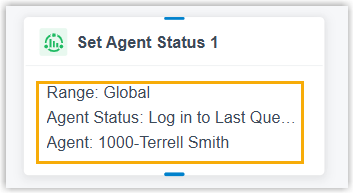
Key configuration values now appear on the component in the workspace, making each block easier to identify at a glance.
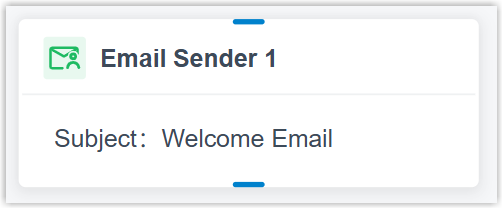
Email Sender adds the following:
-
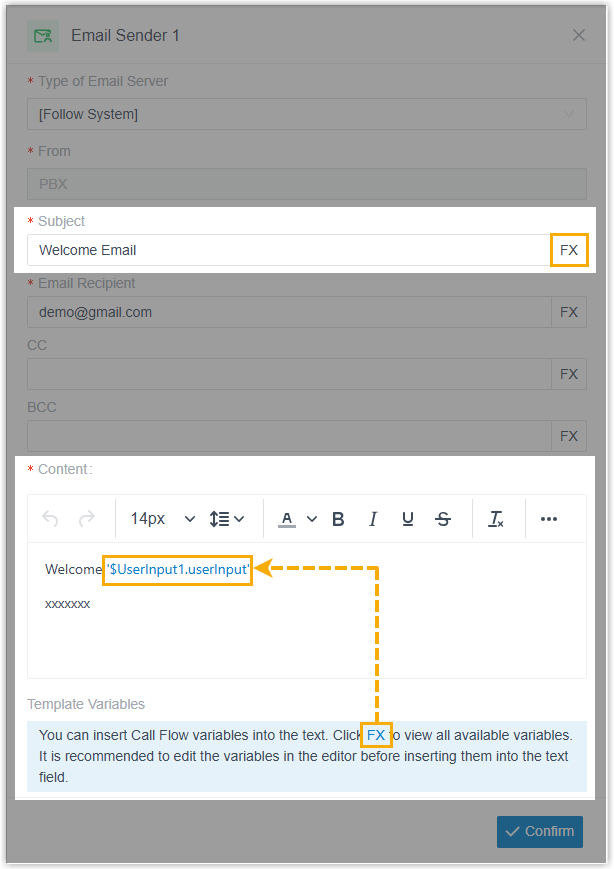
Variables can be inserted into the Subject and Content fields.
-
The email subject is shown on the component in the workspace for quick identification.
Database Access and HTTP Request add the following:
-
A Timeout Destination setting.
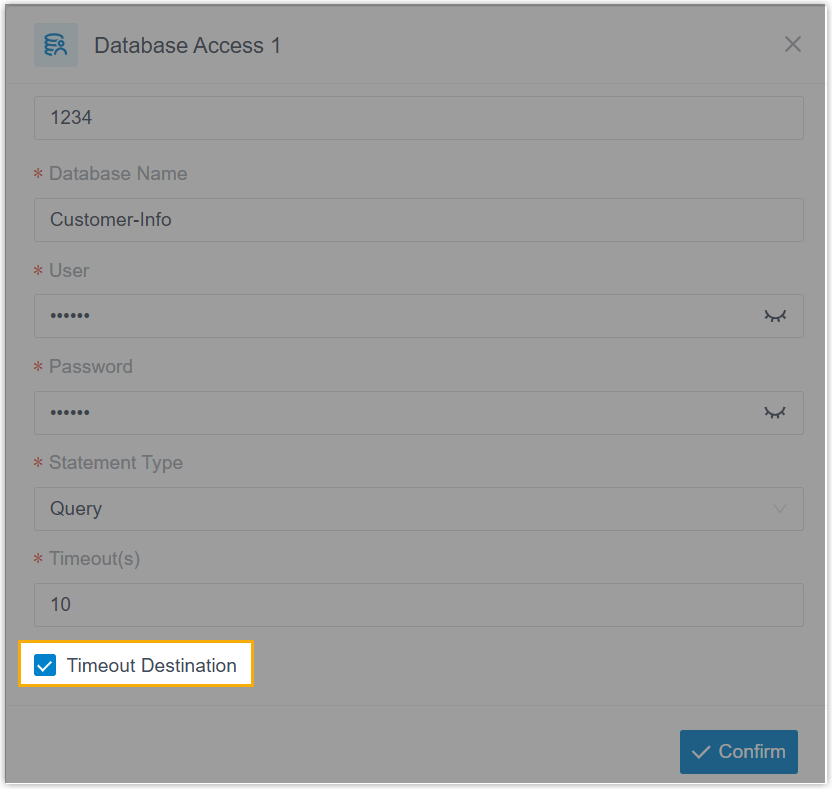
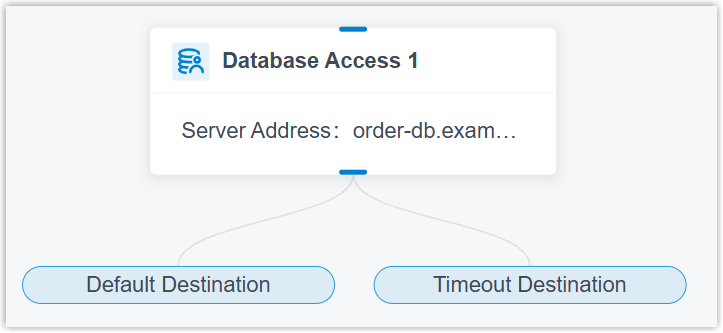
With it enabled, the component splits into Default Destination and Timeout Destination branches so you can route the flow separately for a successful call and for a timeout.
-
The database server address (Database Access) or request URI (HTTP Request; URI is the web address the request is sent to) is shown on the component in the workspace for quick identification.
Other Call Flow Designer changes
Section titled “Other Call Flow Designer changes”-
The End Key setting (Call Flow Designer > Options > End Key) was reworked. You can assign any single digit from
0to9as the end key, or select None to turn the feature off.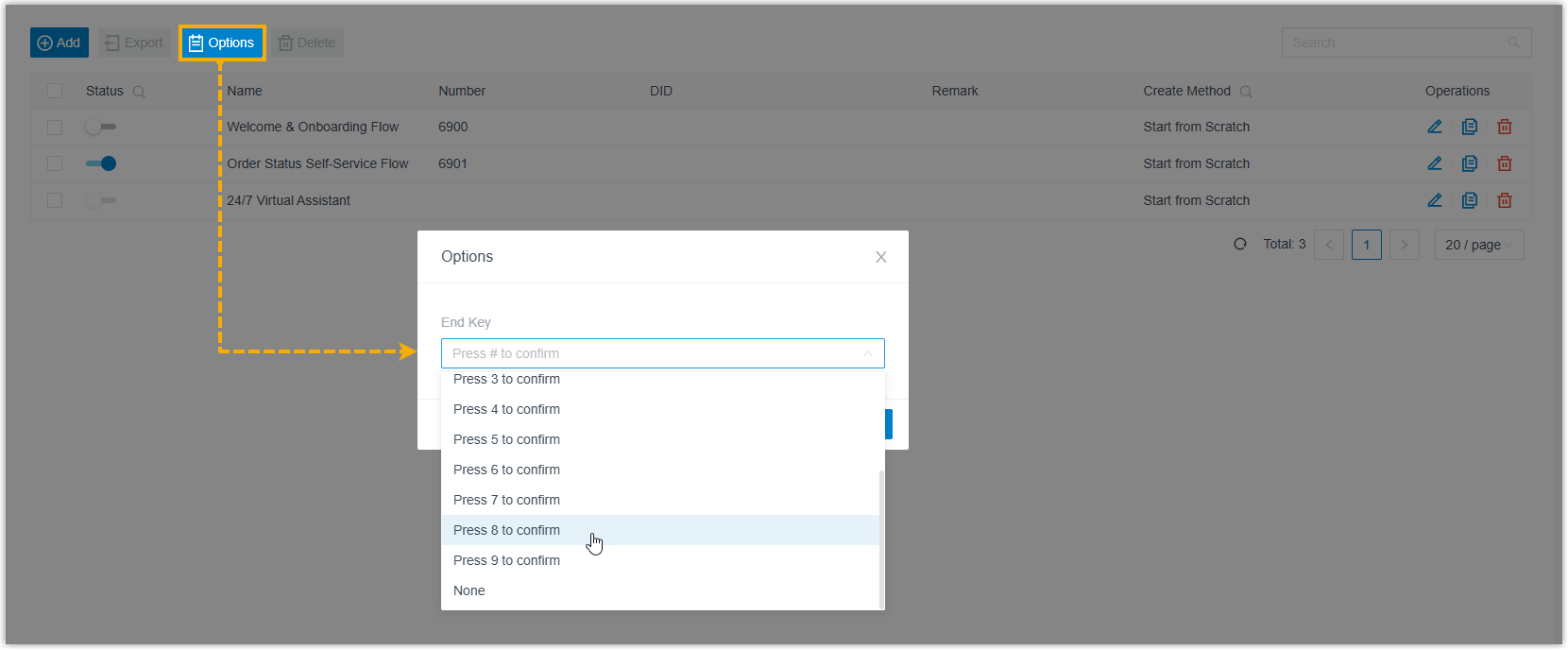
-
New variables and a function were added:
$GetExtensionStatus{index}.isUnavailablefor the GetExtensionStatus component, reporting whether an extension is currently registered.- Related variables for the GetSystemInfo, GetSystemCapacity, GetExtensionInfo, and GetCompanyContactInfo components.
- A
GET_JSON_ARRAY_ITEMfunction that returns the object at a given index within a JSON array.
Recording
Section titled “Recording”-
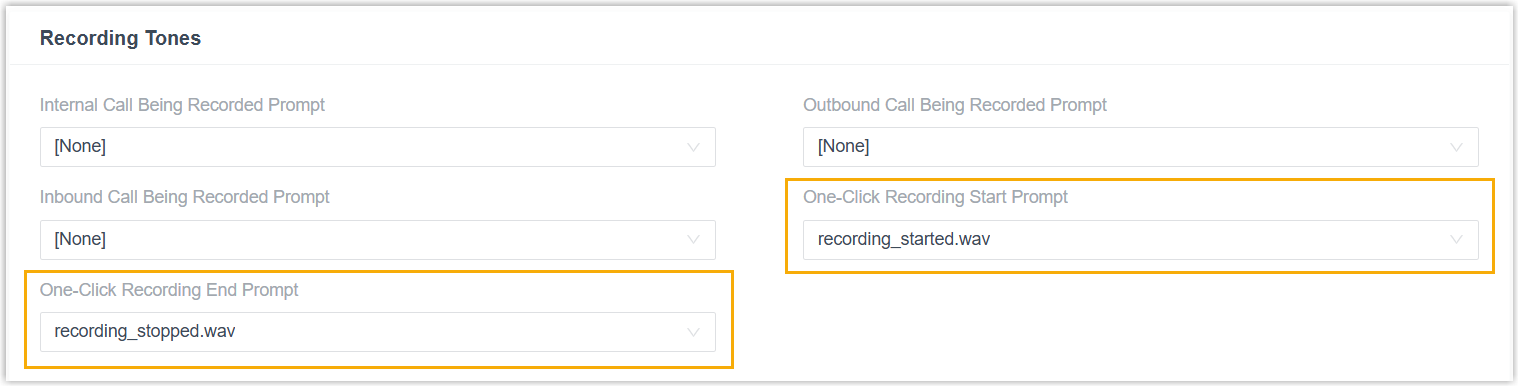
You can set recording prompts for one-click recording at Call Features > Recording > Recording Tones. When a prompt is configured, the system plays it to callers as authorized extension users start or stop recording during a call.
-
Fixed a defect where call recordings contained loud static that rendered the audio unintelligible.
SIP settings
Section titled “SIP settings”SIP (Session Initiation Protocol) is the signaling protocol that sets up and ends calls. A Call Connection Assurance option was added at PBX Settings > SIP Settings > Advanced > Other Options to keep call setup stable for selected extensions.
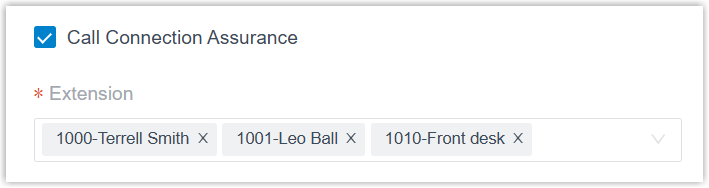
The option addresses a no-audio problem that could affect the first Cloud Voice App call after a computer restart in certain browser or operating-system environments. When one of the specified extensions signs in to the Cloud Voice App (Desktop or Web), the PBX places a call to the client, which auto-answers and hangs up right away, establishing a stable media path for every call that follows.
Archive
Section titled “Archive”Two settings were added to archive tasks at System > Archive > Archive Task > Storage Configuration:
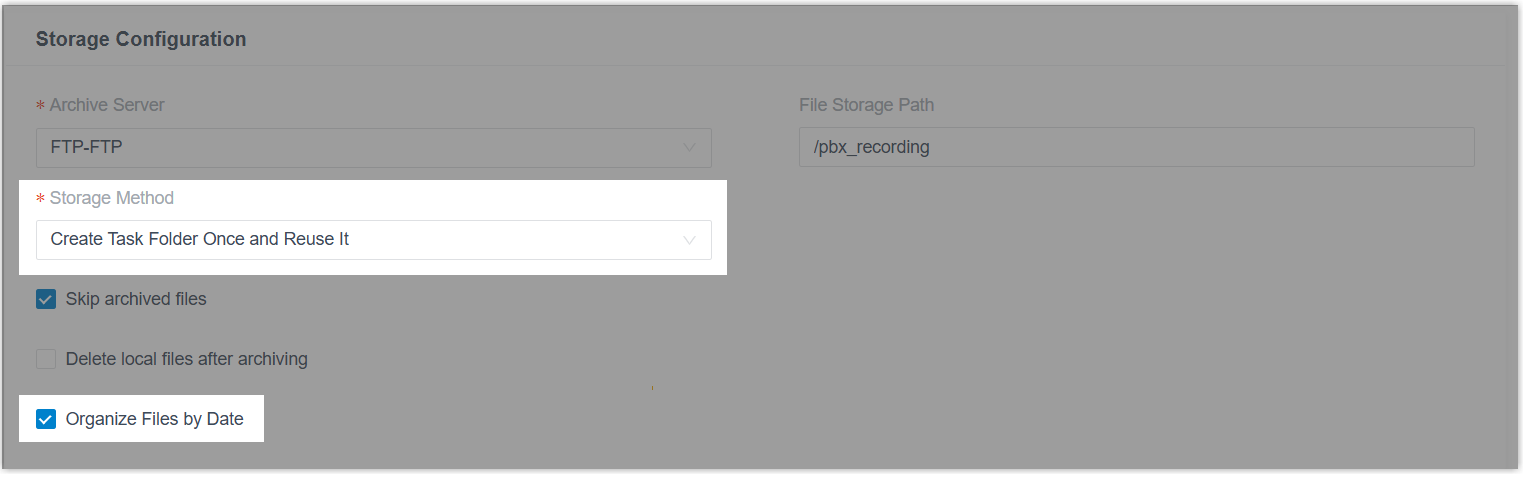
- Storage Method: choose whether archived files go into automatically created folders or straight into the storage path you selected, based on the task type (one-time or recurring).
- Organize Files by Date: choose whether files are sorted into date-named subfolders (in
YYYYMMDDformat) within the storage path.
Event notification
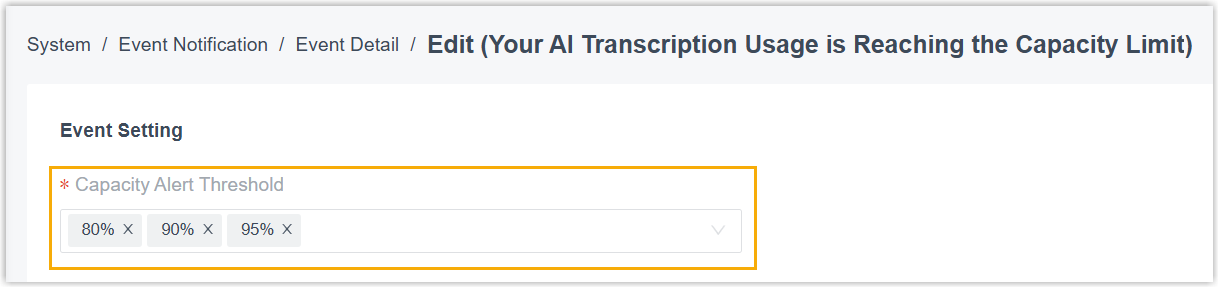
Section titled “Event notification”The Your AI Transcription Usage is Reaching the Capacity Limit notification gains a Capacity Alert Threshold setting (System > Event Notification > Event Type > Reminder > Your AI Transcription Usage is Reaching the Capacity Limit > Event Detail > Event Setting). Set your own thresholds to be alerted as AI transcription usage climbs toward the limit.
Security
Section titled “Security”You can now list several allowed public IP addresses for Cloud Voice App connections at Security > Security Settings > Security Options > Allowed Client Public IP Address.
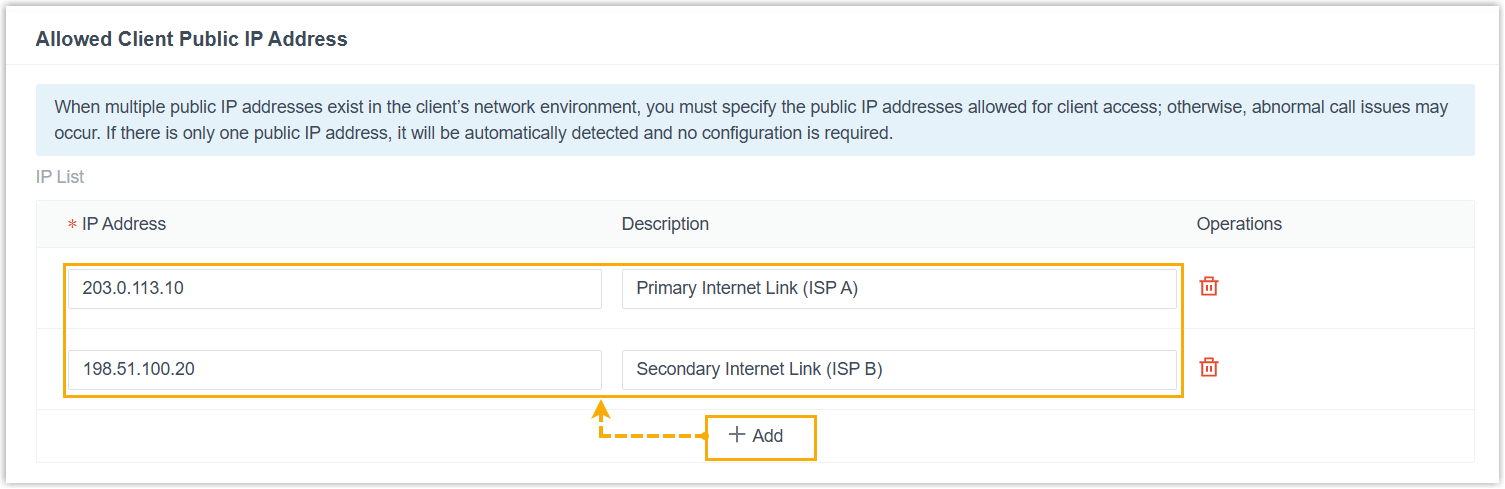
If your company reaches the internet through more than one public IP address, specify the addresses your employees’ Cloud Voice App (Web and Desktop) may connect from. The PBX then recognizes and accepts those connections, preventing the dropped calls or one-way audio that an unexpected IP change during connection can cause.
Zendesk integration
Section titled “Zendesk integration”-
The Zendesk integration’s authentication was updated to meet Zendesk’s new requirements.

-
Two interfaces were optimized:
- Auto Recording:
autorecord/getandautorecord/updateaddstart_promptandend_promptparameters, used to query or set the prompt played when authorized extension users start or stop recording during a call. - Voicemail:
vm/query,vm/get,vm/download,vm/update, andvm/deleteadd auidparameter, used to return the associated CDR ID (CDR is Call Detail Record, the log entry for a call) or to filter voicemails by that ID.
- Auto Recording:
-
Three system-event API events were added:
Event Meaning (30034) System Event Notification (Information) An information-level PBX system event occurred. (30035) System Event Notification (Warning) A warning-level PBX system event occurred. (30036) System Event Notification (Alert) An alert-level PBX system event occurred.
- Fixed a defect where no CDR was generated for the agent extension when an agent answered an inbound queue call but the caller hung up during the agent-ID announcement.
Question about this page?
Ask the AI assistant. It starts from this page, then searches the rest of the docs.
Ask Cloud Voice AI
Answers are AI-generated from the docs and may contain mistakes. Verify with the linked pages.