
Route Inbound Calls based on DID Numbers
When a call arrives on a trunk (the connection from your telephone provider), Cloud Voice can decide where to send it based on the DID number the caller dialed. DID stands for Direct Inward Dialing: it is the public phone number a caller dials to reach you directly. This routing is set on a trunk’s inbound route, where the matching mode you choose decides how Cloud Voice reads the dialed number and which destination receives the call.
Choosing the right matching mode lets you point each number, block of numbers, or number pattern at the destination you want. This page introduces the four modes so you can pick the one that fits your numbering plan; step-by-step examples for each are covered in their own topics.
DID matching modes
Section titled “DID matching modes”Cloud Voice gives you four ways to match a dialed number and route the call accordingly.
Match DID Range to Extension Range
Section titled “Match DID Range to Extension Range”Map a contiguous block of DID numbers onto a contiguous block of extensions, one for one and in order. The first DID in the range reaches the first extension, the second DID reaches the second extension, and so on. This is the quickest option when your DIDs and extensions line up sequentially.
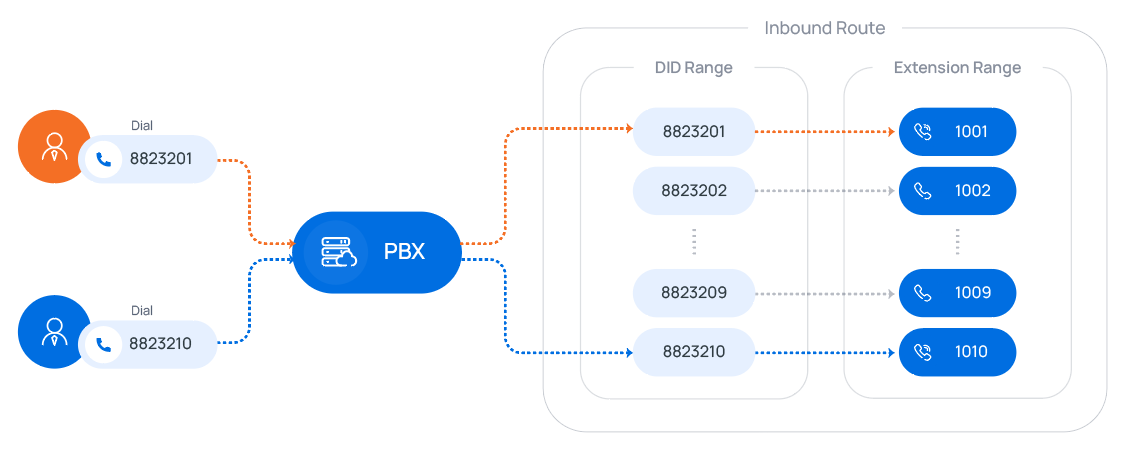
For the full walkthrough, see the example that routes calls to extension users by matching a DID range.
Match DID Pattern to Extensions
Section titled “Match DID Pattern to Extensions”Build a single DID pattern that carries the extension number inside it, using the {{.Ext}} variable to stand in for the extension digits. Cloud Voice reads the matched digits from the dialed number and delivers the call to the extension they represent, so one pattern can cover many extensions.
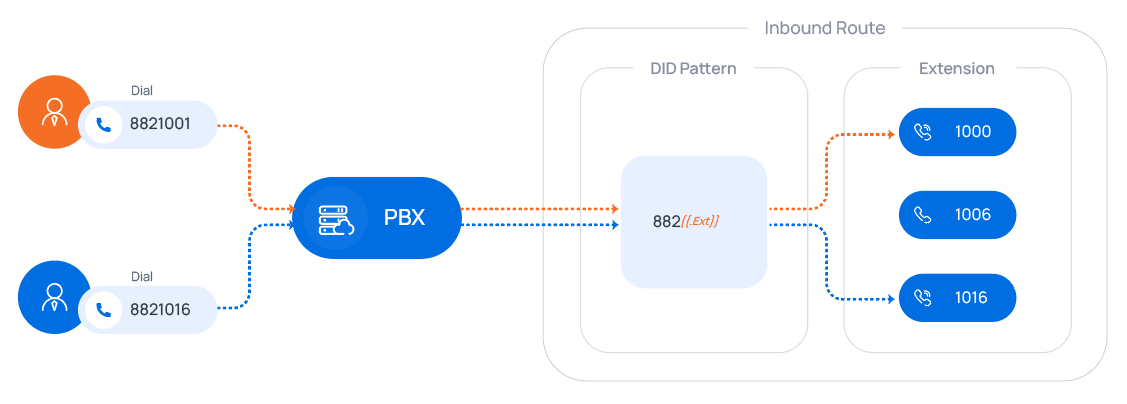
For the full walkthrough, see the example that routes calls to extension users by matching DID patterns.
DID Number to Specific Extension
Section titled “DID Number to Specific Extension”List specific DID numbers and pair each one with a specific extension. Every entry is a direct, one-to-one mapping, which is useful when the numbers you want to route do not form a tidy sequence.
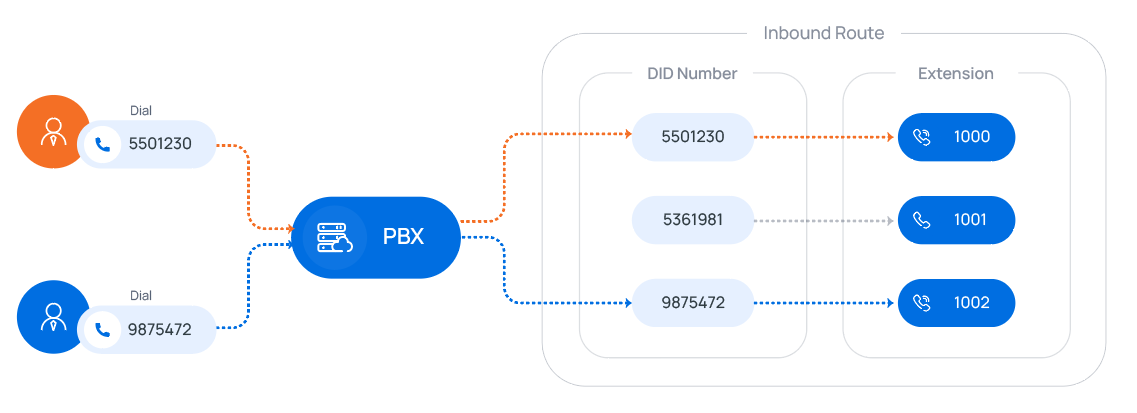
For the full walkthrough, see the example that routes calls to extension users by matching specific DID numbers.
DID Pattern
Section titled “DID Pattern”Define one or more DID numbers or patterns and send every call that matches them to a single chosen destination. Unlike the other modes, the target here is not tied to an extension range, so you can route matching calls to any destination you configure.
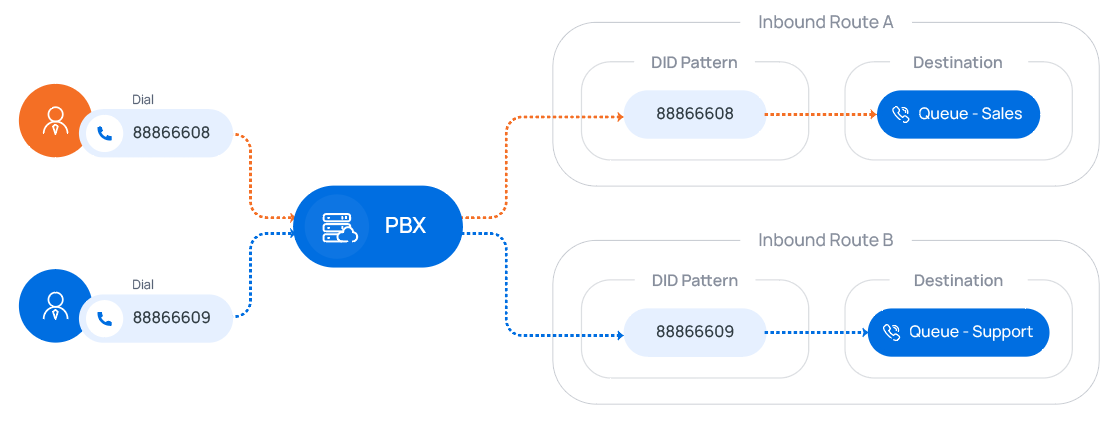
For the full walkthrough, see the example that routes calls to different destinations by matching DID patterns.
Question about this page?
Ask the AI assistant. It starts from this page, then searches the rest of the docs.
Ask Cloud Voice AI
Answers are AI-generated from the docs and may contain mistakes. Verify with the linked pages.