
Remove Unnecessary Codecs for Grandstream IP Phone
A codec (short for coder-decoder) is the method a phone and Cloud Voice use to compress and carry call audio, for example G.711, G.722, or Opus. Before two ends can talk, they negotiate and agree on a shared codec.
Out of the box, a Grandstream IP phone (a desk phone that makes calls over the network) turns on every codec it supports for each account. When more codecs are advertised than needed, outbound calls can behave unpredictably. To keep call setup reliable, pare the account’s codec list down to only what you use.
This is a two-pass job: first set the codecs on Cloud Voice (the hosted PBX, the system that routes your calls), then match the same list on the phone itself.
Before you start
Section titled “Before you start”Make sure the Grandstream phone is already provisioned against your extension. See Provision Grandstream IP Phone with Cloud Voice.
Set the codecs in Cloud Voice
Section titled “Set the codecs in Cloud Voice”-
Sign in to the Cloud Voice web portal and open Auto Provisioning > Phones.
-
Locate the Grandstream phone in the list and click the edit icon (
 ) next to it.
-
On the phone’s configuration page, scroll to the Codecs section.
-
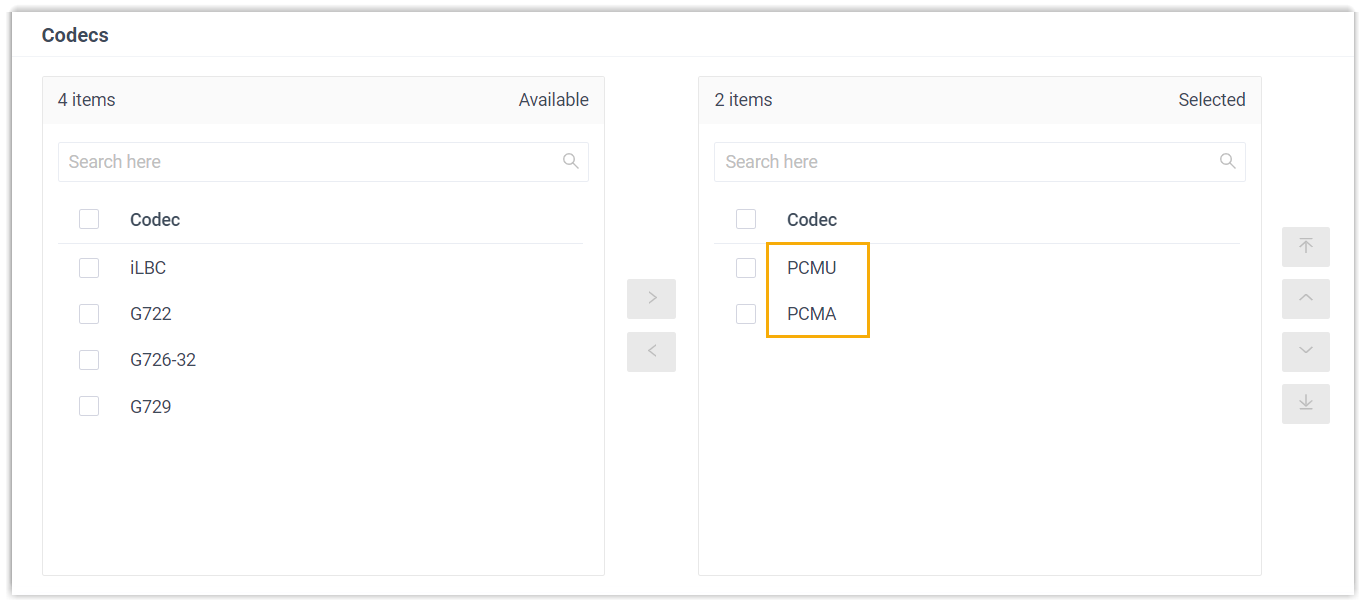
Move the codecs you want to keep from the Available box into the Selected box.
-
Click Save.
Match the codecs on the phone
Section titled “Match the codecs on the phone”-
Open the phone’s web interface by browsing to its IP address and logging in.
-
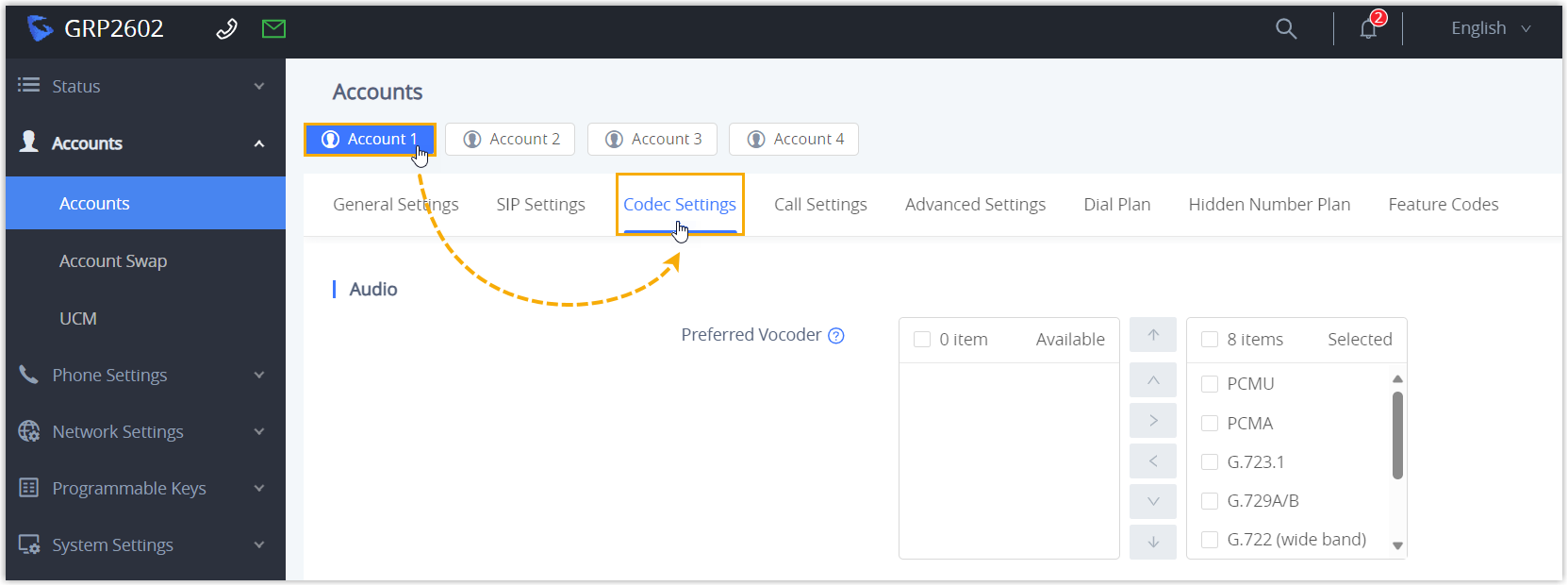
In the left-hand menu, go to Accounts > Accounts.
-
Click the account you want to change, then open the Codec Settings tab.
-
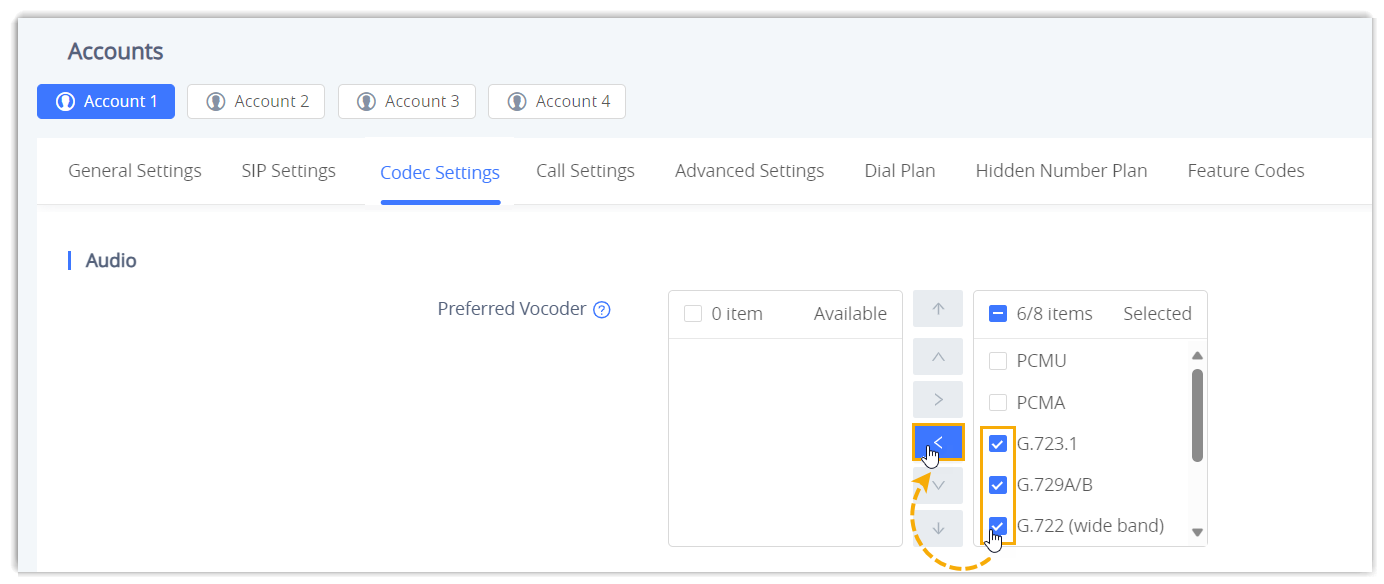
Under Preferred Vocoder (Grandstream’s label for the codec list), move any codec you no longer need from the Selected box back to the Available box.
-
Click Save and Apply.
Question about this page?
Ask the AI assistant. It starts from this page, then searches the rest of the docs.
Ask Cloud Voice AI
Answers are AI-generated from the docs and may contain mistakes. Verify with the linked pages.