
Disconnect the Speech to Text (STT) API Integration
Once the Speech to Text (STT) API integration is active, you can end it at any time from the management portal. Disconnect the service when you no longer use the Speech to Text feature, or when you want to pause transcription for a while without deleting anything else.
Disconnect the integration
Section titled “Disconnect the integration”-
Sign in to the management portal and open Integrations > Speech to Text.
-
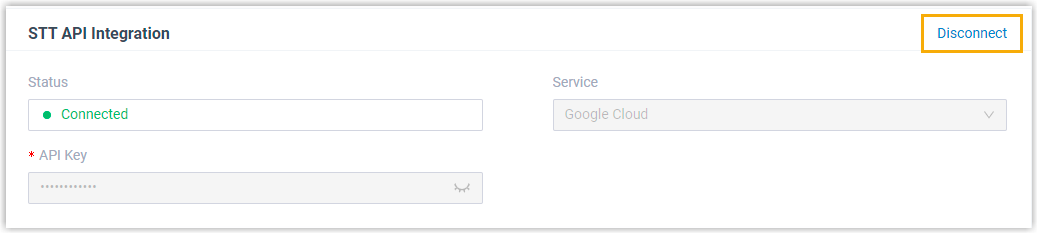
In the STT API Integration section, select Disconnect in the upper-right corner.
-
When the confirmation dialog appears, select Confirm to disconnect the service.
The integration is dropped and the Status field changes to Disabled.
What happens next
Section titled “What happens next”The link between your phone system and the Speech to Text (STT) API is removed, and the Status shows Disabled. Voicemail Transcription stops working until you reconnect the integration. Voicemail itself keeps working as normal; only the automatic text transcript is turned off.
Question about this page?
Ask the AI assistant. It starts from this page, then searches the rest of the docs.
Ask Cloud Voice AI
Answers are AI-generated from the docs and may contain mistakes. Verify with the linked pages.