
Set up Company Information
Your company profile stores the essential details that identify your business on the system: the company name, a main phone number, and a physical address. Set these once during setup, and return to update them whenever your business details change.
Procedure
Section titled “Procedure”-
Sign in to the Cloud Voice web portal.
-
In the upper-right corner of the page, click the administrator icon
 and choose Company Information.
 -
In the dialog that opens, complete the following:
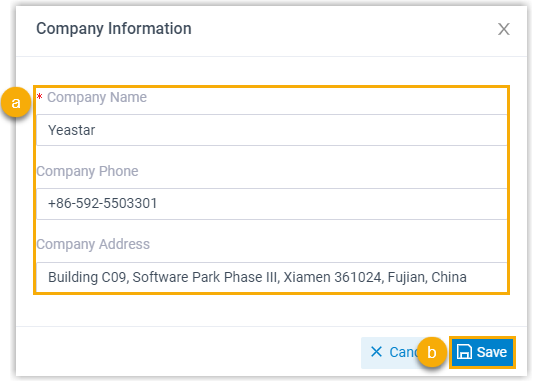
a. Fill in your company name, phone number, and address as needed. All three fields are optional (you can leave any of them blank) unless the note below applies.
b. Click Save to apply your changes.
Question about this page?
Ask the AI assistant. It starts from this page, then searches the rest of the docs.
Ask Cloud Voice AI
Answers are AI-generated from the docs and may contain mistakes. Verify with the linked pages.