
Check Allowed Country/Region IP
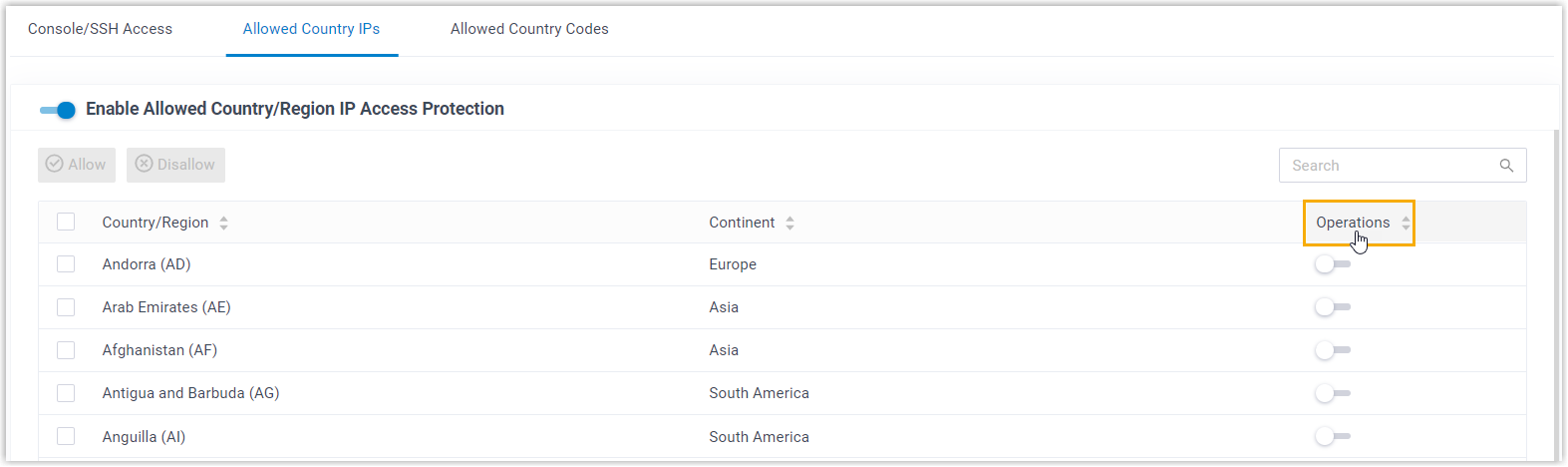
The Allowed Country IPs list is a geographic access control (sometimes called geofencing) for your Cloud Voice system. It decides which countries and regions are permitted to reach the system over the internet, based on where each connection’s IP address originates. (IP stands for Internet Protocol, the numeric address every device uses on a network.) Out of the box the list shows every country and region in ascending alphabetical order (A to Z) and mixes allowed and blocked locations together. Because the two are interleaved, it is hard to tell at a glance which locations you have actually permitted. Re-sorting the list pulls the allowed locations together at the top so you can review them quickly.
Procedure
Section titled “Procedure”- Sign in to the phone system web portal and open Security > Security Settings > Allowed Country IPs.
- Next to Operations, click the reorder icon
 .
.
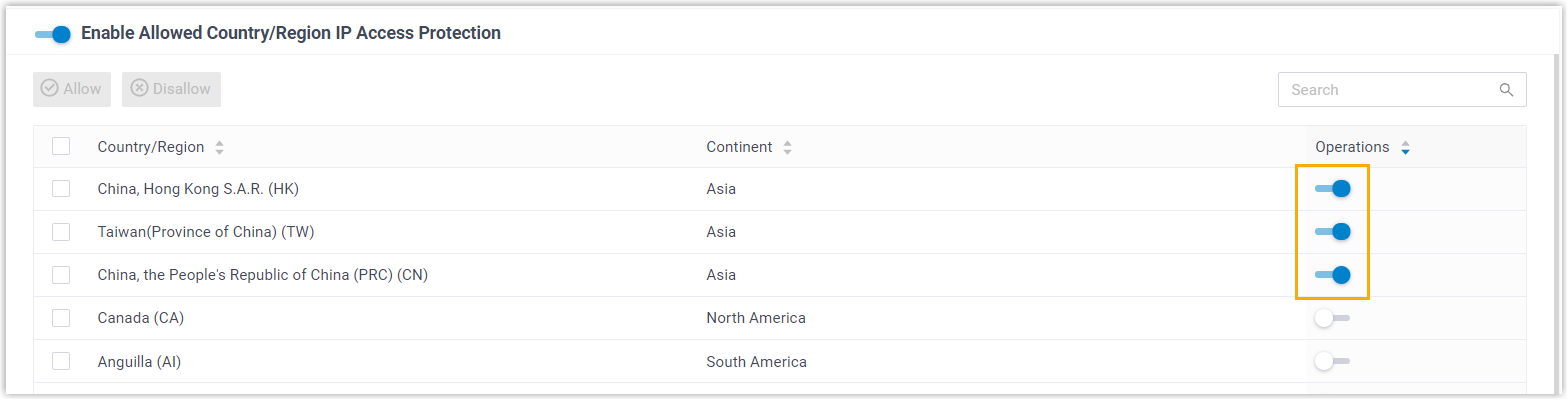
Result
Section titled “Result”The list refreshes and every country and region that is allowed to reach the phone system is collected at the top, so the permitted locations are easy to scan.
Question about this page?
Ask the AI assistant. It starts from this page, then searches the rest of the docs.
Ask Cloud Voice AI
Answers are AI-generated from the docs and may contain mistakes. Verify with the linked pages.