
Extension Call Accounting Report
The Extension Call Accounting report summarizes what your outbound calls cost. It totals the charges for calls that extensions place through the trunks you select, and you can view those charges for individual extensions, extension groups, or whole organizations. This page walks you through opening the report and explains what each figure means.
Prerequisites
Section titled “Prerequisites”Add at least one call rate rule. The report only accounts for calls that a rate rule applies to, so without a rule there is nothing to bill.
Open the report
Section titled “Open the report”-
Sign in to the PBX (Private Branch Exchange, your hosted phone system) web portal and go to Reports and Recordings > Call Reports.
-
Select the report:
-
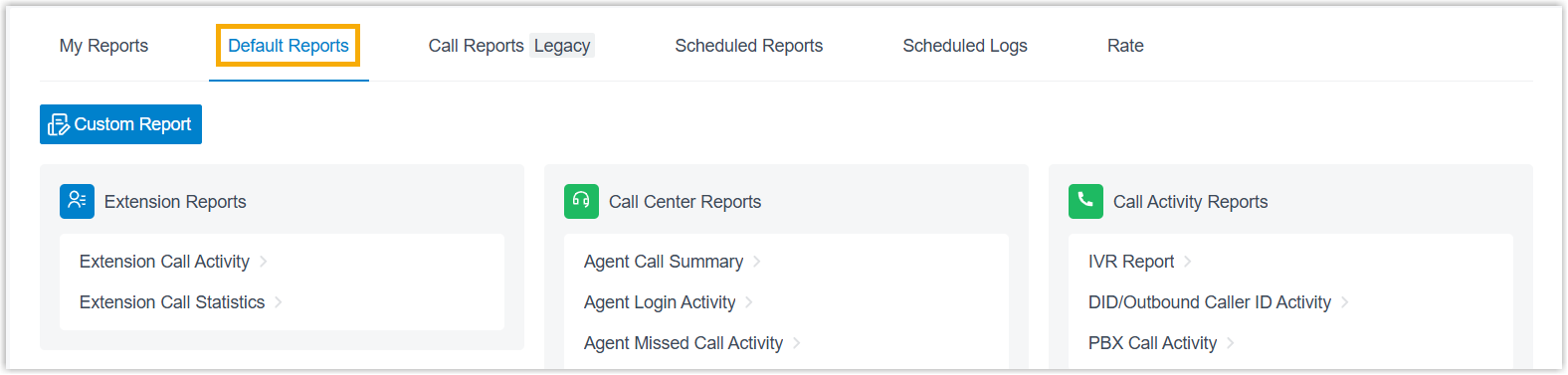
Open the Default Reports tab.
-
In the Accounting Reports pane, click Extension Call Accounting.
-
-
Set the filter criteria:

-
In the Time field, choose the period the report should cover.
-
Narrow the results by extension, extension group, organization, or trunk.
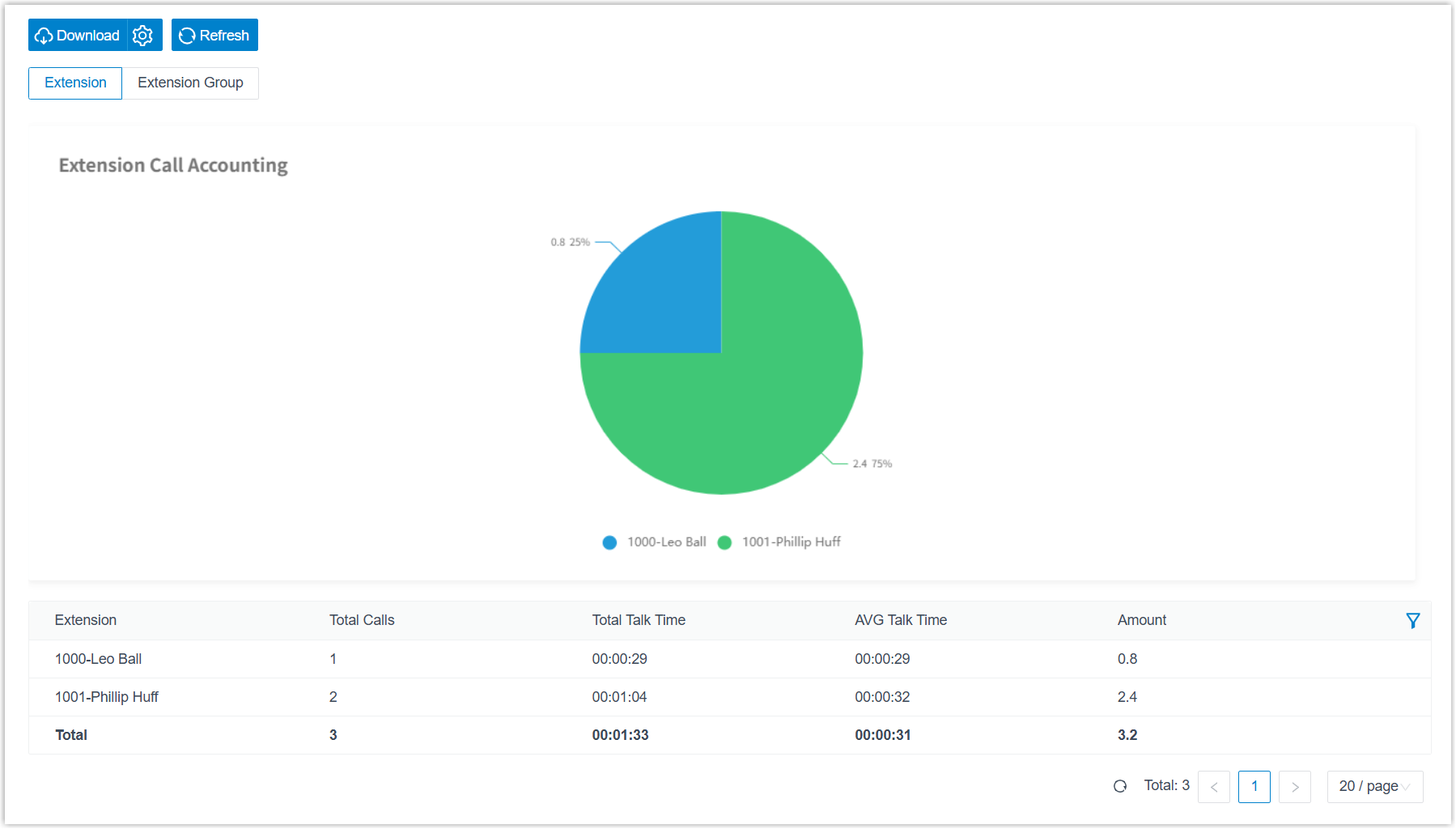
The report matching your filters appears on the page.
-
Adjust the columns
Section titled “Adjust the columns”Tailor the table to the metrics you care about:
-
Choose which columns show. Click the column-selection icon and pick the fields to display.

-
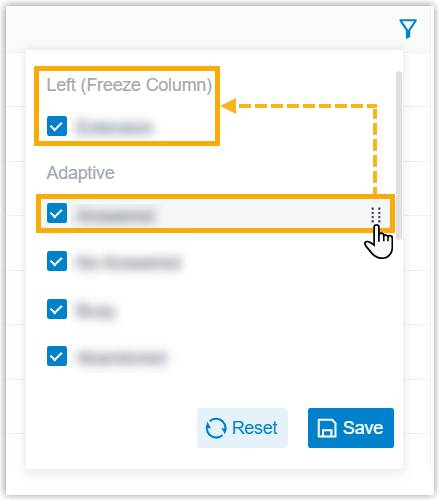
Freeze a column. Click the drag handle next to a field, then drag it to Left (Freeze Column) or Right (Freeze Column) to keep it in view while you scroll.
-
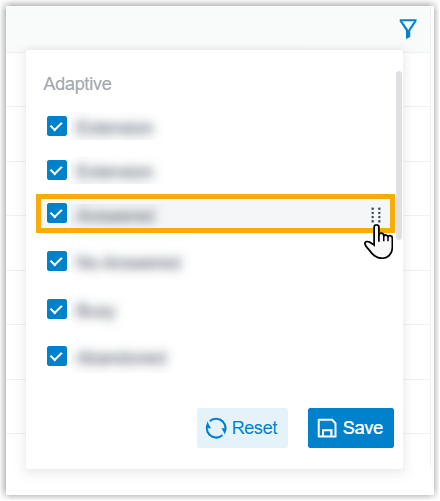
Reorder columns. Click the drag handle next to a field and drag it to the position you want.
Save or schedule the report
Section titled “Save or schedule the report”Once the report shows what you need, keep it for later or have it delivered automatically:
-
Add to My Reports. At the bottom of the page, click Add to My Reports, give the report a recognizable name, fine-tune the filters or metrics, then click Save. The report is saved to your My Reports list for quick access.
-
Add to Scheduled Reports. At the bottom of the page, click Add to Scheduled Reports, then finish the scheduled task settings to email the report on a recurring basis.
-
Download the report. Save a copy to your computer for offline review or further analysis.
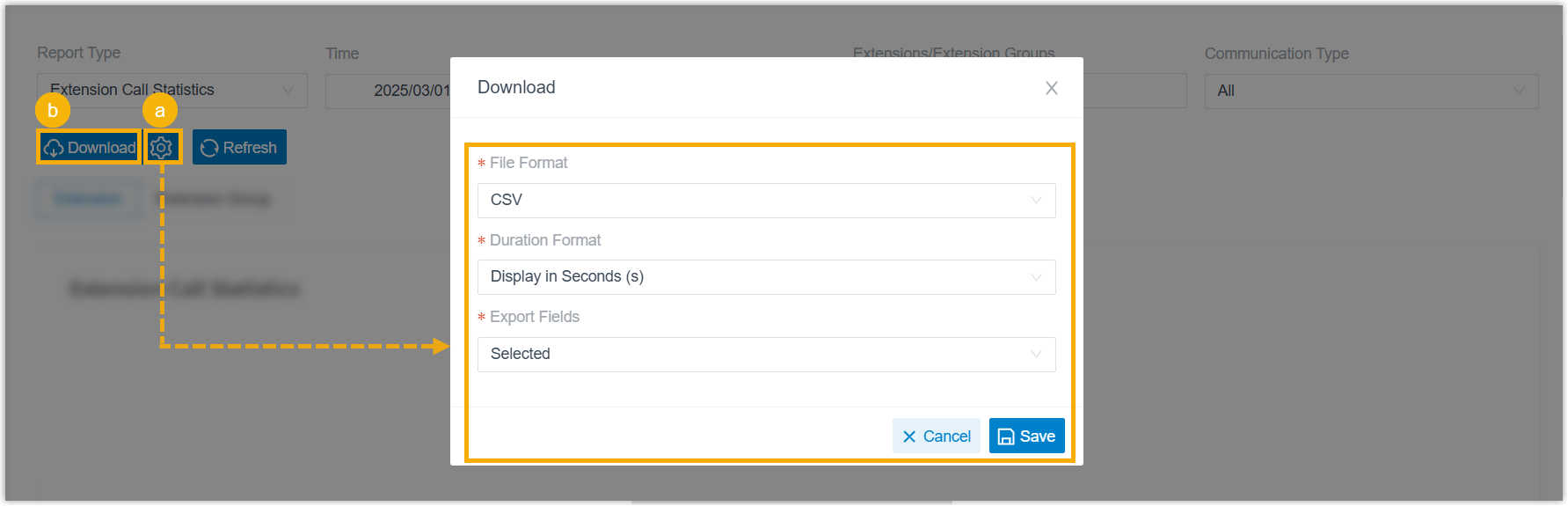
- Optional: click the settings icon to adjust the download options, then save your changes:
- File Format: the file type to download, CSV, XLS, HTML, or PDF.
- Duration Format: how duration fields display, Display in Second (s) or Display as HH:MM:SS.
- Export Fields: which fields to include, All or Selected.
- Click Download.
- Optional: click the settings icon to adjust the download options, then save your changes:
Report metrics
Section titled “Report metrics”| Metric | Description |
|---|---|
| Total Calls | The number of outbound calls placed while a call rate rule was in effect. |
| Total Talk Time | The combined time from when calls were answered until they ended. |
| AVG Talk Time | The average time from when a call was answered until it ended. |
| Amount | The cost of the calls. |
Question about this page?
Ask the AI assistant. It starts from this page, then searches the rest of the docs.
Ask Cloud Voice AI
Answers are AI-generated from the docs and may contain mistakes. Verify with the linked pages.