
Configure AI Voicemail Transcription for an Extension
Once AI voicemail transcription is enabled for your system, voicemails left for any authorized extension are turned into readable text in the default language automatically. Each authorized extension also has its own transcription controls, so you can adjust the behavior to fit how a particular user works.
Before you begin
Section titled “Before you begin”AI voicemail transcription must already be enabled at the system level, and the extension you’re editing must have permission to use it. If you haven’t set that up yet, start with one of these:
- Configure AI Voicemail Transcription with Built-in Service
- Configure AI Voicemail Transcription with Amazon Service
- Configure AI Voicemail Transcription with ElevenLabs Service
- Configure AI Voicemail Transcription with OpenAI Service
Adjust the extension’s transcription settings
Section titled “Adjust the extension’s transcription settings”-
Sign in to the phone system web portal and open Extension and Trunk > Extension.
-
Find the extension you want to change, click the edit icon
 next to it, then open the AI tab.
 -
Under Voicemail Transcription, set the options below to suit the user.

Setting What it does Automatic Voicemail Transcription Controls whether the extension’s voicemails are transcribed without any action from the user. It’s on by default. Turn it off and the user has to trigger transcription by hand for individual messages under Voicemails in the Cloud Voice App. Language Choose the language the extension’s voicemail audio is transcribed into. Languages to Auto-Detect Pick the languages you want the system to recognize on its own. When a voicemail arrives, the system detects which of these languages was spoken and transcribes accordingly. See the note below for the conditions and limits. -
Click Save.
What happens next
Section titled “What happens next”Voicemails left for the extension are transcribed into text in your chosen language, either automatically or on demand.
Users can read the transcribed text in two places.
In the Cloud Voice App
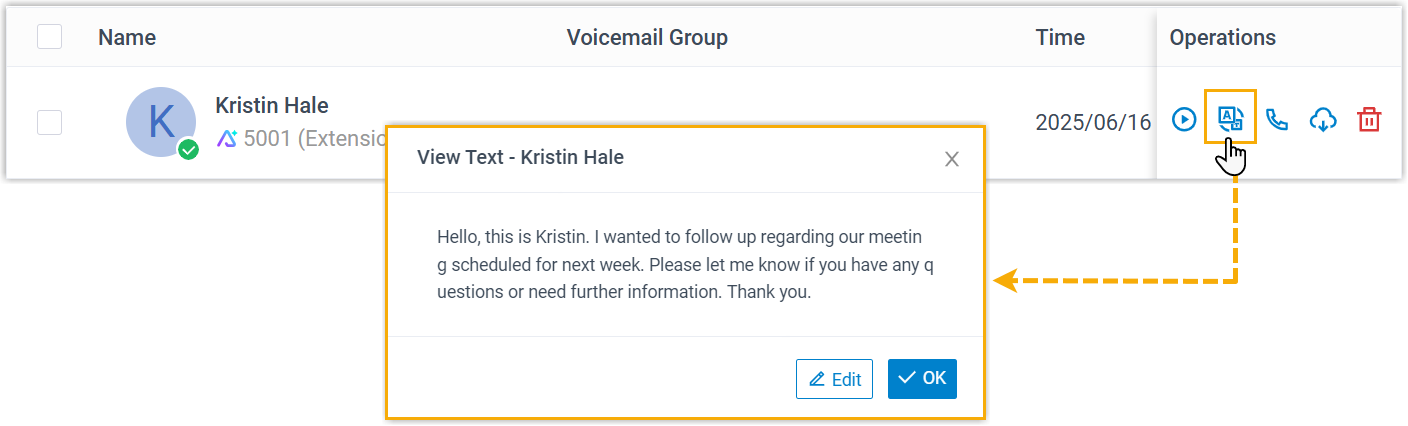
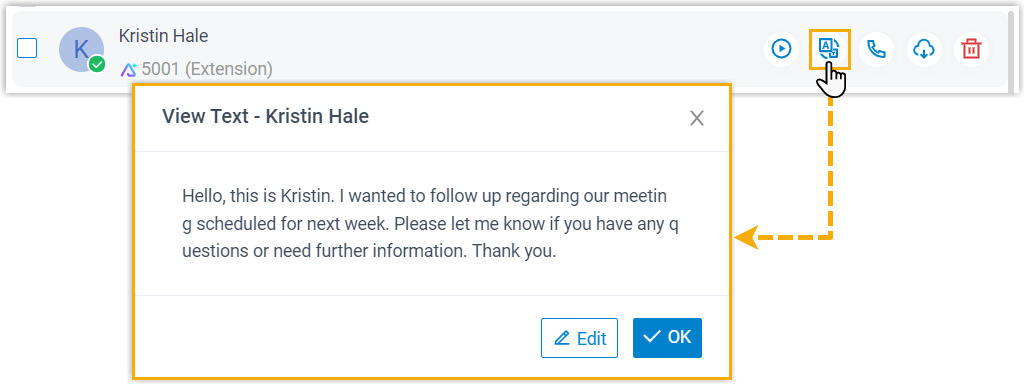
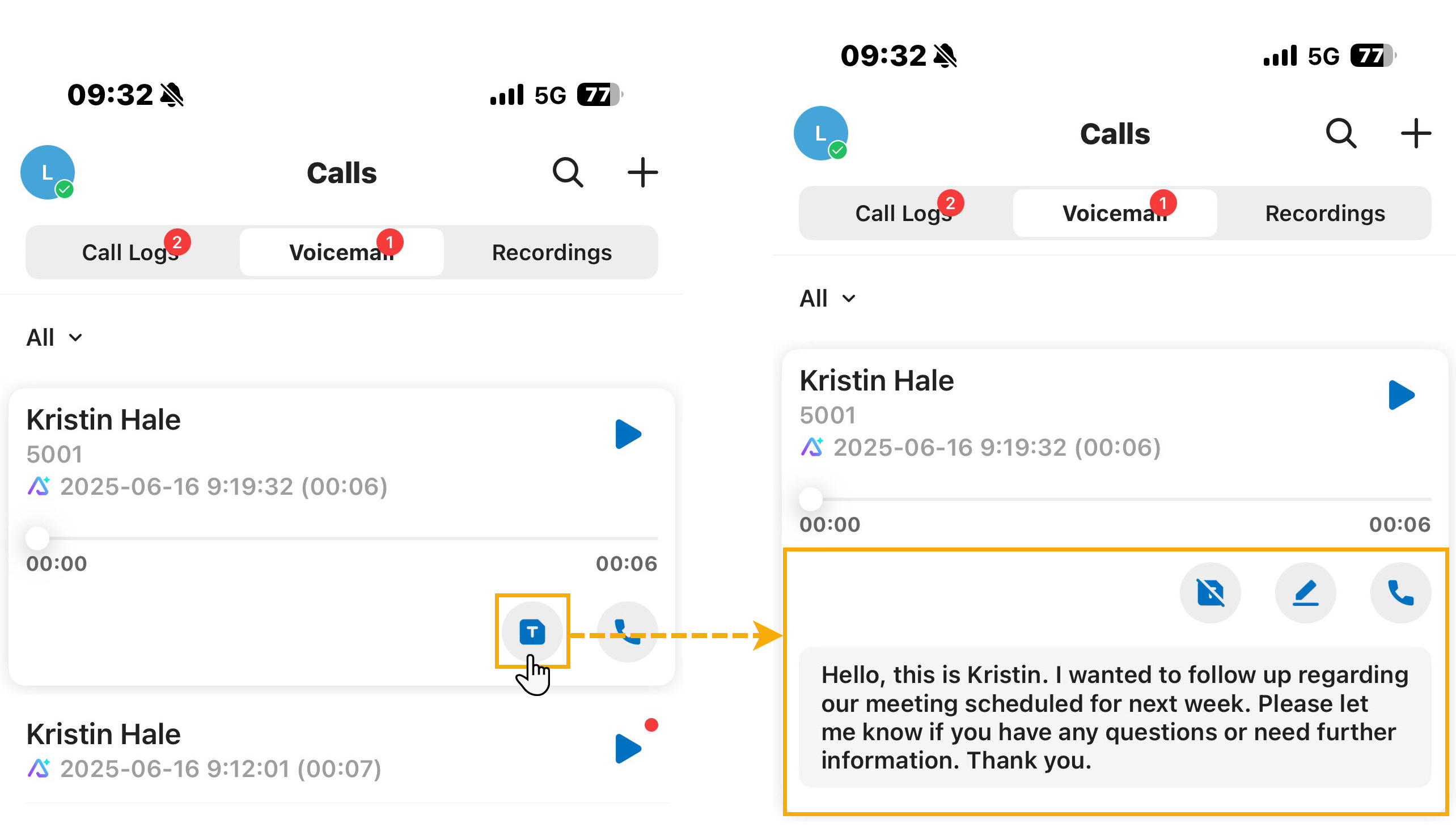
Section titled “In the Cloud Voice App”Each voicemail shows its transcribed text under Voicemails, and transcribed messages are flagged with an AI marker  so they’re easy to spot.
| Cloud Voice App (Web) | Cloud Voice App (Desktop) | Cloud Voice App (Mobile) |
|---|---|---|
 |  |  |
By email
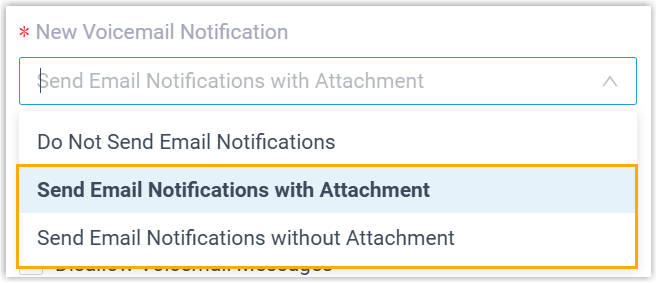
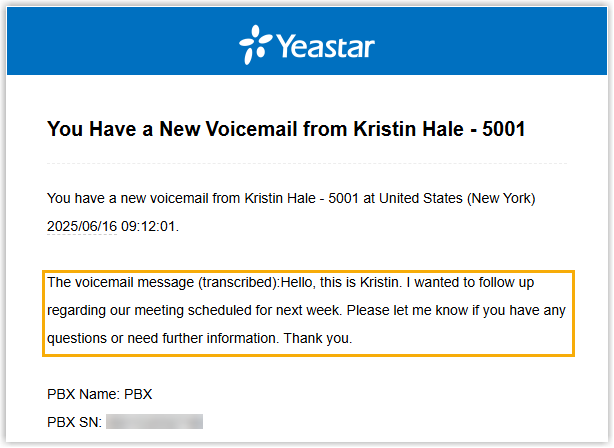
Section titled “By email”When a voicemail arrives, its transcribed text is included in the body of the email notification.
Question about this page?
Ask the AI assistant. It starts from this page, then searches the rest of the docs.
Ask Cloud Voice AI
Answers are AI-generated from the docs and may contain mistakes. Verify with the linked pages.