
Make Outbound Calls from an Analog Phone Connected to a TA FXS Gateway
Once your Cloud Voice PBX (Private Branch Exchange, the system that manages your phone extensions and routing) is linked to a TA1600, TA2400, or TA3200 FXS gateway, the analog phone attached to an FXS port behaves like any other extension. To let that phone reach external numbers, add an outbound route on the PBX that routes calls over a trunk and grants the extension permission to use it.
This assumes you have already registered an extension against one of the gateway’s FXS ports. Without that registration, the analog phone has no identity on the PBX and no route will apply to it.
Step 1: Create an outbound route
Section titled “Step 1: Create an outbound route”Build the route on the PBX and authorize the extension tied to the FXS port.
- Sign in to the PBX web portal and go to Call Control > Outbound Route, then click Add.
- Fill in the route settings:
-
Name: A label that makes the route easy to recognize later.
-
Dial Pattern: Define how dialed digits are matched and rewritten before the call leaves. In this example, set Pattern to
9.and Strip to1, so callers prefix the destination number with9and the PBX removes that leading digit before dialing. To reach15880123456, the user dials915880123456.
-
Trunk: Choose the trunk the calls should go out on.
-
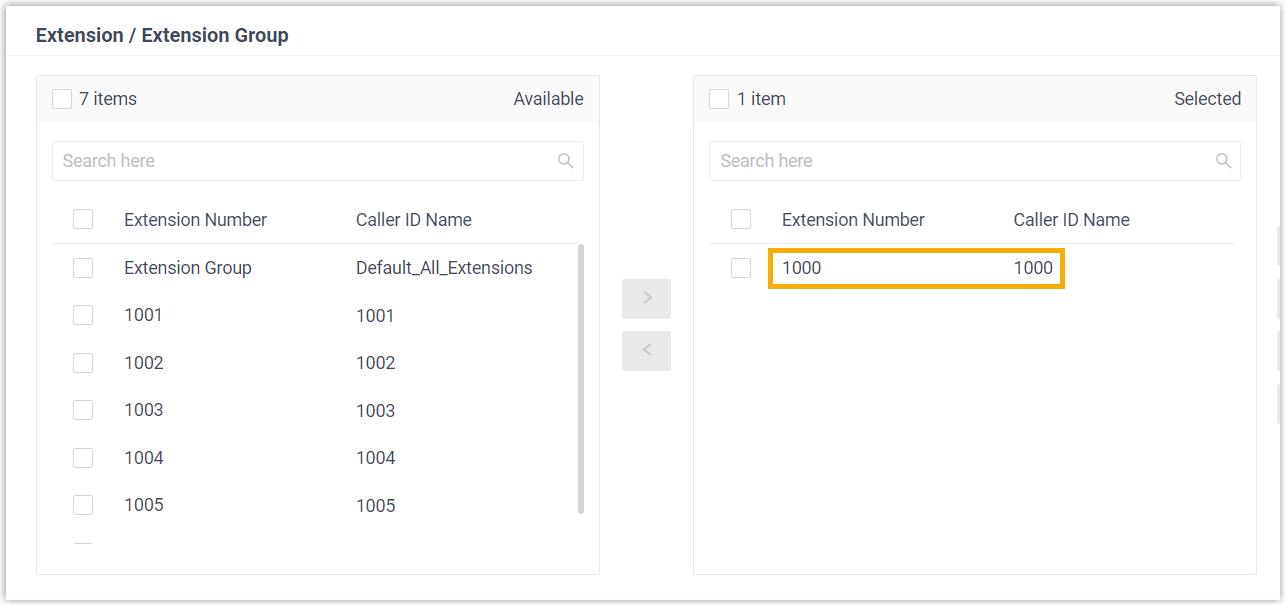
Extension / Extension Group: Select the extensions allowed to place calls through this route. In this example, add extension 1000.
-
- Click Save, then Apply.
Step 2: Place a test call
Section titled “Step 2: Place a test call”Pick up the analog phone and dial an external number using your dial pattern. Following the example above, dialing 915880123456 places a call to 15880123456, which then rings.
Question about this page?
Ask the AI assistant. It starts from this page, then searches the rest of the docs.
Ask Cloud Voice AI
Answers are AI-generated from the docs and may contain mistakes. Verify with the linked pages.