
Manually Perform User Synchronization
Cloud Voice keeps its user list in step with Google Workspace by pulling user details on a set synchronization schedule. If you have just changed a synchronization rule, or someone updated a user’s information in Google Workspace, you do not have to wait for the next scheduled run. You can trigger one sync by hand so the change is applied immediately.
Before you start
Section titled “Before you start”- The Google Workspace integration must already be set up and connected under Integrations > Collaboration. The Update Now control only appears once the integration is in place.
Run a synchronization now
Section titled “Run a synchronization now”-
Sign in to the PBX web portal and open Integrations > Collaboration.
-
In the Basic section, click Update Now.
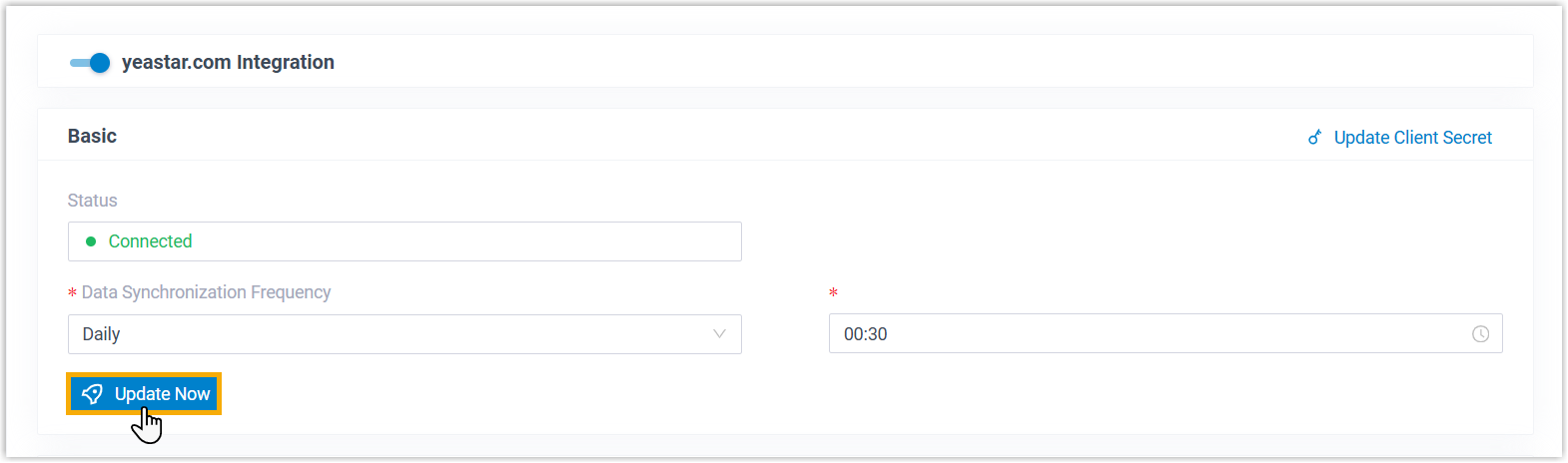
Cloud Voice runs a single user synchronization straight away and applies any pending rule or data change. The manual run happens once. Your normal synchronization schedule continues as before.
Question about this page?
Ask the AI assistant. It starts from this page, then searches the rest of the docs.
Ask Cloud Voice AI
Answers are AI-generated from the docs and may contain mistakes. Verify with the linked pages.