
Delete Faxes
Cloud Voice keeps every fax your system sends and receives in a single log, so you can review and manage them from one place. When older or unwanted faxes pile up, you can clear them out individually or in bulk.
Who can delete faxes
Section titled “Who can delete faxes”Both administrators and extension users can remove faxes, but the effect differs depending on where the deletion happens.
- Administrators delete faxes from the admin portal. Removing a fax here is permanent: the log entry and the fax file are both discarded, and neither will be available to extension users afterward.
- Extension users who are permitted to send or receive faxes can delete them from the Cloud Voice App. That action only clears the record from the app; the underlying fax file stays in the system.
The steps below cover the administrator workflow in the admin portal.
Delete faxes from the admin portal
Section titled “Delete faxes from the admin portal”-
Sign in to the admin portal and open Integrations > Fax > Fax Logs.
-
Optional: Narrow the list with the filters above it to find the faxes you want to remove. The From and To filters expect a number in E.164 format (the international format that begins with a plus sign and country code, for example +14155551234).
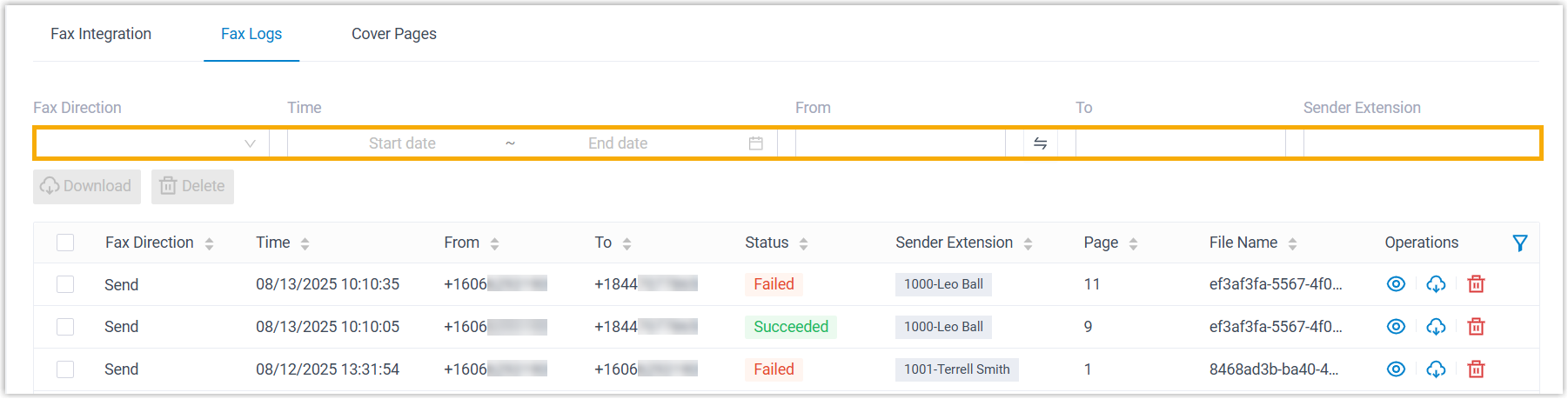
Filter What it does Fax Direction Choose Send or Receive to show only sent or only received faxes. Time Set a date-and-time range to limit results to faxes handled during that window. From Enter the sender’s fax number in E.164 format. To Enter the recipient’s fax number in E.164 format. Sender Extension Enter an extension number or name to show faxes sent by that user. -
Delete the faxes you no longer need, either one at a time or several at once.
Remove a single fax

- Locate the fax log entry, then click the delete icon (
 ) on its right.
 - Click OK in the confirmation dialog.
Remove several faxes at once
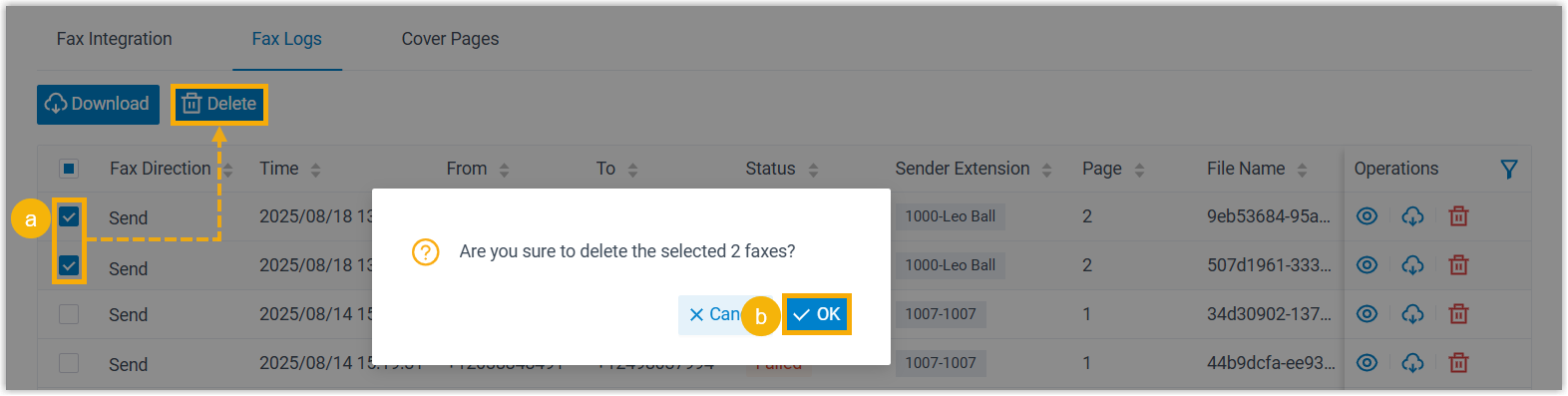
- Select the checkbox beside each fax log you want to remove, then click Delete.
- Click OK in the confirmation dialog.
- Locate the fax log entry, then click the delete icon (
Result
Section titled “Result”The selected fax logs and their fax files are erased from Cloud Voice and disappear from your extension users’ Cloud Voice App as well.
Question about this page?
Ask the AI assistant. It starts from this page, then searches the rest of the docs.
Ask Cloud Voice AI
Answers are AI-generated from the docs and may contain mistakes. Verify with the linked pages.