
Set up Call Popup
Once Zoho CRM (Customer Relationship Management) is connected to Cloud Voice, an incoming call from someone already stored in your CRM can bring that person’s record straight to the screen in a new browser tab. Out of the box this happens automatically whenever a CRM user receives such a call, but you can fine-tune the behavior per extension: have the record open on a specific call event, or leave it to the user to open on demand during the call.
Before you begin
Section titled “Before you begin”Make sure the Zoho CRM integration is already in place. The call popup relies on that connection to look up contacts.
Configure the popup
Section titled “Configure the popup”-
Sign in to the PBX web portal and open Extension and Trunk > Extension.
-
Locate the extension that belongs to the CRM user and click the edit icon to open its settings.

-
Go to the Cloud Voice App Clients tab, find the client you want to configure, and turn on Open Contact URL Using System-Integrated CRM.
-
Under Popup Method, choose how the contact record should appear:
-
To have the record open on its own, select Automatically (Only for Incoming Calls), then pick a Trigger Event to decide the moment the popup fires:
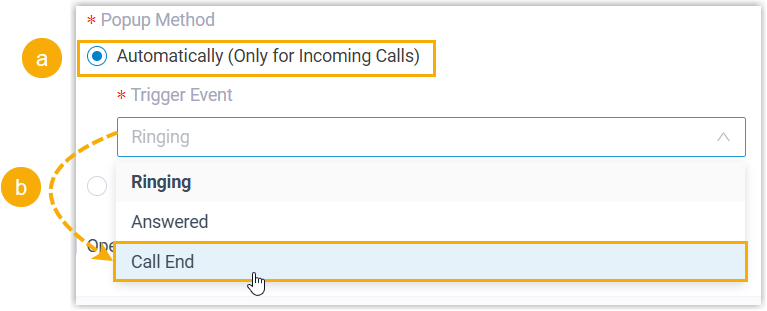
- Ringing: the record opens as soon as the inbound call from a CRM contact starts ringing.
- Answered: the record opens once the user picks up the call.
- Call End: the record opens after the call with the CRM contact finishes.
-
To let the user open the record themselves, select Manually. The record will not appear on its own; the user opens it during the call.
-
-
Click Save.
What happens on a call
Section titled “What happens on a call”-
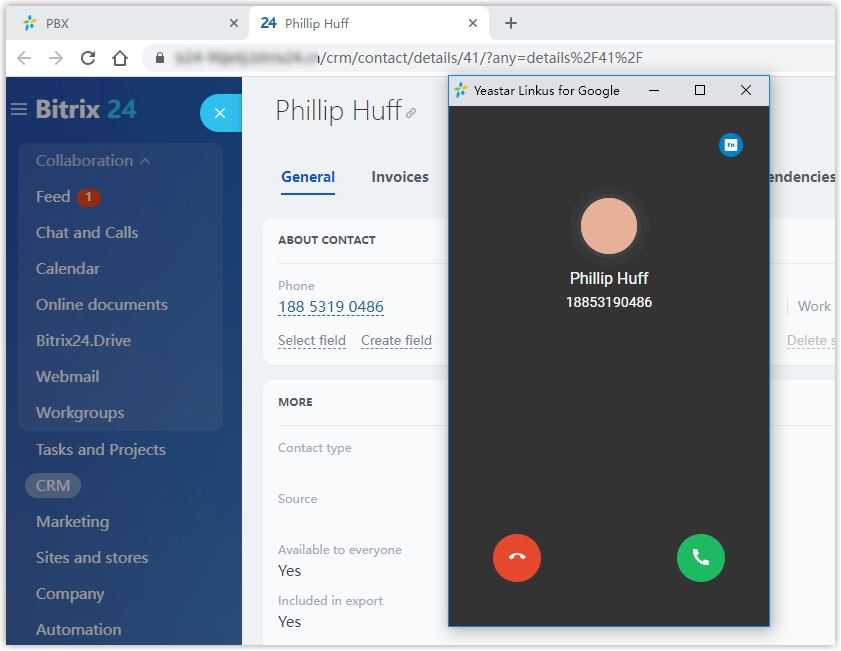
With automatic popup enabled, the moment your chosen trigger event occurs on an inbound call from a CRM contact, a new browser tab opens showing that contact’s details pulled from Zoho CRM.
-
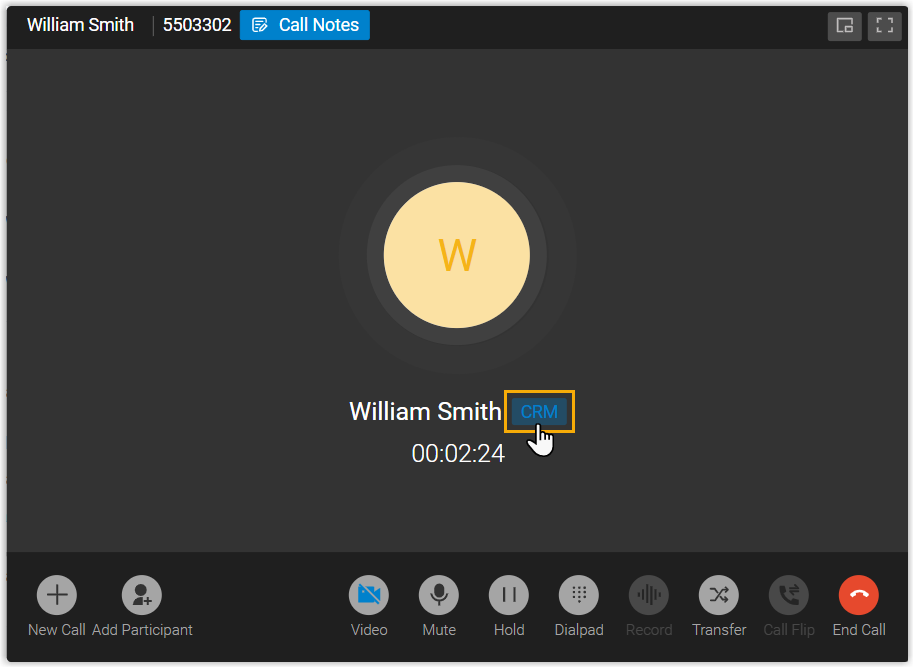
With manual popup enabled, the user opens the record on demand by clicking the CRM label on the call window while connected to the CRM contact.
Question about this page?
Ask the AI assistant. It starts from this page, then searches the rest of the docs.
Ask Cloud Voice AI
Answers are AI-generated from the docs and may contain mistakes. Verify with the linked pages.