
Hang up a Call
From the Operator Panel you can terminate a call at any time, whether it is your own conversation or an active call belonging to a member of your extension group.
When to use this
Section titled “When to use this”Ending another party’s call is handy during a conference call. If you need to remove someone from the conference, hanging up their call drops that participant from the conversation immediately.
Before you begin
Section titled “Before you begin”To end an active call for a member of your extension group, your account needs the Pick up or hang up other extensions’ calls permission. Ending your own calls requires no special permission.
Hang up a call
Section titled “Hang up a call”-
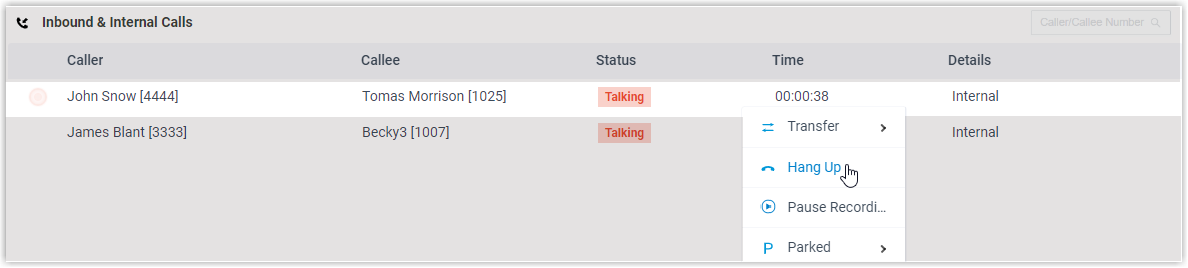
Open either the Inbound & Internal Calls panel or the Outbound Calls panel, then move your pointer over the call you want to end.
-
Right-click the call and choose Hang Up.
-
Confirm by clicking OK in the dialog that appears.
The system ends the call right away.
Question about this page?
Ask the AI assistant. It starts from this page, then searches the rest of the docs.
Ask Cloud Voice AI
Answers are AI-generated from the docs and may contain mistakes. Verify with the linked pages.