
Operator Panel Layout
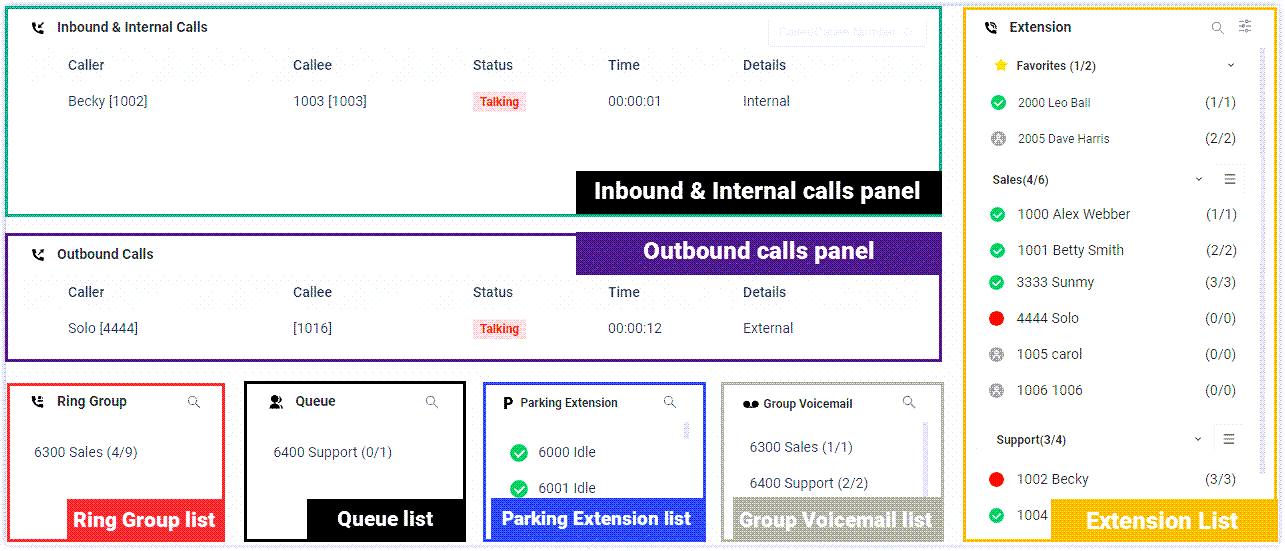
The Operator Panel brings the activity across your team into a single, live view. This page walks through each area of the interface so you know where to look for real-time calls, who is available, and the status of your groups, queues, parking slots, and shared voicemail boxes.
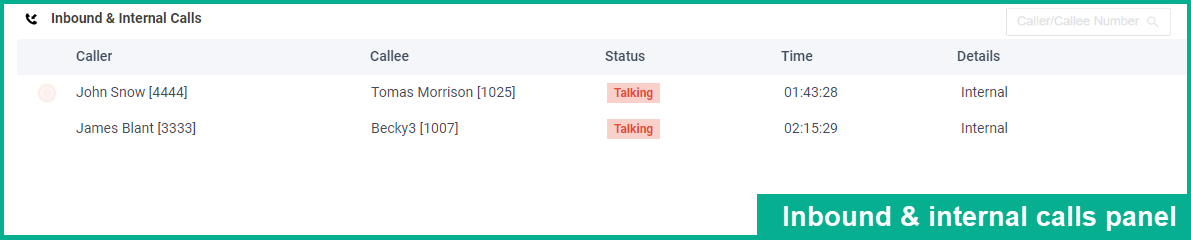
Inbound & Internal Calls panel
Section titled “Inbound & Internal Calls panel”This panel tracks inbound and internal calls for you and everyone in your group as they happen. Each entry shows the caller and callee, the current status, how long the call has been running, and additional details.
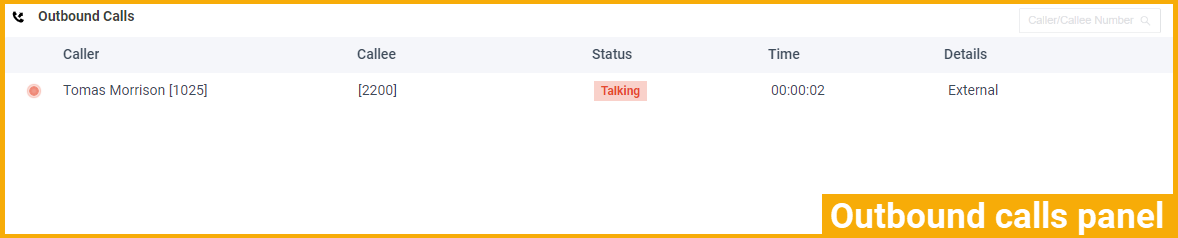
Outbound Calls panel
Section titled “Outbound Calls panel”This panel does the same for outbound calls placed by you and your group members, updating in real time with the caller, callee, status, duration, and details of each call.
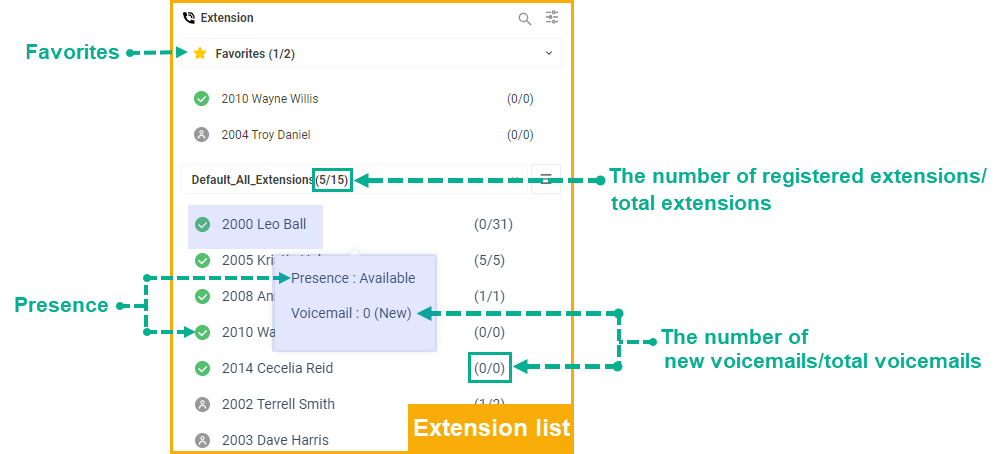
Extension list
Section titled “Extension list”The Extension list shows the extensions in your own group or department, along with any groups and departments that have been shared with you. Hover the pointer over any user to reveal their presence status (whether they are available, busy, away, and so on) and whether they have voicemail waiting.
Presence icons
Section titled “Presence icons”The icon beside each user tells you their current presence at a glance:
| Icon | Presence | What it means |
|---|---|---|
 | Unavailable | The user’s extension is not registered. |
 | Busy | The user is on a call. |
 | Available | The user is online and ready to take and handle calls. |
 | Away | The user is away from the office. |
 | Business Trip | The user is away on a business trip. |
 | Do Not Disturb | The user does not want to be disturbed and will not receive any calls. |
 | Lunch Break | The user is on a lunch break. |
 | Off Work | The user is off work. |
Ring Group list
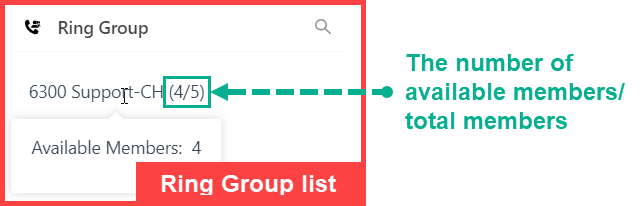
Section titled “Ring Group list”A ring group is a set of extensions that ring together when a call comes in, so any available member can answer. The Ring Group list summarizes the availability of each ring group, showing how many members are available out of the total number of members.
Queue list
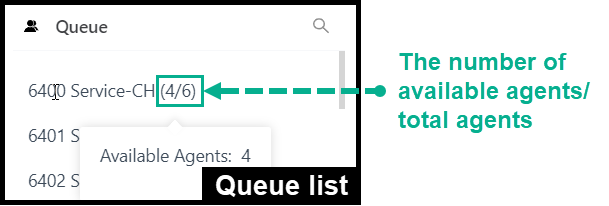
Section titled “Queue list”A call queue holds incoming callers in line and distributes them to a pool of agents (the staff assigned to answer that queue). The Queue list summarizes agent availability for each queue, showing the number of available agents alongside the total number of agents.
Parking Extension list
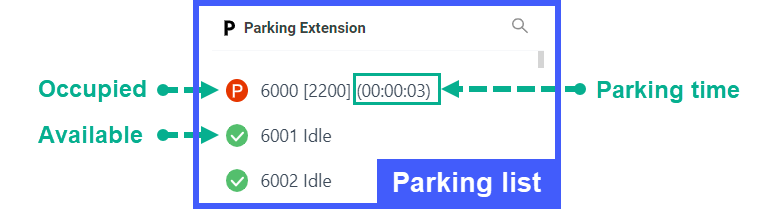
Section titled “Parking Extension list”Call parking puts an active call on hold in a numbered slot so anyone on the system can pick it up from another phone by dialing that slot. The Parking Extension list shows the status of every parking number, so you can see at a glance which parking slots are in use and which are free.
Group Voicemail list
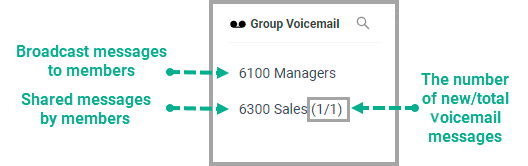
Section titled “Group Voicemail list”A group voicemail box is a shared mailbox that a whole team can use. The Group Voicemail list shows the status of each box. What appears depends on how the box is used:
- Broadcast messages to members: shows only the group voicemail name and number.
- Shared messages by members: shows the group voicemail name and number, plus the count of new and total messages.
Question about this page?
Ask the AI assistant. It starts from this page, then searches the rest of the docs.
Ask Cloud Voice AI
Answers are AI-generated from the docs and may contain mistakes. Verify with the linked pages.