
TA1600/2400/3200 FXS Gateway Integration Guide
A TA1600, TA2400, or TA3200 FXS gateway lets you keep analog equipment, desk phones, fax machines, or overhead paging units, on a modern hosted system. Each FXS port on the gateway terminates one analog line, and once the gateway is joined to Cloud Voice those lines behave like ordinary extensions on your phone system: they can dial out through your PBX trunks and take calls that arrive on them. This guide walks through a worked example so you can adapt the same steps to your own deployment.
How the integration works
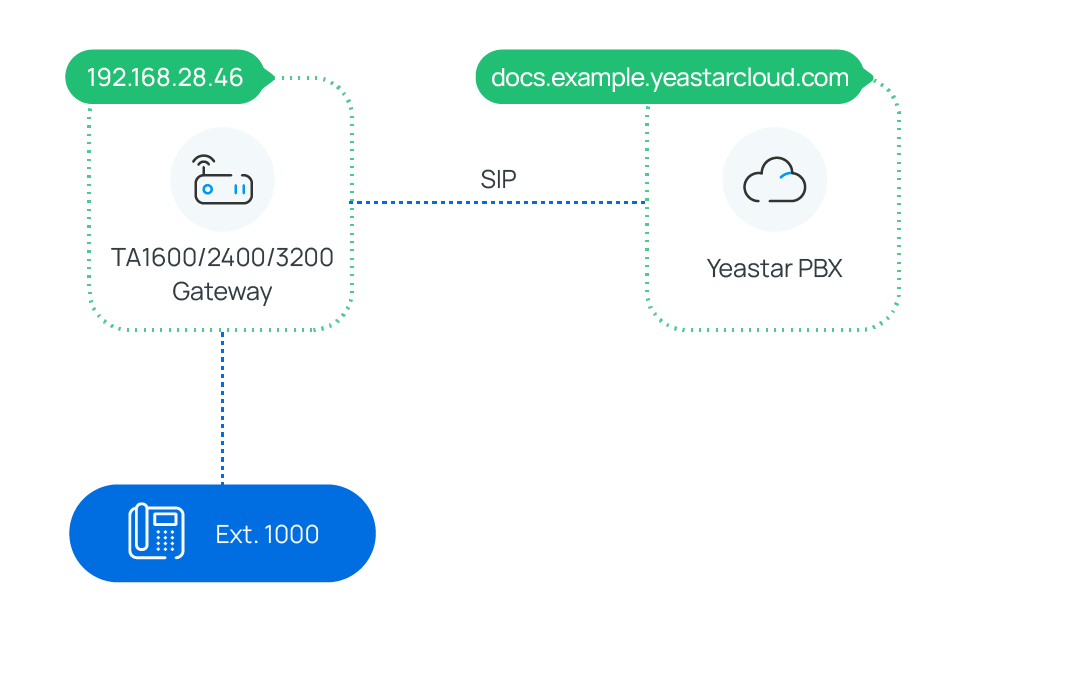
Section titled “How the integration works”The gateway registers to Cloud Voice over SIP and bridges its analog ports to the PBX. Each analog port maps to a PBX extension. Calls still ride your Cloud Voice trunks and follow your routing rules; the gateway simply converts between the digital SIP audio and the analog line, handing the audio off to the phone plugged into each port.
Reference environment
Section titled “Reference environment”The procedures throughout this guide were validated with the setup below. Your firmware versions and addresses will differ, but the workflow is the same.
| Equipment | Firmware version | IP address / domain |
|---|---|---|
| Cloud Voice | 84.12.0.32 | pbx.example.com |
| TA1600/2400/3200 FXS Gateway | 47.0.0.54 | 192.168.28.46 |
In this guide
Section titled “In this guide”Work through the topics in order. Start by joining the gateway to the PBX, then enable outbound and inbound calling for the connected analog phones.
- Connect Cloud Voice and the TA1600/2400/3200 FXS Gateway, register the gateway to Cloud Voice so its analog ports become PBX extensions.
- Make Outbound Calls from a Connected Analog Phone, add an outbound route so analog phones can dial out over a PBX trunk.
- Receive Inbound Calls on a Connected Analog Phone, add an inbound route so calls on a PBX trunk reach the analog phone.
Question about this page?
Ask the AI assistant. It starts from this page, then searches the rest of the docs.
Ask Cloud Voice AI
Answers are AI-generated from the docs and may contain mistakes. Verify with the linked pages.