
TA100/200 FXS Gateway Integration Guide
An FXS gateway lets you keep traditional analog equipment (desk phones, fax machines, door phones, overhead paging adapters, and similar devices) in service while still running everything through your Cloud Voice phone system. This guide uses a worked example to show how a TA100/200 FXS gateway registers to Cloud Voice as a trunk, so the analog phones plugged into it can place and receive calls like any other extension.
Test environment
Section titled “Test environment”The steps in this guide were validated against the setup below. Your firmware versions and network addresses will differ, so treat these values as a reference for the role each device plays rather than settings to copy.
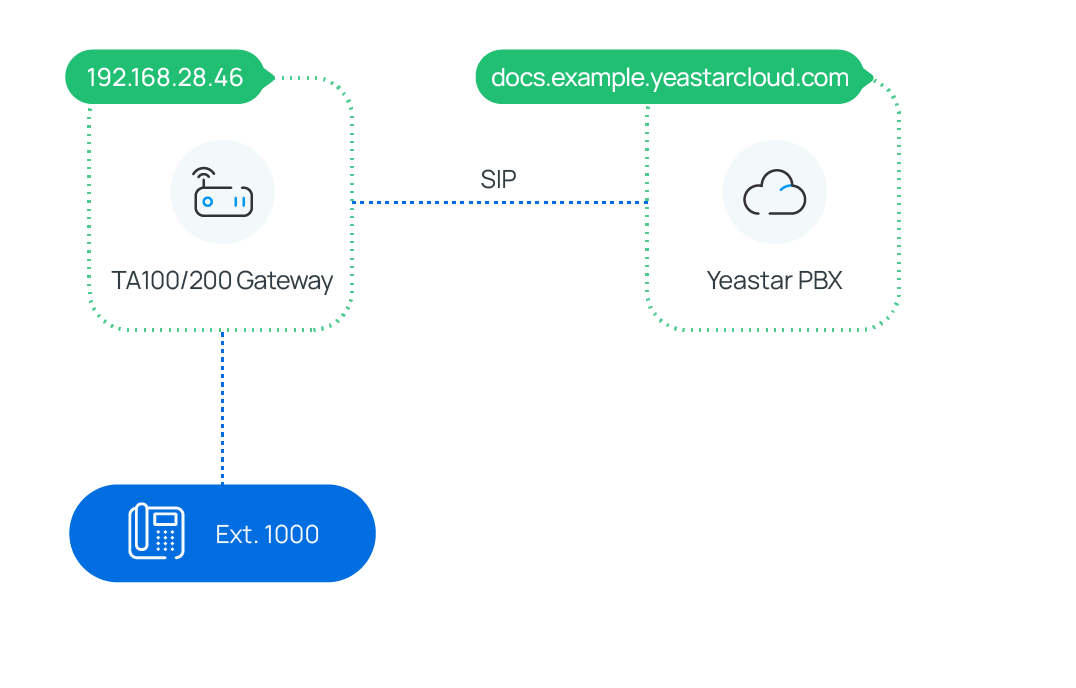
| Equipment | Firmware version | IP address / domain name |
|---|---|---|
| Cloud Voice | 84.14.0.24 | cloudvoice.example.com |
| TA100/200 FXS Gateway | 44.19.0.30 | 192.168.28.46 |
In this guide
Section titled “In this guide”Complete these topics in order. Each one builds on the previous, so calling will not work end to end until all three are done.
- Connect Cloud Voice and the TA100/200 FXS gateway: pair the gateway with the PBX so you can extend one or more analog phones. This registers the gateway as a trunk and is the prerequisite for the two routing steps below.
- Make outbound calls from an analog phone connected to the gateway: add an outbound route so analog users can dial out over a PBX trunk.
- Receive inbound calls on an analog phone connected to the gateway: add an inbound route so calls arriving on a PBX trunk ring the connected analog phone.
Question about this page?
Ask the AI assistant. It starts from this page, then searches the rest of the docs.
Ask Cloud Voice AI
Answers are AI-generated from the docs and may contain mistakes. Verify with the linked pages.