
Place a Call within Dynamics 365
Once the Cloud Voice App for Dynamics 365 is running alongside your CRM (Customer Relationship Management system), you can place audio calls without leaving the Dynamics interface. This lets you dial a contact, return a missed call, or follow up on a voicemail in one click, instead of copying a number into a separate phone.
Sign in to your extension in the Cloud Voice App first, then use whichever of the methods below fits your workflow. An extension is your personal line on the phone system, so signing in is what tells the system which line the call should come from.
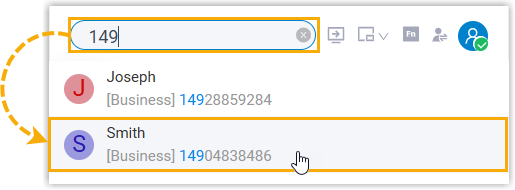
Call from a search result
Section titled “Call from a search result”Use this when you know the contact’s name or number and want the fastest way to dial them.
- In the search bar, look up the contact you want to reach by name or by number.
- Select the matching result to place the call.
Call from the dial pad
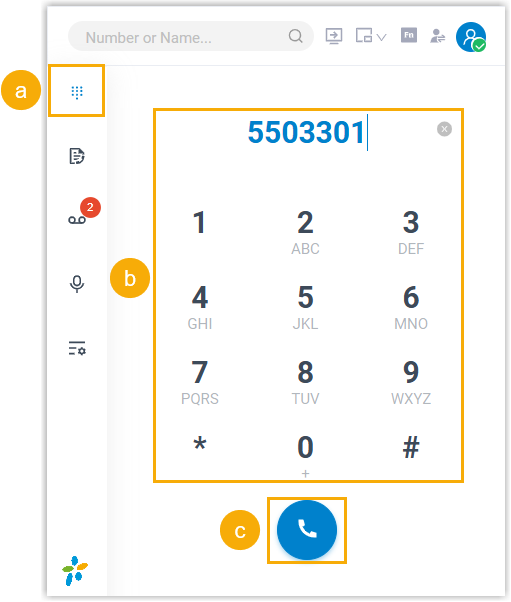
Section titled “Call from the dial pad”Use this when you want to dial a number by hand, for example a number that is not saved as a contact.
- Open the Dial Pad page.
- Type or dial the number you want to reach.
- Select the call button
 to connect.
Call from a call log
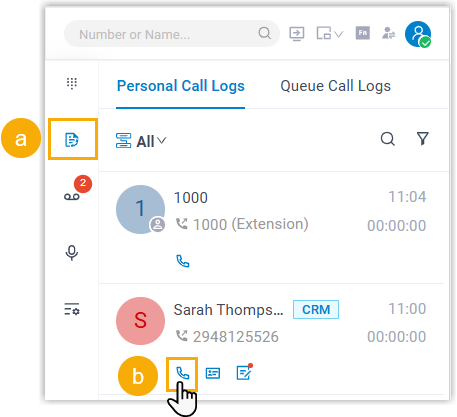
Section titled “Call from a call log”Use this to return or repeat a recent call without retyping the number.
- Open the Call Logs page.
- Next to the entry you want to return, select the call icon
 .
.
Call from a voicemail
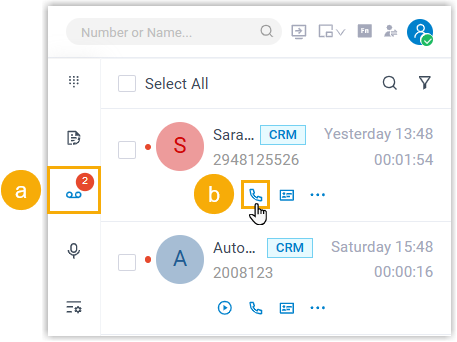
Section titled “Call from a voicemail”- Open the Voicemails page.
- Next to the message you want to respond to, select the call icon .
Call from a recording
Section titled “Call from a recording”- Open the Recordings page.
- Next to the recording you want to follow up on, select the call icon .
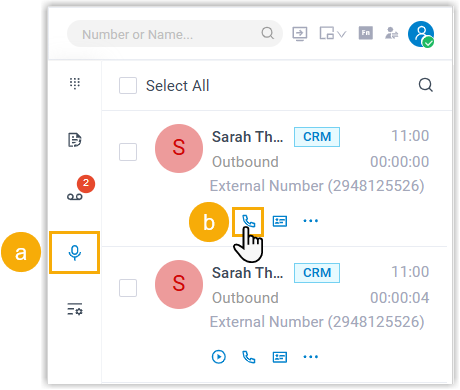
Call from the Dynamics 365 interface
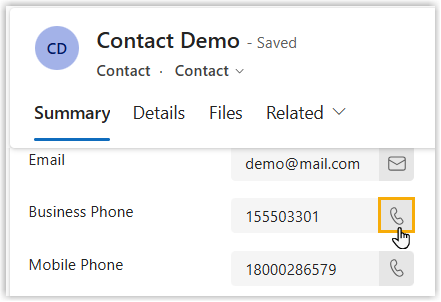
Section titled “Call from the Dynamics 365 interface”Use this when you are already viewing a customer’s record and want to call one of the numbers listed on it.
- Open the details page of the contact you want to reach in Dynamics 365 CRM.
- Select the call icon shown beside the number you want to dial.
Question about this page?
Ask the AI assistant. It starts from this page, then searches the rest of the docs.
Ask Cloud Voice AI
Answers are AI-generated from the docs and may contain mistakes. Verify with the linked pages.