
Pause Red Hat SSO Synchronization
When user synchronization is active, Cloud Voice keeps its user records aligned with the source data in Red Hat SSO (Single Sign-On, the identity service that stores your user accounts). If you need that imported information to stop changing for a while, you can suspend the sync rather than remove the integration entirely. Pausing is the safe choice when you only want the current data to hold still, because it keeps the connection and its settings intact instead of tearing the integration down. Follow the steps below to place synchronization on hold.
Pause the synchronization
Section titled “Pause the synchronization”-
Sign in to the PBX (Private Branch Exchange, the phone system) web portal and open Integrations > Collaboration.
-
Switch off User Synchronization.

-
Select Save.
-
A confirmation dialog appears. Choose how you want the linked extensions handled, then commit the change:
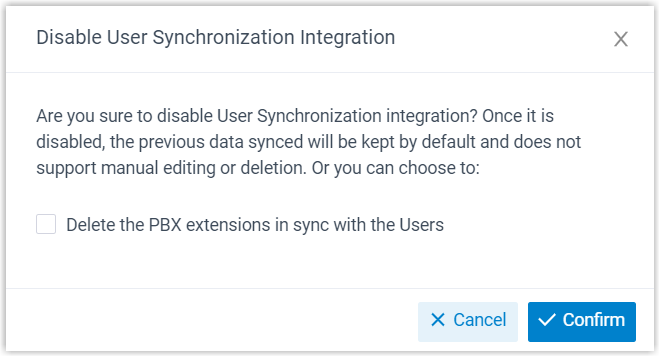
- To remove the PBX extensions that belong to the synced users, tick Delete the PBX extensions in sync with the Users. Leave it unticked to keep those extensions in place.
- Select Confirm to apply.
What happens next
Section titled “What happens next”Synchronization stops, and no further updates flow in from Red Hat SSO.
Question about this page?
Ask the AI assistant. It starts from this page, then searches the rest of the docs.
Ask Cloud Voice AI
Answers are AI-generated from the docs and may contain mistakes. Verify with the linked pages.