
Set Up Auto Launch for Cloud Voice App for Dynamics 365
Dynamics 365 is Microsoft’s CRM (Customer Relationship Management) platform. The Cloud Voice App for Dynamics 365 is a plugin that runs inside Dynamics 365 and ties your phone calls to your customer records.
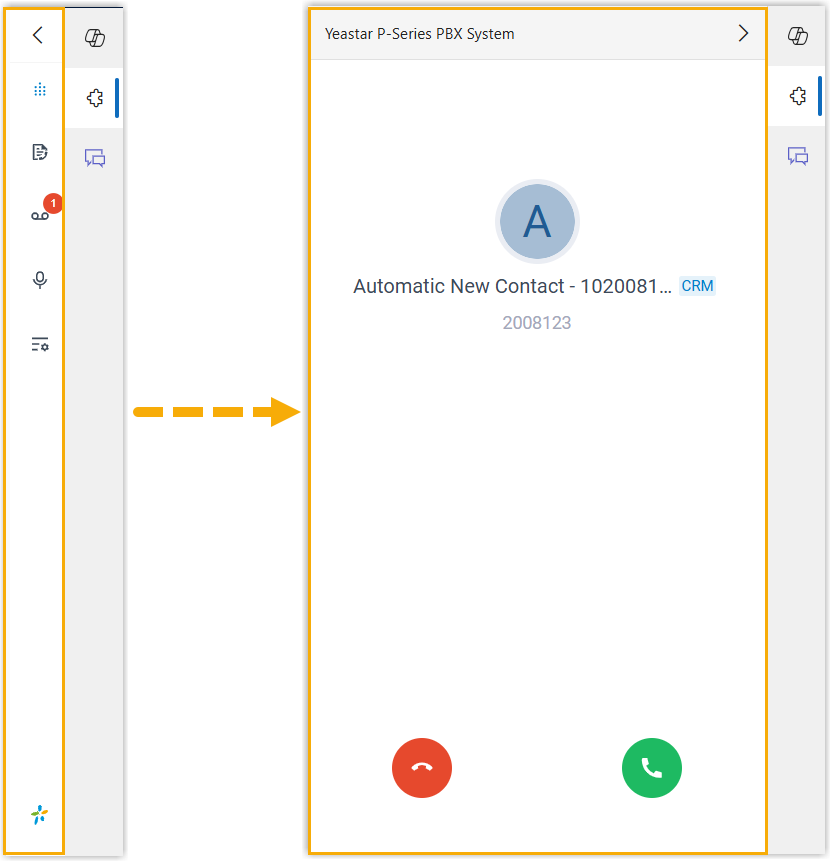
If you keep the plugin collapsed while you work, you can have it surface on its own the moment a call comes in. This saves you from watching for the plugin and makes sure you never miss caller details.
Procedure
Section titled “Procedure”- Sign in to the Cloud Voice App for Dynamics 365 plugin, then click the preferences icon
 . The preferences icon sits in the plugin’s top toolbar and opens its settings.
 - Open the Dynamics Integration tab.
- Turn on Auto-Launch the App Upon Incoming Call.
- Click Save.
Result
Section titled “Result”The next time a call arrives while the plugin is collapsed, it expands automatically and alerts you to the incoming caller.
Question about this page?
Ask the AI assistant. It starts from this page, then searches the rest of the docs.
Ask Cloud Voice AI
About
Answers are AI-generated from the docs and may contain mistakes. Verify with the linked pages.