
Set up Contact Creation for Zendesk
Once Cloud Voice is connected to Zendesk, you can have unknown callers turned into Zendesk records without leaving a gap in your contacts database. Choose whether the system adds them for you automatically or lets your agents decide during a call.
Before you start
Section titled “Before you start”Make sure you have already connected Cloud Voice to Zendesk. Contact creation only works on top of an active integration.
Turn on contact creation
Section titled “Turn on contact creation”- Sign in to the PBX (Private Branch Exchange, your Cloud Voice phone system) web portal and open Integrations > Helpdesk.
- On the Zendesk page, switch on Create New Contact.
- Under Create Method, pick how new contacts should be added:
-
Automatically: the system creates the contact for you whenever a qualifying call happens. Select this option, then use the Call Type drop-down to decide which calls trigger creation:
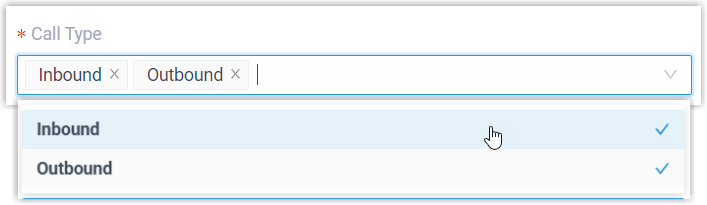
- Inbound: a call comes in from a number that isn’t already a Contact, Lead, or Account in the Helpdesk.
- Outbound: a call goes out to a number that isn’t already a Contact, Lead, or Account in the Helpdesk.
-
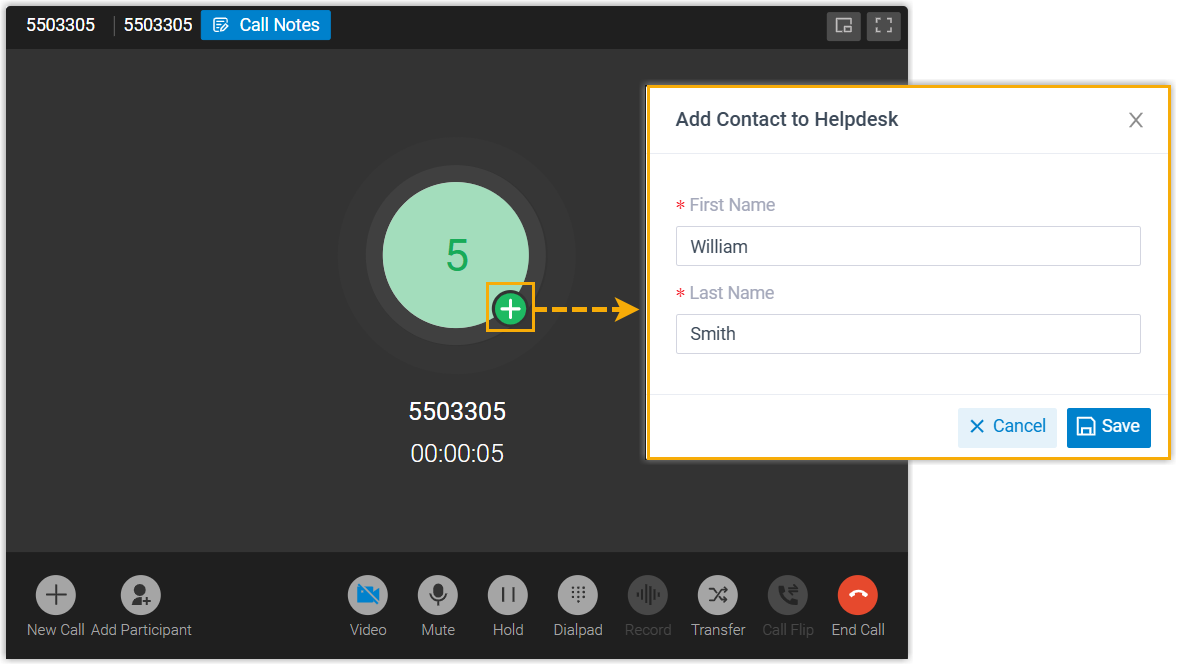
Manually: leave creation up to your team. Associated extension users can add the caller themselves while they are on the call.
-
- Click Save.
What happens next
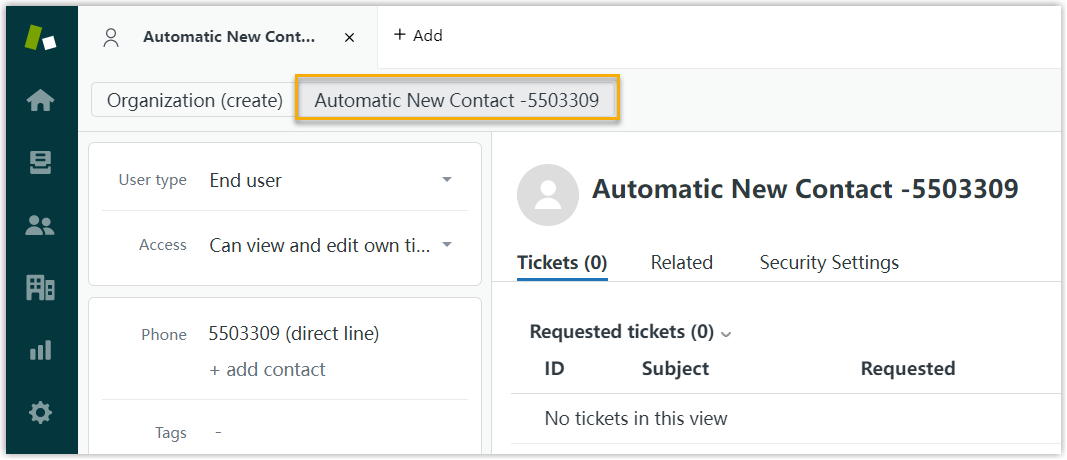
Section titled “What happens next”With automatic creation enabled, every inbound or outbound call to an unrecognized number (depending on your Call Type choice) spins up a fresh contact in Zendesk.
With manual creation enabled, associated extension users get the option to save an unknown number as a new contact or lead directly in the Helpdesk during the call.
Question about this page?
Ask the AI assistant. It starts from this page, then searches the rest of the docs.
Ask Cloud Voice AI
Answers are AI-generated from the docs and may contain mistakes. Verify with the linked pages.