
Export Call Flows
Any call flow you build in Cloud Voice can be saved to a file and later brought into a different phone system. Use this when you want to reuse a design elsewhere or keep a backup outside the portal.
Export a call flow
Section titled “Export a call flow”-
Sign in to the phone system portal and open Call Flow Designer (the area where call flows are built and managed).
-
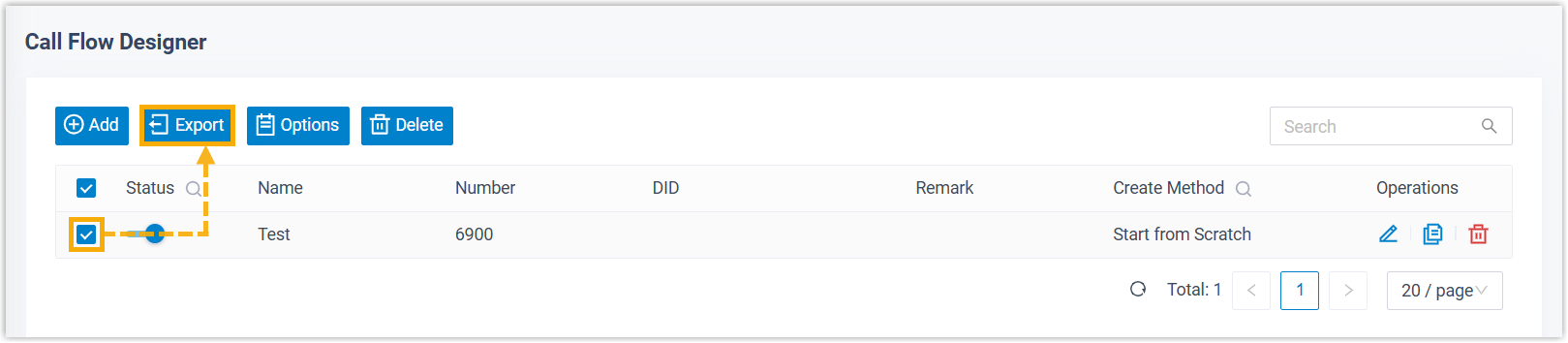
Tick the box beside each call flow you want to save, then select Export. You can select one flow or several at once.
What you get
Section titled “What you get”- Exporting one call flow produces a single
.jsonfile (JSON is a plain-text data format). - Exporting several call flows produces a
.ziparchive. Extract (unzip) it to get the individual.jsonfiles inside.
Question about this page?
Ask the AI assistant. It starts from this page, then searches the rest of the docs.
Ask Cloud Voice AI
About
Answers are AI-generated from the docs and may contain mistakes. Verify with the linked pages.