
Enable or Disable a Call Flow
Each call flow has an on/off switch that decides what happens to calls arriving on its assigned number. Turning the switch on puts the flow into service; turning it off takes it out of service. This page covers both actions.
Turn a call flow on
Section titled “Turn a call flow on”With a call flow enabled, any call placed to its call flow number or to a DID number that points to the flow follows the routing you designed. DID stands for Direct Inward Dialing: it is the external phone number a caller actually dials to reach you.
-
Sign in to your Cloud Voice management portal and open Call Flow Designer.
-
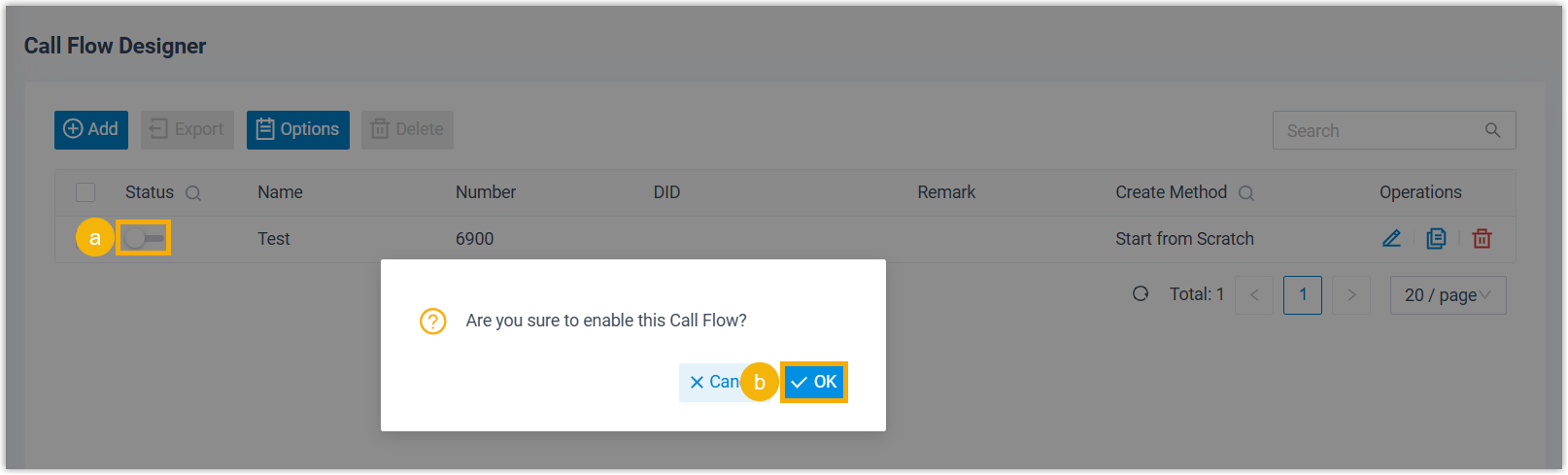
Locate the flow you want to activate in the list and toggle its switch on.
-
Confirm the change by clicking OK in the dialog that appears.
Turn a call flow off
Section titled “Turn a call flow off”With a call flow disabled, calls to its call flow number or to any DID number that points to the flow are dropped and the caller is disconnected right away.
-
Sign in to your Cloud Voice management portal and open Call Flow Designer.
-
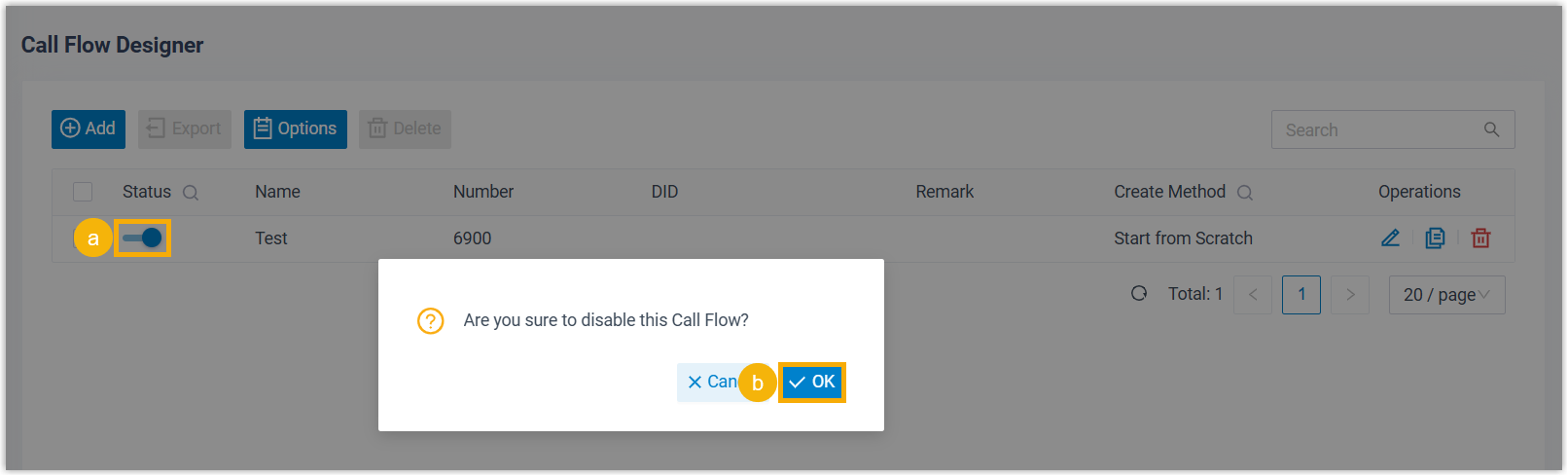
Find the flow you want to deactivate in the list and toggle its switch off.
-
Confirm the change by clicking OK in the dialog that appears.
Question about this page?
Ask the AI assistant. It starts from this page, then searches the rest of the docs.
Ask Cloud Voice AI
Answers are AI-generated from the docs and may contain mistakes. Verify with the linked pages.