
Virtual Fax Integration Overview
Cloud Voice can link to an online fax service, letting your team send and receive faxes over the Internet straight from the Cloud Voice App. There is no need for fax machines, dedicated phone lines, or paper.
Requirements
Section titled “Requirements”Before you turn on virtual faxing, confirm that both your Cloud Voice system and the fax provider meet the conditions below.
Cloud Voice
- Firmware version
84.20.0.74or later - Enterprise Plan or Ultimate Plan
Supported fax platforms
- Telnyx
- IZT Cloud
- IXICA
- BlueFAX
Why use virtual faxing
Section titled “Why use virtual faxing”- Reach it from anywhere. All you need is an Internet connection to send and receive faxes, whenever and wherever you are.
- Stored and searchable. Every fax action is logged and each transmitted document is kept safely, so records are easy to find later.
- Pay only for what you send. Dropping paper, fax lines, and hardware lowers your infrastructure and running costs, and you are billed per fax sent.
- Branded cover pages. Attach a custom cover page to outbound faxes to carry details such as sender and recipient information and a short message.
- Fax to email. Route incoming faxes to chosen mailboxes for fast sharing, backups, and more.
How to set up virtual faxing
Section titled “How to set up virtual faxing”To enable virtual faxing on Cloud Voice and let extension users fax from the Cloud Voice App, work through the steps below.
-
Connect Cloud Voice to one or more fax platforms:
-
(Optional) Create and customize cover pages for extension users to apply when they send a fax.
-
(Optional) Adjust the built-in Fax to Email template, which is applied whenever a fax is forwarded to a mailbox.
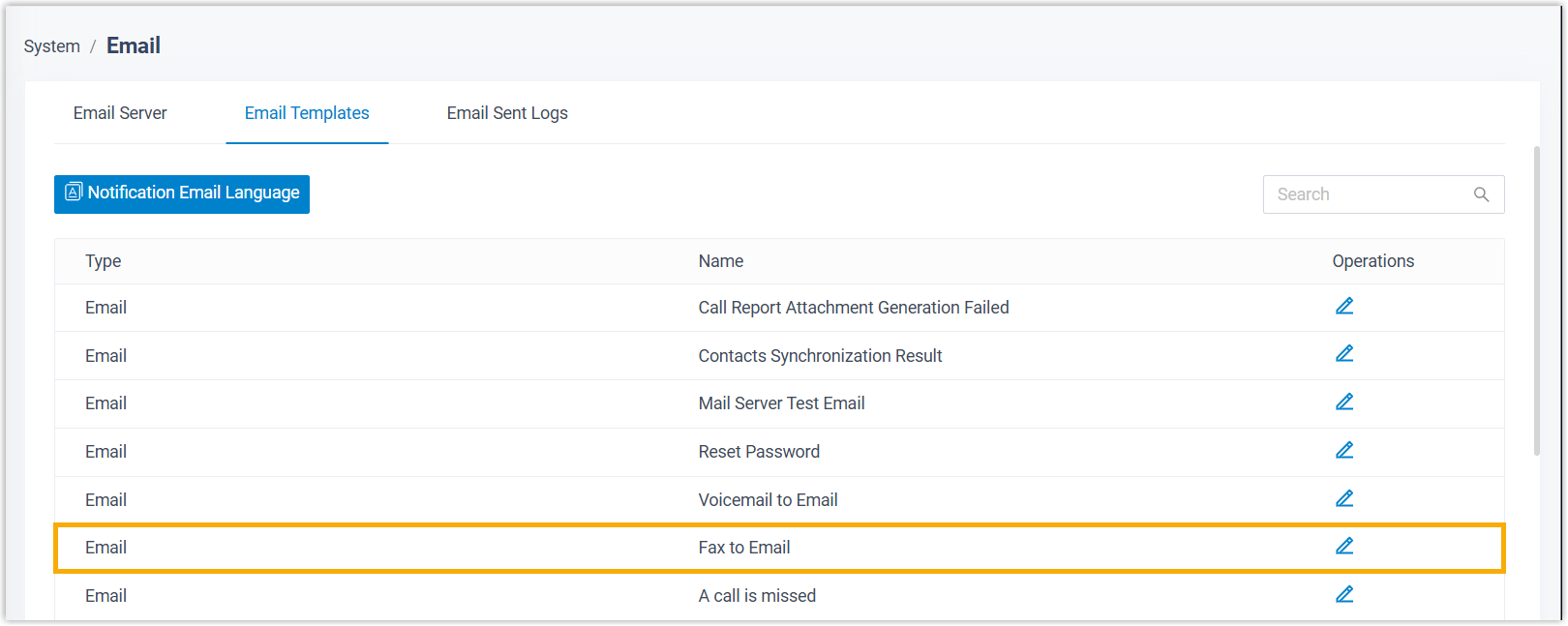
Once these steps are done, extension users can send and receive faxes directly in the Cloud Voice App.
Fax data auto cleanup
Section titled “Fax data auto cleanup”Cloud Voice records every inbound and outbound fax and keeps the related fax files. By default, the system clears fax data automatically as soon as either of these limits is reached:
- Fax files: stored files reach 1024 MB.
- Fax logs: logs are kept for up to 7 days, or the log count reaches 200,000.
To change the file storage cap or how long logs are kept, go to System > Storage > Fax Data Auto Cleanup.

Question about this page?
Ask the AI assistant. It starts from this page, then searches the rest of the docs.
Ask Cloud Voice AI
Answers are AI-generated from the docs and may contain mistakes. Verify with the linked pages.