
Check Fax Logs
Cloud Voice keeps a running record of each virtual fax that passes through the system, whether it was sent out or received. Use the fax logs to confirm delivery, trace a specific transmission, or audit fax activity for a particular user. This page walks through opening the logs and narrowing them down to the entries you need.
View the fax logs
Section titled “View the fax logs”-
Sign in to the Cloud Voice management portal and go to Integrations > Fax > Fax Logs.
-
Use the filters along the top of the list to zero in on the faxes you’re looking for.
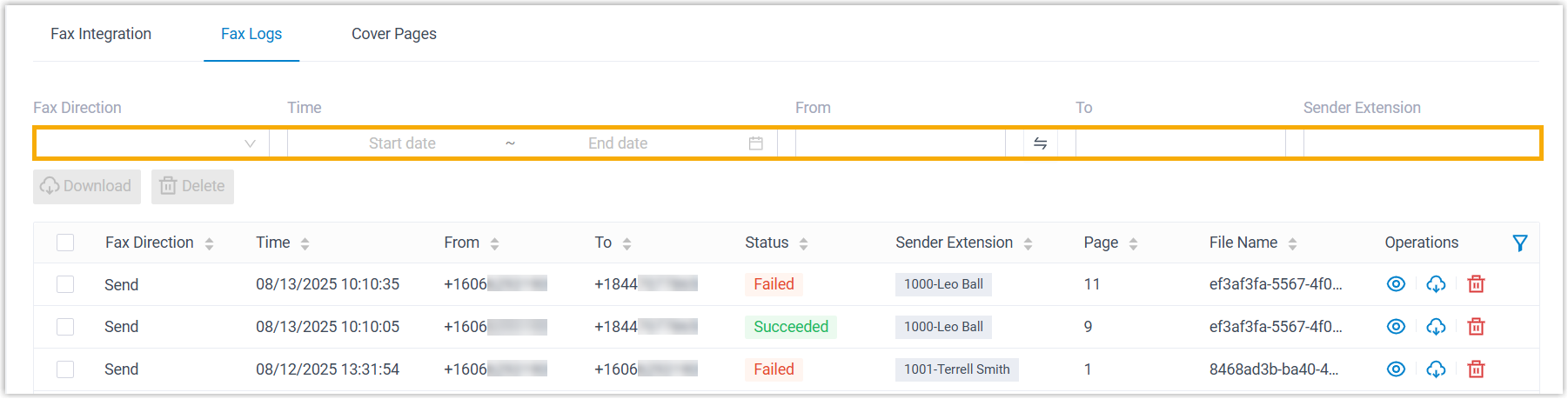
Filter What it does Fax Direction Choose Send or Receive to show only outbound or inbound faxes. Time Set a date-and-time range to limit results to faxes handled during that window. From Type the sender’s fax number in E.164 format (the international dialing format: a plus sign, the country code, then the number with no spaces or dashes, for example +14155550100). To Type the recipient’s fax number, also in E.164 format. Sender Extension Enter an extension number or name to show only faxes sent by that user.
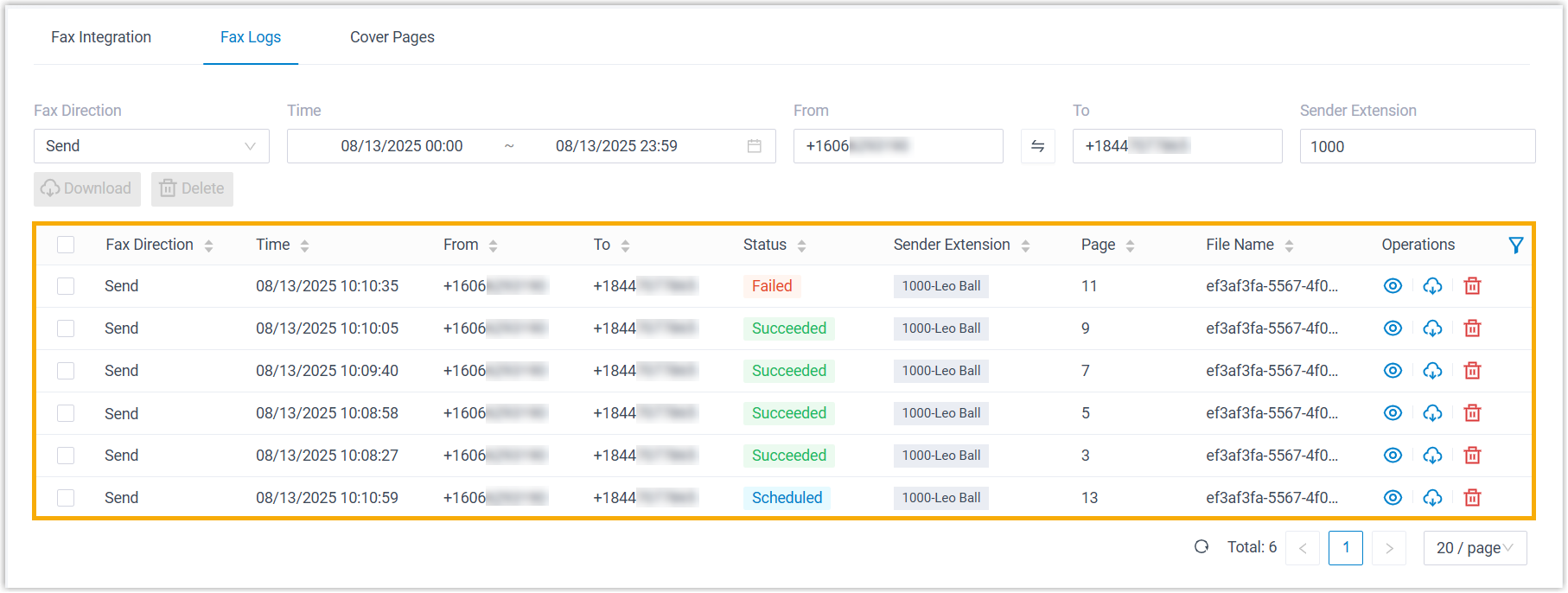
The faxes that match your filters appear in the list below, where you can review the details of each entry.
Question about this page?
Ask the AI assistant. It starts from this page, then searches the rest of the docs.
Ask Cloud Voice AI
Answers are AI-generated from the docs and may contain mistakes. Verify with the linked pages.