
Delete Fax Cover Pages
When a fax cover page is no longer in use, you can remove it so it stops appearing as an option for your users.
Who can delete cover pages depends on the type:
- Administrators manage the system-wide cover pages from the management portal. Removing one here makes it unavailable to every extension user on the account.
- Extension users manage their own personal cover pages from the Cloud Voice App (Desktop or Web), and can delete those directly from the client.
The steps below cover the administrator task of deleting one or more system-wide cover pages. Personal cover pages are handled by each user in their own Cloud Voice App.
Delete a single cover page
Section titled “Delete a single cover page”-
Sign in to the management portal and go to Integrations > Fax > Cover Pages. Every system-wide cover page appears in the list.
-
Find the cover page you want to remove and click the delete icon
 at the end of its row.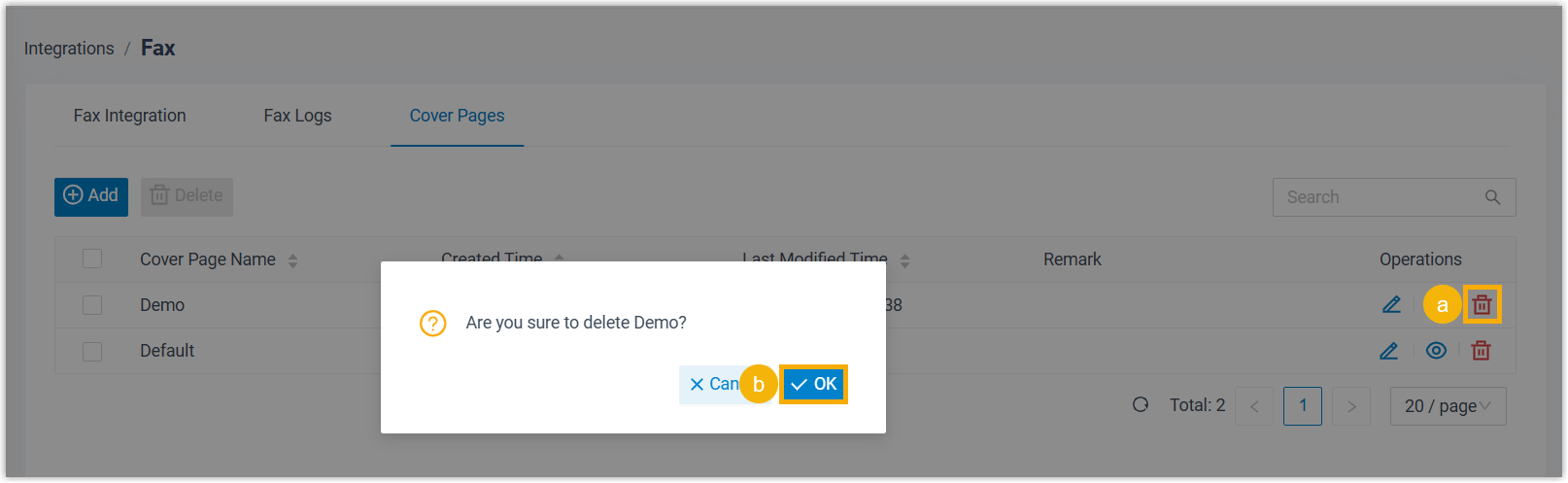
-
Confirm by clicking OK in the dialog.
Delete several cover pages at once
Section titled “Delete several cover pages at once”-
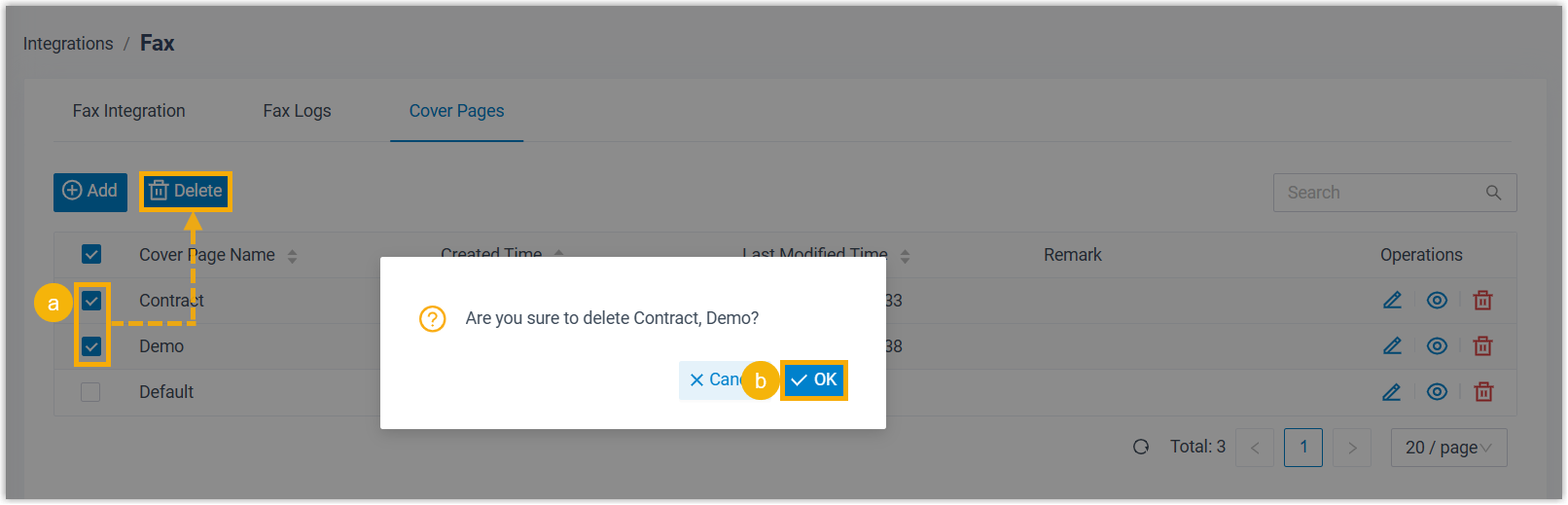
In Integrations > Fax > Cover Pages, select the checkbox beside each cover page you want to remove.
-
Click Delete above the list.
-
Confirm by clicking OK in the dialog.
Question about this page?
Ask the AI assistant. It starts from this page, then searches the rest of the docs.
Ask Cloud Voice AI
Answers are AI-generated from the docs and may contain mistakes. Verify with the linked pages.