
Set up Lead or Contact Creation for Bitrix24 CRM
Once Cloud Voice is connected to Bitrix24 CRM (Customer Relationship Management, the software your team uses to track leads and contacts), you can have calls involving unrecognized numbers populate your CRM records. This keeps your Bitrix24 database current by capturing every new caller as a lead or contact, whether the system logs them for you or your extension users add them during a call.
Before you begin
Section titled “Before you begin”Make sure you have already integrated Cloud Voice with Bitrix24 CRM.
Configure record creation
Section titled “Configure record creation”-
Sign in to the PBX (Private Branch Exchange, the phone system) web portal and open Integrations > CRM.
-
On the CRM integration page, enable Create New Contact.
-
From the Create Contact or Lead drop-down list, choose which record type(s) an unknown number should be saved as:
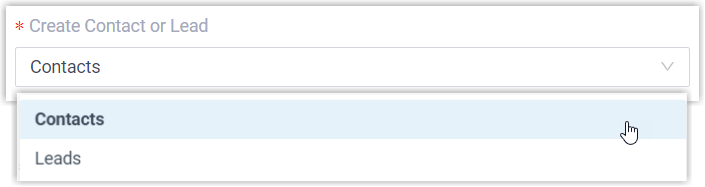
- Contacts: store the unknown number as a Contact.
- Leads: store the unknown number as a Lead.
-
Under Create Method, decide how records are added:
- To let the system add records on its own for the call types you specify:
-
Select Automatically.
-
Open the Call Type drop-down list and choose the calls that should trigger creation:
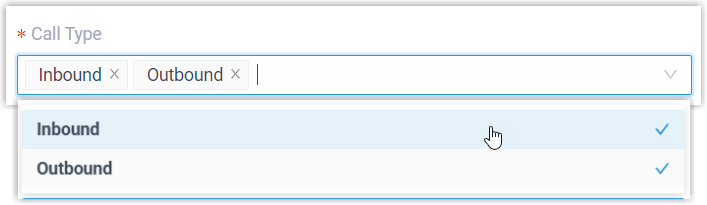
- Inbound: a call received from an unknown number that does not match any existing Contact, Lead, or Account in the CRM.
- Outbound: a call placed to an unknown number that does not match any existing Contact, Lead, or Account in the CRM.
-
- To let the associated extension users (the extensions linked to CRM users in the integration) create records themselves while on a call, select Manually.
- To let the system add records on its own for the call types you specify:
-
Click Save.
What happens next
Section titled “What happens next”-
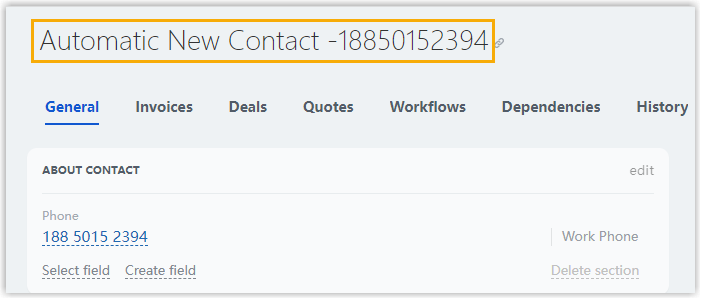
With automatic creation turned on, a new lead or contact appears in Bitrix24 CRM whenever an associated extension places or receives a call involving an unknown number.
-
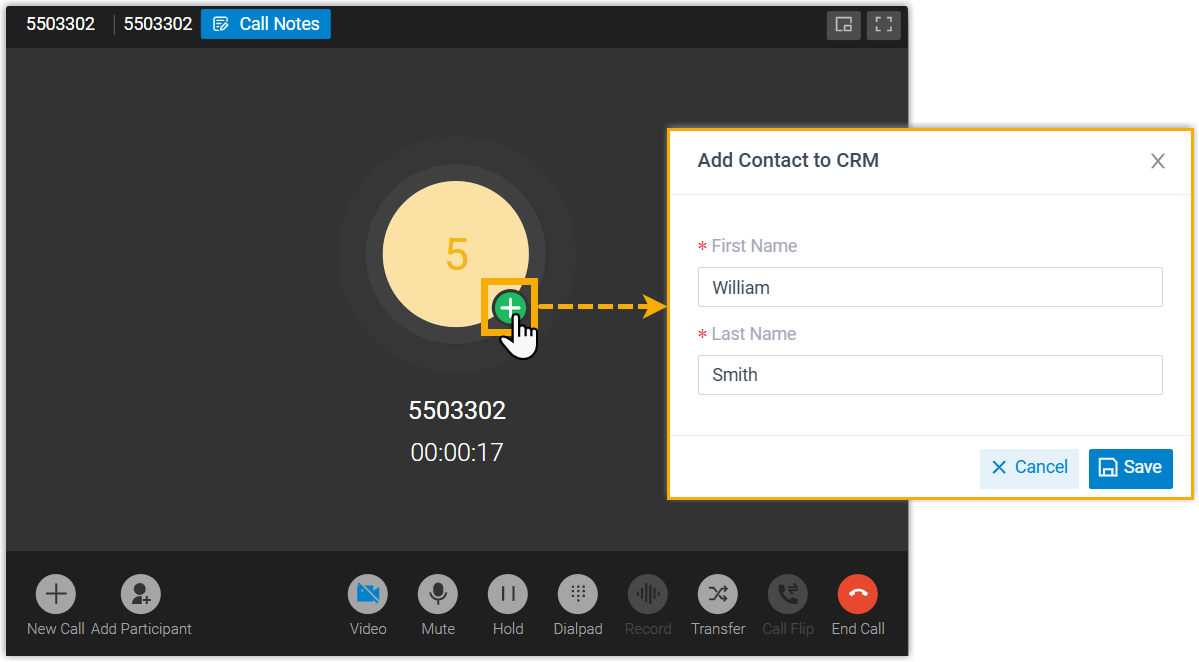
With manual creation turned on, the associated extension users can add an unknown number to the CRM as a lead or contact during the call.
Question about this page?
Ask the AI assistant. It starts from this page, then searches the rest of the docs.
Ask Cloud Voice AI
Answers are AI-generated from the docs and may contain mistakes. Verify with the linked pages.