
Add or Update Phone Call Activity
While a call is in progress, you can capture what the conversation is about, tie it to the right contact, and link it to related Dynamics 365 records. The activity is written back to Dynamics 365 so nothing about the call is lost once you hang up.
Log the call details
Section titled “Log the call details”-
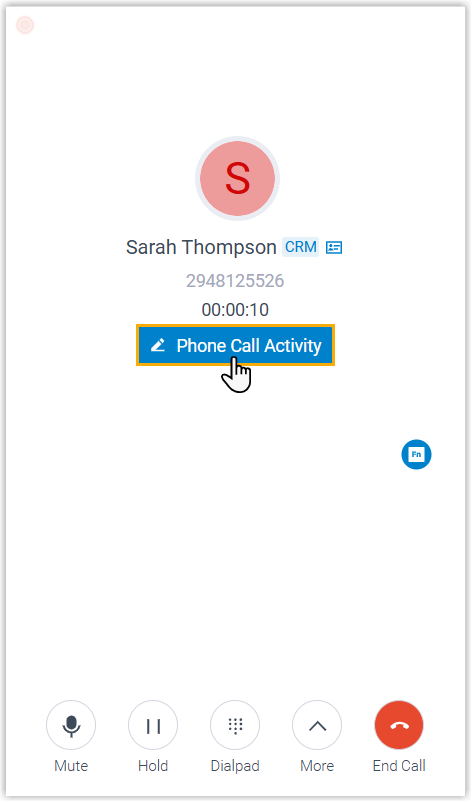
On the active call, select Phone Call Activity to bring up the “Phone Call Activity” page.
-
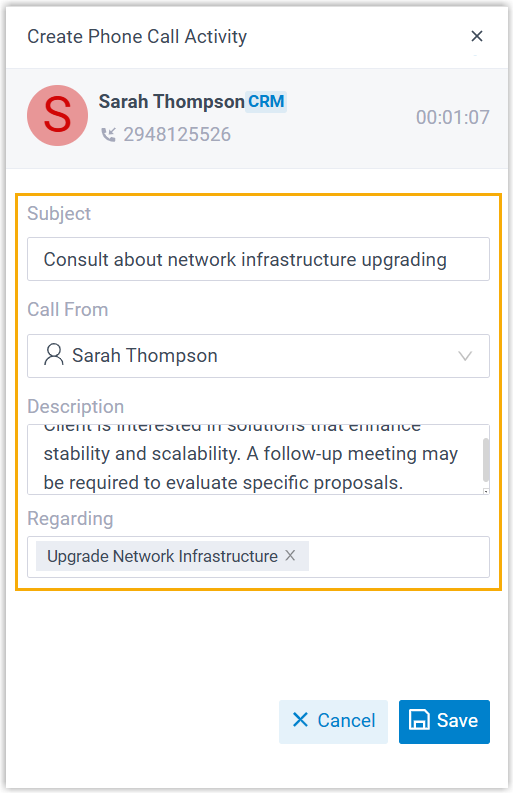
Fill in or adjust the call details.
-
Subject: Give the call a short title.
-
Call From: Shows the Dynamics contact that matches the caller’s number.
-
Description: Write out the details of the conversation.
-
Regarding: Type a keyword and press Enter to look up matching Dynamics 365 records, then choose the records you want to attach to the call.
-
-
Select Save.
-
Select
 to dismiss the page.
Result
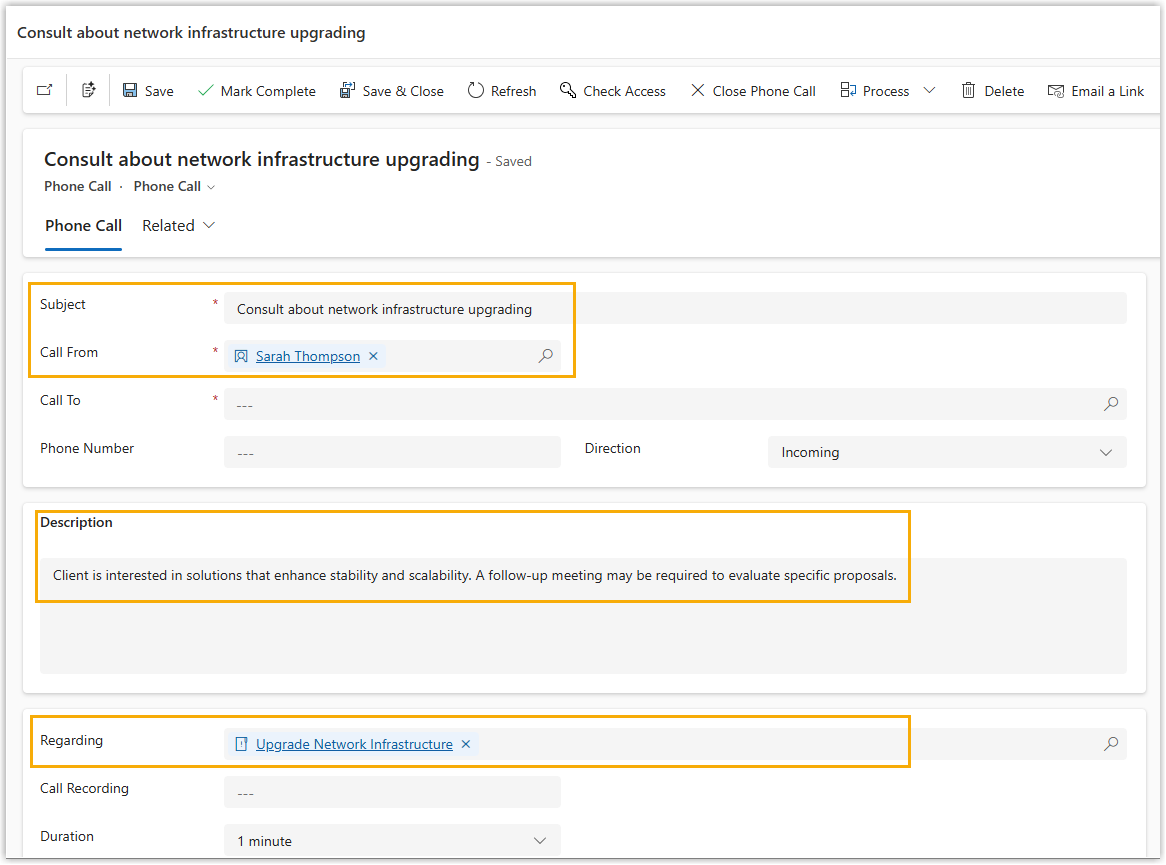
Section titled “Result”The call activity is saved to Dynamics 365 and linked to the contact and record you chose.
Question about this page?
Ask the AI assistant. It starts from this page, then searches the rest of the docs.
Ask Cloud Voice AI
Answers are AI-generated from the docs and may contain mistakes. Verify with the linked pages.